FlexLine plus, Settings
43
5.2 Regional Settings
Access
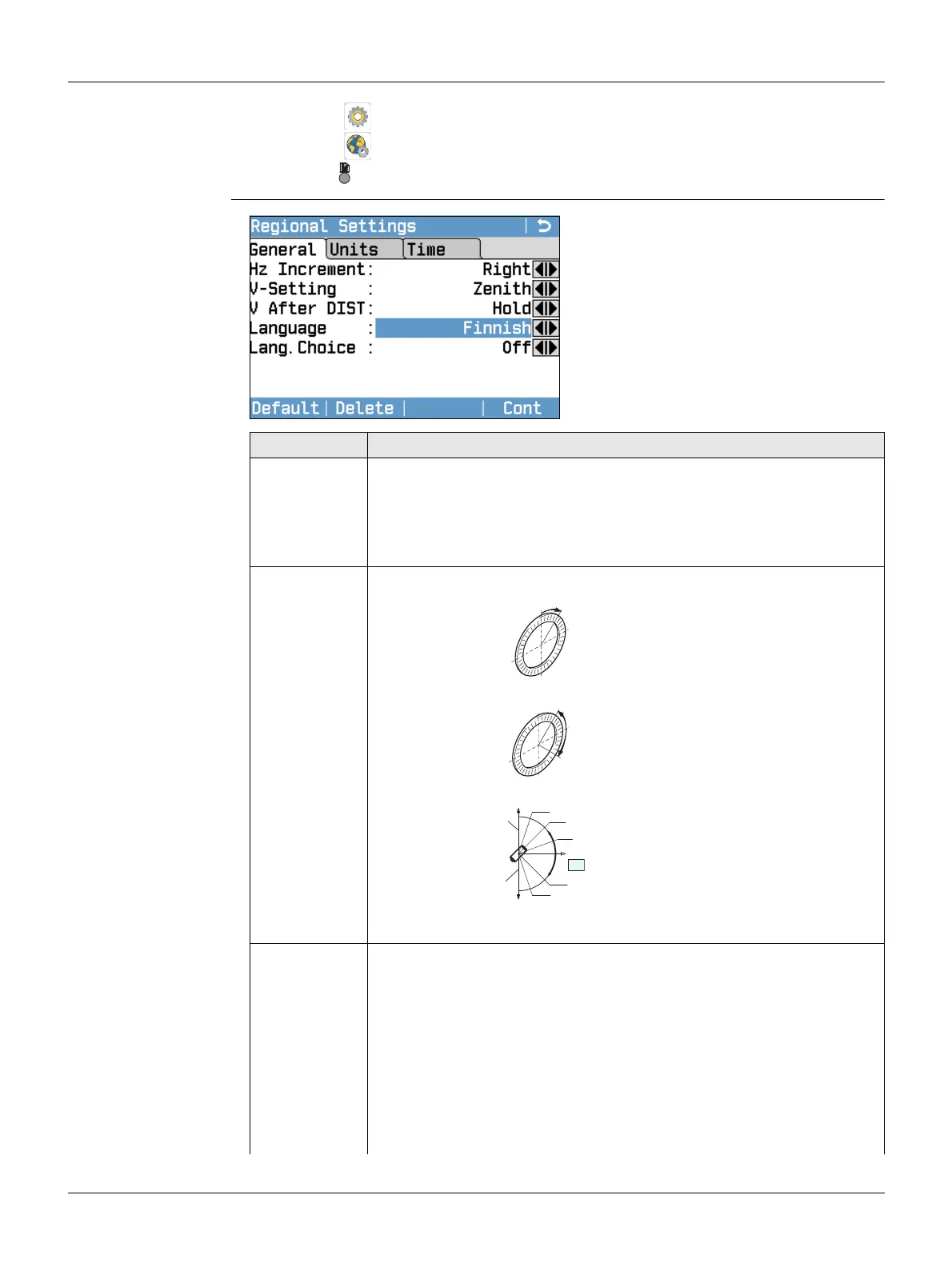
Regional Settings
1. Select Settings from the Main Menu.
2.
Select Regional from the Settings Menu.
3.
Press to scroll through the screens of available settings.
Delete
To delete an inactive language. Avail-
able when the language is highlighted.
Field Description
Hz Increment Right Set horizontal angle to clockwise direction measure-
ment.
Left Set horizontal angle to counter-clockwise direction
measurement. Counter-clockwise directions are
displayed but are saved as clockwise directions.
V-Setting Sets the vertical angle.
Zenith
Zenith=0°; Horizon=90°.
Horizon
Zenith=90°; Horizon=0°.
Vertical angles are positive above the
horizon and negative below it.
Slope [%]
45°=100%; Horizon=0°.
Vertical angles are expressed in % with
positive above the horizon and nega-
tive below it.
The % value increases rapidly. --
.--% appears on the display above
300%.
V After DIST Sets if the vertical angle value recorded is the value that is displayed
when Dist or when Store is pressed. The vertical angle field in a
measurement screen always shows the running angle, regardless of
this setting.
Hold The vertical angle value that is recorded is the value
that was in the vertical angle field at the time Dist
was pressed.
Running The vertical angle value that is recorded is the value
in the vertical angle field at the time Store is
pressed.
90°
270°
180°
0°
45°
TSOX_018
180°
+90°
-90°
+45°
-45°
0°
TSOX_019
Slope %
+300 %
+100%
+18 %
0°
-100 %
-300 %
20°
45°
71°34”
360s
gon
-50 gon
-79,5 gon
--.--%
--.--%
±V
TSOX_020



 To Next Page