FlexLine plus, Programs
62
7.2.2 Measuring the target points
Manual Angle Setting Available for Method: Ori. with Angle only.
Enter the PtID and height of the target. Measure the Hz angle and repeat the meas-
urement in the ohter face by pressing Face. Press Set to set the new orientation.
The station setup is complete.
Sight target point The remaining screens are available for all methods except Ori. with Angle and Local
Resection.
In the Sight target point! screen:
2 / I: Indicates that the second point was measured in face I.
2 / I II: Indicates that the second point was measured in faces I and II.
Sight the target point and select Meas, or Dist and Store to measure to the target
point.
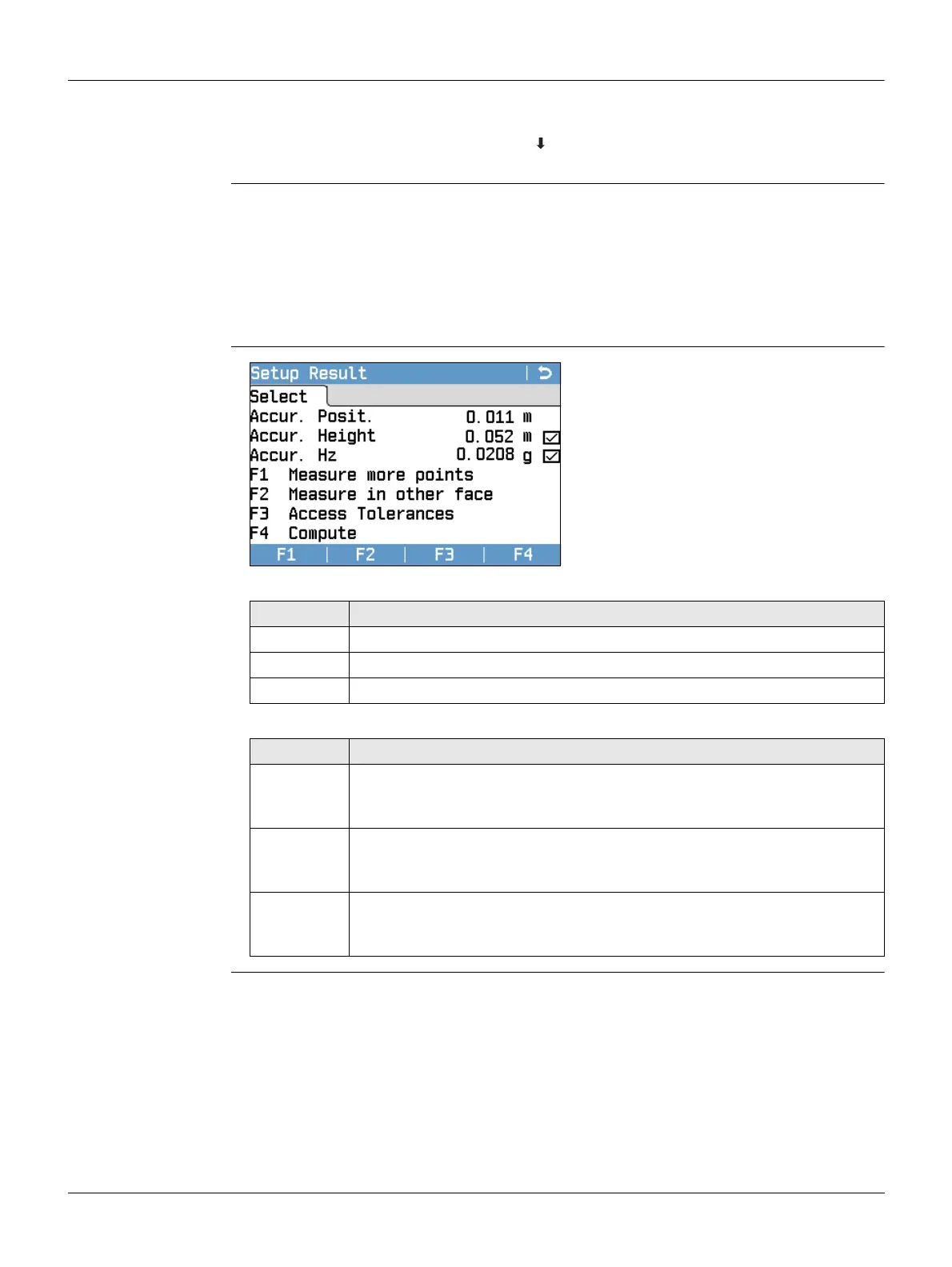
Station Setup Result
Description of symbols
Description of fields
F1 Measure more points
To return to the Enter Target Point
screen to measure more points.
F2 Measure in other face
To measure the same target point in
another face.
F3 Access Tolerances
To change the accuracy limit values.
F4 Compute
To calculate and display the station
coordinates.
Field Description
Standard deviation/value within the defined limit
x Standard deviation/value exceeds the defined limit
--- No value calculated
Field Description
Accur.
Posit.
If the standard deviation for position in East and North is calculated, a
checkbox is displayed. The checkbox is checked if the calculated position
is within the standard deviation limits or crossed if it is not.
Accur.
Height
If the standard deviation for Height is calculated, a checkbox is
displayed. The checkbox is checked if the calculated Height is within the
standard deviation limits or crossed if it is not.
Accur. Hz If the standard deviation for the Hz Orientation angle is calculated, a
checkbox is displayed. The checkbox is checked if the calculated Hz
Orientation is within the standard deviation limits or crossed if it is not.



 To Next Page