FlexLine plus, Programs
119
7.14.5 Closing a Traverse
Access Close the traverse by selecting Close in the Sight Foresight! screen after a backsight
point measurement, but before the foresight point measurement.
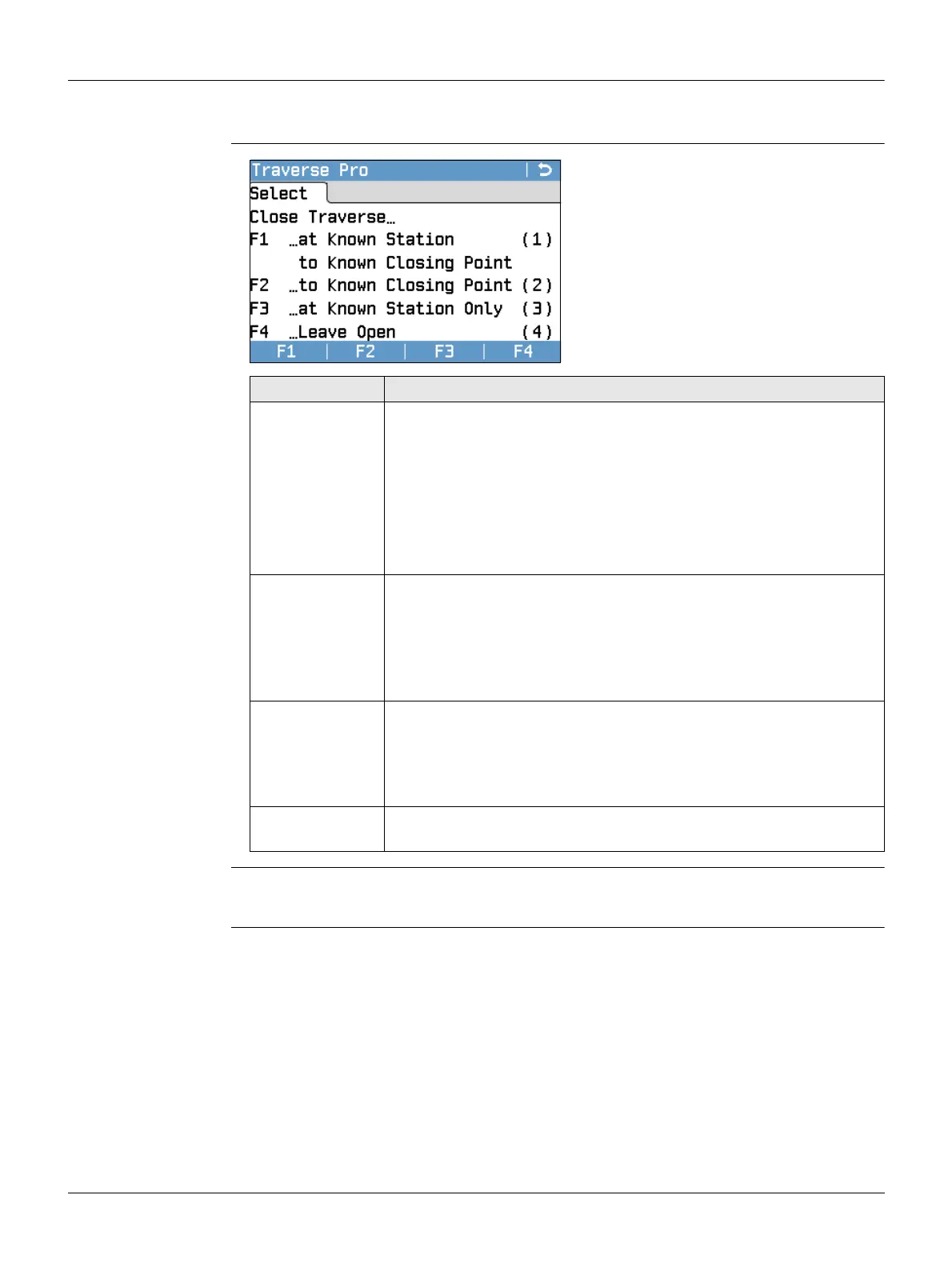
Close Traverse…
Next step Select an option, from the Close Traverse… menu to proceed to the Traverse Results
screen.
F1 - F4
To select menu item.
Field Description
F1 …at Known
Station to
Known Closing
Point
To close a traverse at a known station to a known closing point.
Use when setup on the closing station, and the coordinates for the
station and the closing point are known.
If this method is chosen a distance measurement is manda-
tory.
1) Input the data for both points.
2) Measure to the closing point.
3) The results are displayed.
F2 …to Known
Closing Point
To close a traverse to a known closing point.
Use when setup on an unknown station and only the coordinates
of the closing point are known.
1) Input the data for the point.
2) Measure to the closing point.
3) The results are displayed.
F3 …at Known
Station Only
To close a traverse at a known station only.
Use when setup on the closing station and the coordinates for it
are known.
1) Input the data for the closing station.
2) The results are displayed.
F4 …Leave
Open
To leave the traverse open. There is no last traverse station.
1) The results are displayed.



 To Next Page