FlexLine plus, Favourites
122
8 Favourites
8.1 Overview
Description Favourites can be accessed by pressing the FNC/Favourites key, or from any meas-
urement screen.
•The FNC/Favourites key opens the Favourites Menu and a function can be selected
and activated.
• or , activates the specific function assigned to the key. Any function from the
Favourites Menu can be assigned to these keys. Refer to "5.1 Work Settings".
Favourites
The symbol of an unavailable favourite is crossed out.
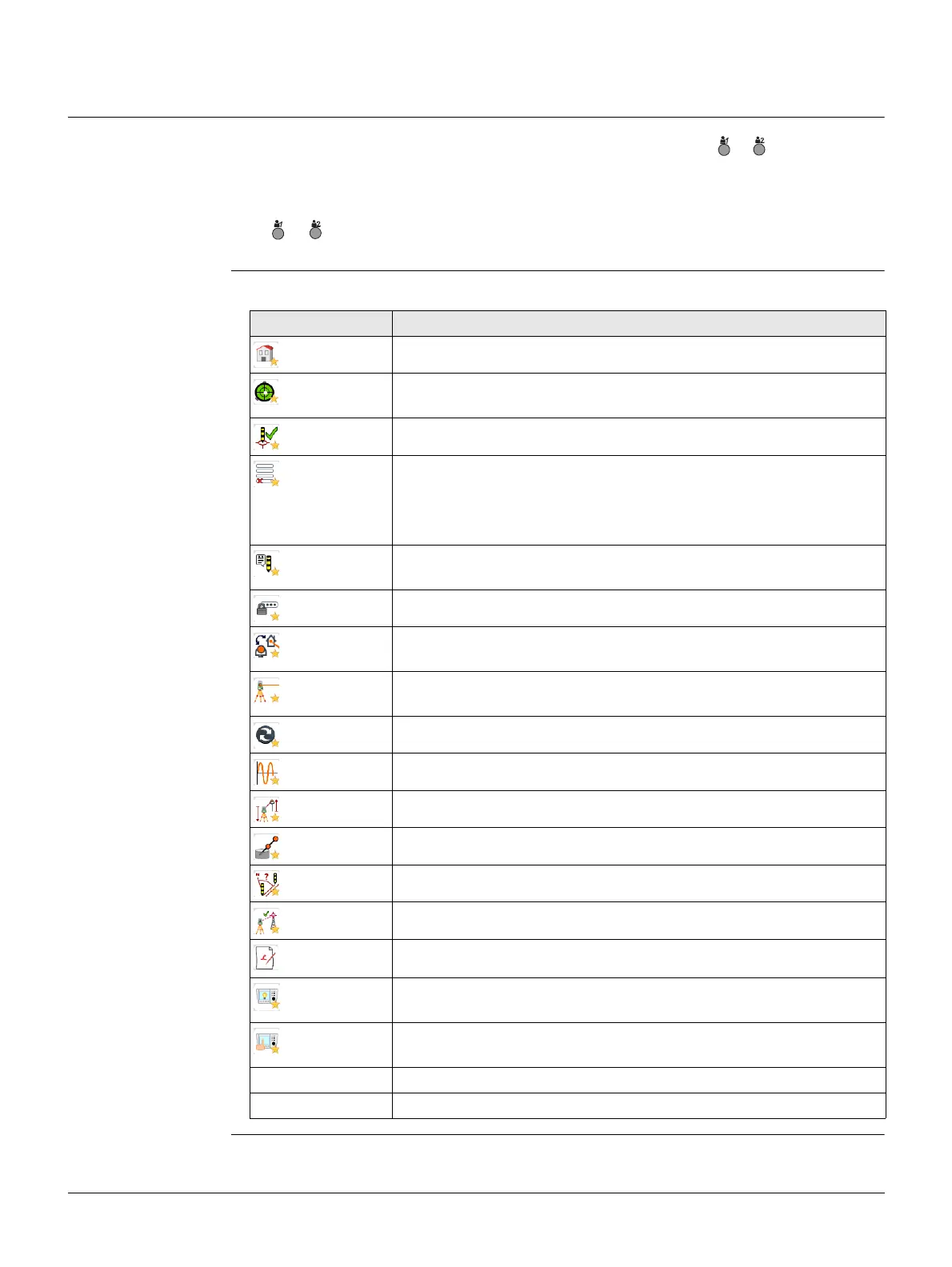
Favourite Description
Home
Returns to the Main Menu.
Level
Activates the laser plummet and electronic level. Refer to "Level
up with the electronic level step-by-step".
Offset
Refer to "8.2 Target Offset".
Del.Rec
Deletes the last recorded data block. This can be either a meas-
urement block or a code block.
Deleting the last record is not reversible! Only records
recorded in Survey and Quick Survey can be deleted.
Coding
Starts Coding to select a code from a codelist or enter a new code.
Same functionality as the softkey Code.
PIN-lock
Refer to "12.5 Instrument Protection with PIN".
NP←→P
Changes between the two EDM modes. Refer to "5.5 EDM
Settings". Available for instrument with non-prism mode.
Laserpt.
Activates/deactivates the visible laser beam for illuminating the
target point. Available for instrument with non-prism mode.
EDM Track
Refer to "8.5 EDM Tracking".
Sig.Refl.
To view EDM Signal reflection value.
H-Trans
Height Transfer. Refer to "7.2 Station Setup".
Hidden Pt
Refer to "8.3 Hidden Point".
CheckTie
Refer to "8.4 Check Tie".
BS-Check
Refer to "8.6 Backsight Check".
SketchPad
To create a sketch on a virtual piece of paper.
Illumin.
To turn the keyboard illumination on/off. Available for
Color&Touch display.
Touch
To deactivate/activate the touch screen. Available for
Color&Touch display.
Distance Unit Sets the distance measurement unit. Available for the user keys.
Angular Unit Sets the angle measurement unit. Available for the user keys.



 To Next Page