FlexLine plus, Favourites
123
8.2 Target Offset
8.2.1 Overview
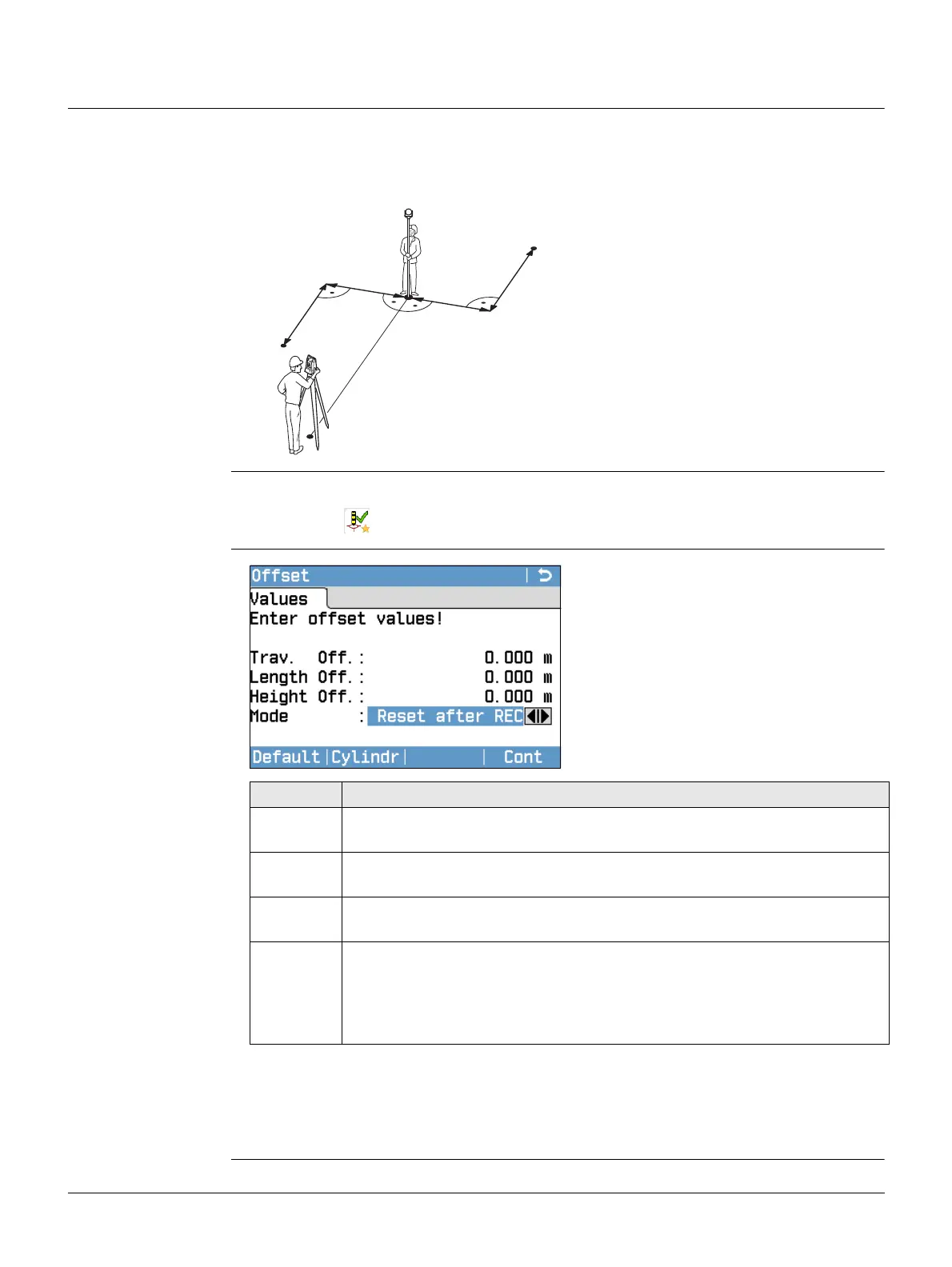
Description This favourite calculates the target point coordinates if it is not possible to set up the
reflector, or to aim at the target point directly. The offset values (length, trav. and/or
height offset) can be entered. The values for the angles and distances are calculated
to determine the target point.
Access
Enter offset values
• Either, press Cont to calculate the corrected values and return to the program from
which the offset favourite was started. The corrected angle and distances are
displayed as soon as a valid distance measurement has been triggered or exists.
•Or, press Cylindr to enter cylindrical offsets. Refer to "8.2.2 Cylindrical Offset
Subprogram".
P0 Instrument station
P1 Measured point
P2 Calculated offset point
d1+ Length offset, positive
d1- Length offset, negative
d2+ Trav. offset, positive
d2- Trav. offset, negative
TSOX_022
d1-
d1+
d2-
d2+
P1
P2
P0
1. Press the FNC/Favourites key when within any program.
2. Select Offset from the Favourites Menu.
Default
To reset offset values to 0.
Cylindr
To enter cylindrical offsets.
Field Description
Trav. Off. Perpendicular offset. Positive if the offset point is to the right of the
measured point.
Length Off. Longitudinal offset. Positive if the offset point is further away than the
measured point.
Height Off. Height offset. Positive if the offset point is higher than the measured
point.
Mode Period for which the offset is to apply.
Reset after REC The offset values are reset to 0 after the point is saved.
Permanent
The offset values are applied to all further measurements.
The offset values are always reset to 0 when the program is quit.



 To Next Page