FlexLine plus, Programs
91
7.9.4 DTM Volume
The breakline points must be located within the boundary of the defined area.
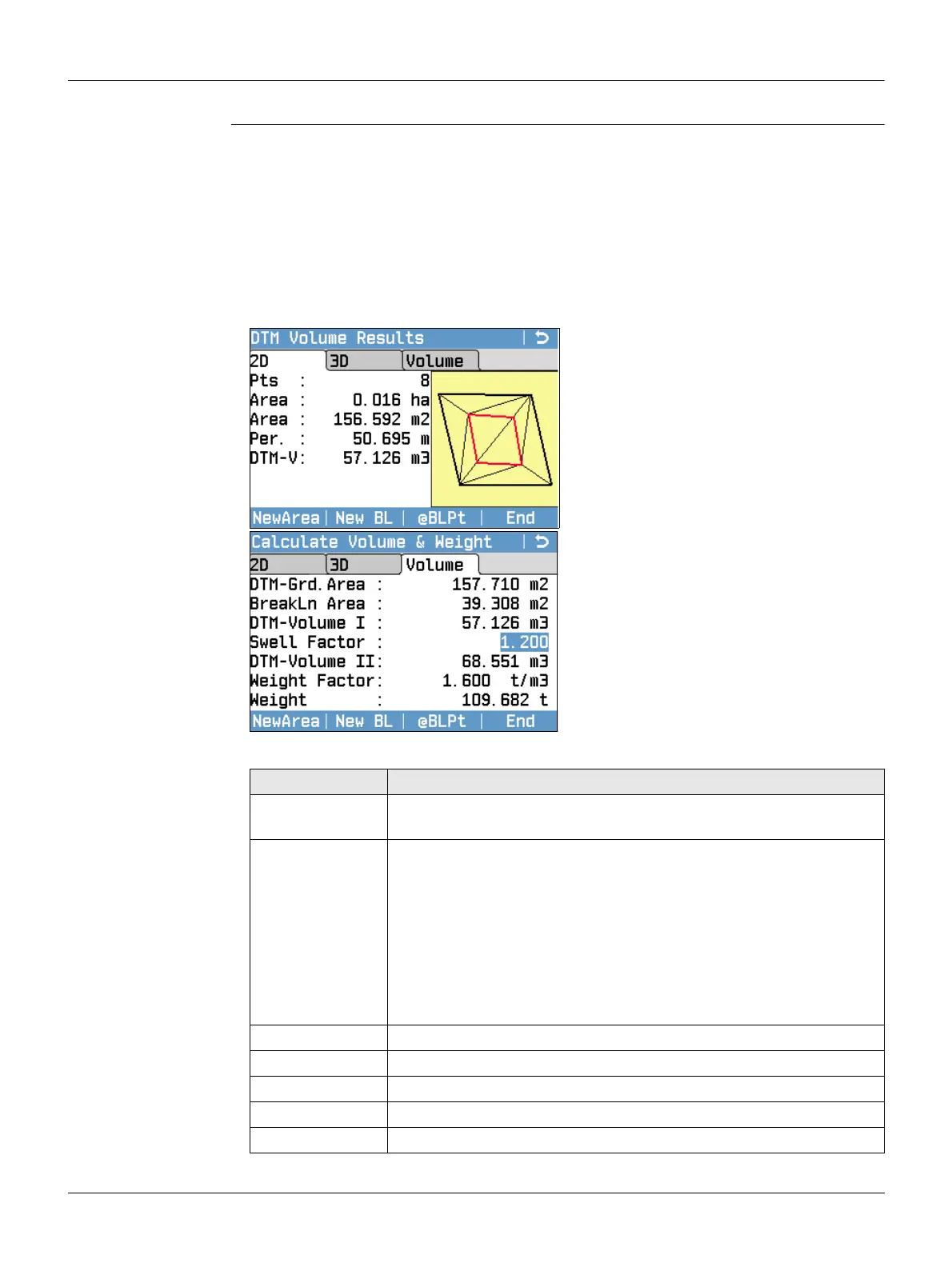
DTM Volume
1. Measure or select existing points to define the area.
2. The 2D and 3D areas are calculated automatically and displayed once three points
have been measured or selected.
3. Press Calc.
4. Press @BLPt.
5. Measure or select points on the breakline. These points are then used to calculate
a volume.
6. Press Calc.
NewArea
To define a new area.
New BL
To define a new breakline area and
calculate a new volume.
@BLPt
To add a new point to the existing
breakline area and calculate a new
volume.
End
To exit the program.
Field Description
A 2D Two-dimensional area calculated by projection onto a horizontal
plane.
A 3D Three-dimensional area calculated by projection onto an automat-
ically defined horizontal reference plane.
The 3D area is calculated based on the following:
• The system will use the three points which cover the largest
area.
• If there are two or more equal largest areas, the system will use
the area with the shortest perimeter.
• If the largest areas have equal perimeters, the system will use
the area with the last measured point.
Per. The perimeter of the area.
DTM-V Volume as calculated by by Triangulated Irregular Network (TIN).
DTM-Grd.Area Area defined by ground points, calculated by TIN.
BreakLn Area Area defined by breakline points, calculated by TIN.
DTM-Volume I Volume as calculated by TIN.



 To Next Page