FlexLine plus, Check & Adjust
159
14.5 Adjusting the Tilting Axis Error
Description The tilting axis error is caused by the deviation between the mechanical tilting axis and
the line perpendicular to the vertical axis. This error affects horizontal angles. To
determine this error, it is necessary to point to a target located significantly below or
above the horizontal plane.
The horizontal collimation error has to be determined before starting this procedure.
Access 1) Select Tools from the Main Menu.
2) Select Adjust from the Tools Menu.
3) Select Tilt Axis.
Check and adjust
step-by-step
Messages The same messages or warning as in "14.3 Adjusting Line-of-Sight and Vertical Index
Error" may appear.
1. Level the instrument with the electronic level. Refer to "4 Operation" - "Level up
with the electronic level step-by-step".
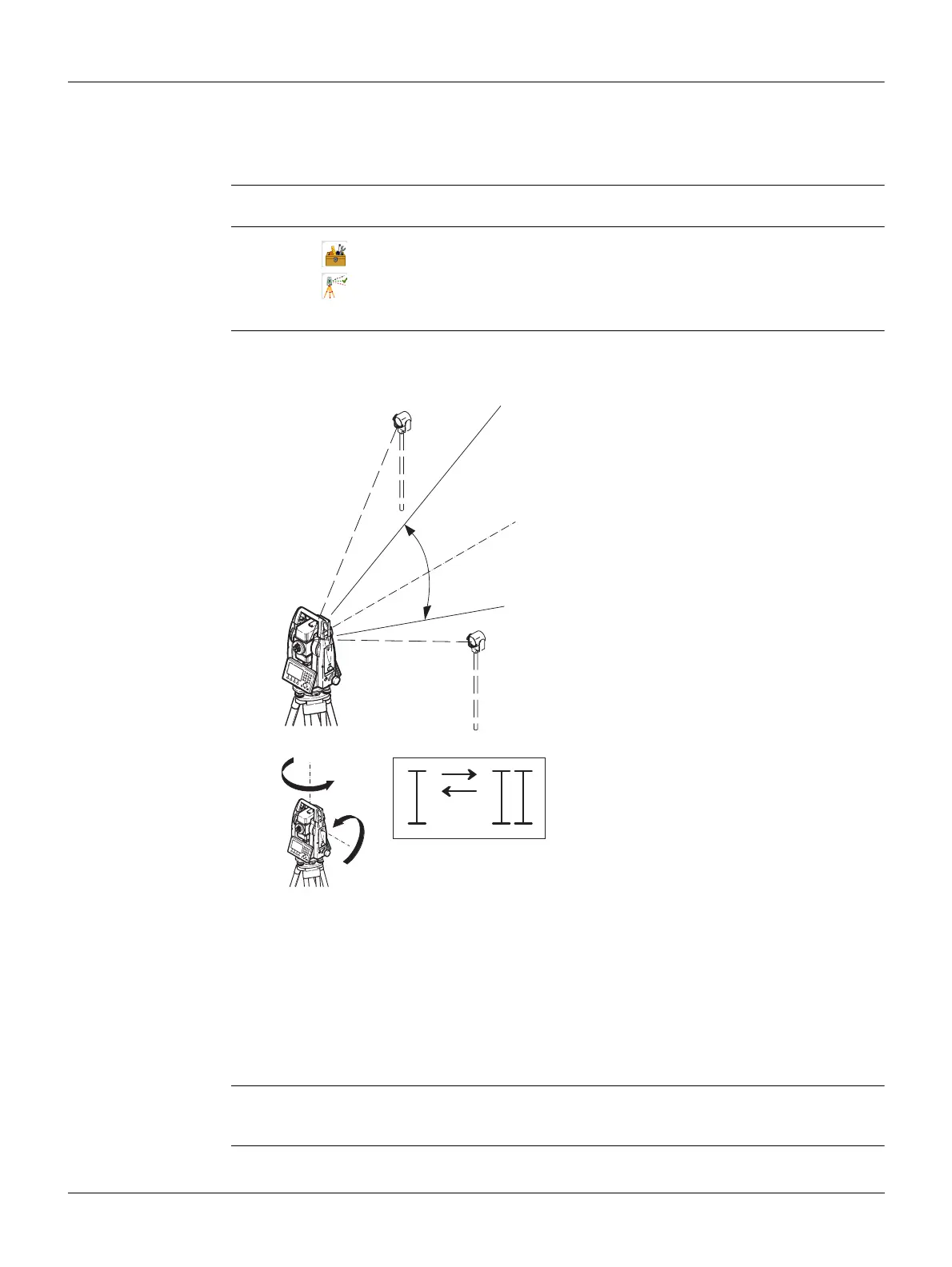
2. Aim at a point approximately 100 m from the
instrument which is at least 27° (30 gon)
above or beneath the horizontal plane.
3. Press Store to measure to the target point.
4. Change face and aim at the target point again
For checking the horizontal aim, the difference in Hz and V are displayed.
5. Press Store to measure to the target point.
The old and new calculated values are displayed.
6. Either:
•Press More to measure another set to the same target point. The final
adjustment values will be the calculated average from all the measure-
ments.
•Press Cont to save the new adjustment data, or
• Press ESC to exit without saving the new adjustment data.
V=90°
+ 27°
- 27°
TSOX_066
180°
180°
TSOX_065



 To Next Page