FlexLine plus, Programs - Getting Started
57
6.3 Setting the Job
Description All data is saved in Jobs, like file directories. Jobs contain measurement data of
different types, for example measurements, codes, fixpoints or stations. Jobs are indi-
vidually manageable and can be exported, edited or deleted separately.
Access Select F1 Set Job in Config. screen.
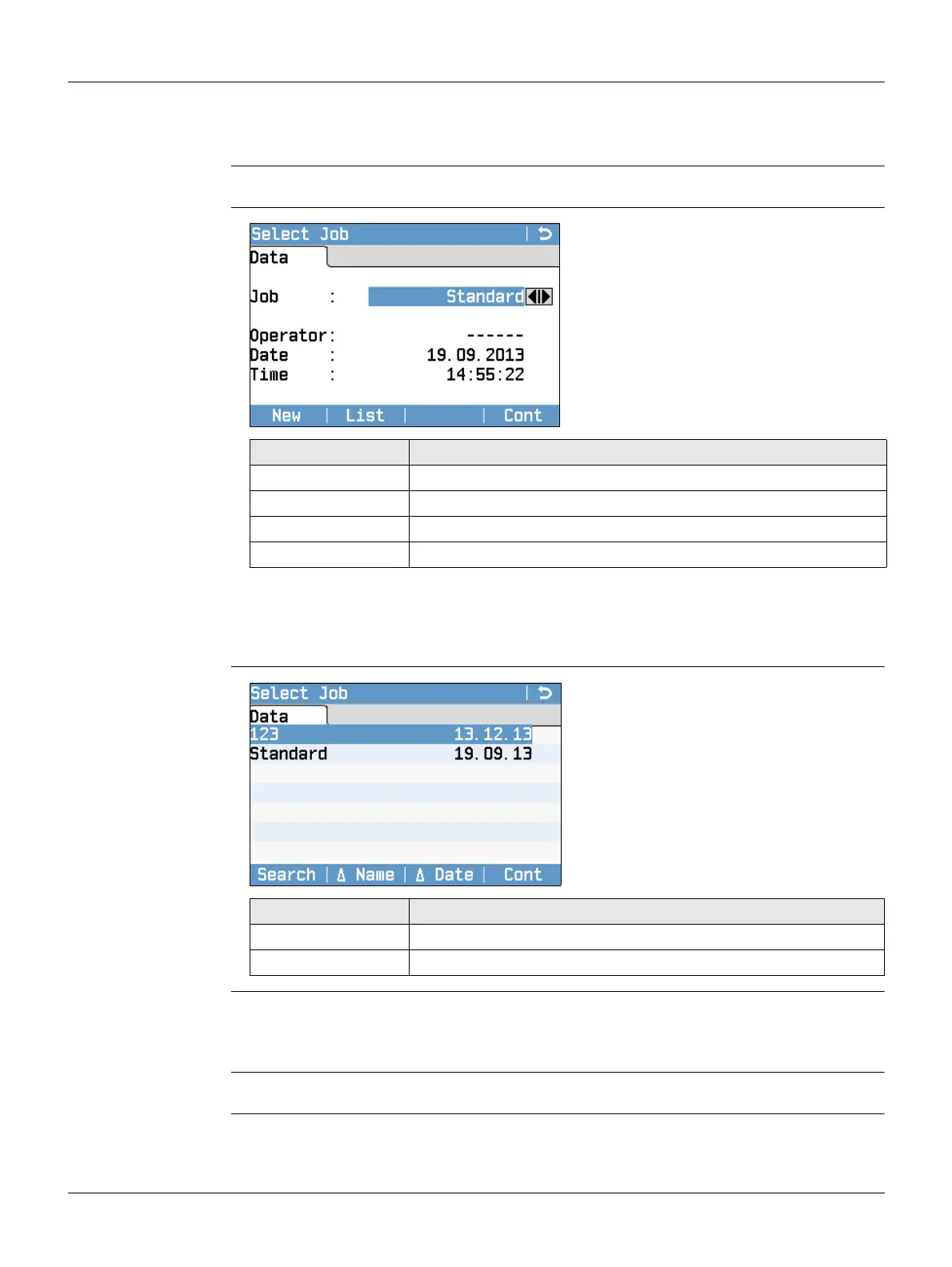
Select Job
Next step
• Either, press Cont to continue with the selected job.
•Or, press List to select a job.
•Or, press New to open the Enter Job Data screen and create a new job.
Job list
Recorded data Once a job is set up, all subsequent recorded data will be stored in this job.
If no job was defined and a program was started, or if in Q-Survey and a measurement
was recorded, then the system automatically creates a new job and names it "Default".
Next step Press Cont to confirm the job and return to the Config. screen.
New
To create a new job.
List
To display the list of available jobs.
Field Description
Job Name of an existing job to be used.
Operator Name of operator, if entered.
Date Date the selected job was created.
Time Time the selected job was created.
Search
To search for a job. Refer to "3.6
Pointsearch".
▼ Name and ▲ Name
To sort the list according to ascending
or descending job names.
▼ Date and ▲ Date
To sort the list according to ascending
or descending job creation dates.
Column Description
First column Name of an existing job.
Second column Date the jobs were created.



 To Next Page