FlexLine plus, MapView Interactive Display Feature
134
10.4 MapView Components
10.4.1 Screen Area
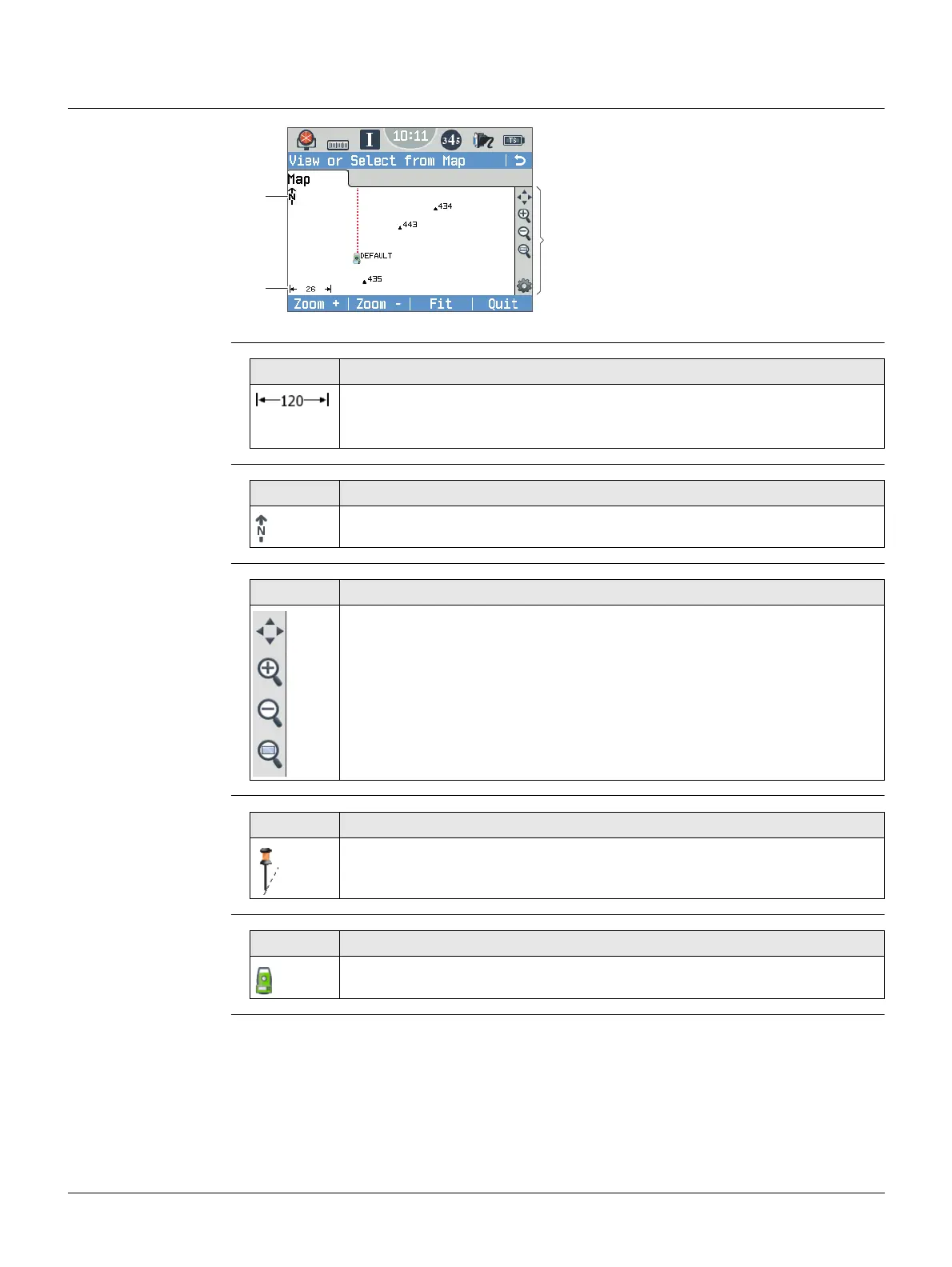
Standard screen
Scale bar
North arrow
Toolbar
Prism
Instrument station
a) North arrow
b) Scale bar
c) Toolbar
005050_001_en
a
b
c
Symbol Description
Scale of the current screen. The minimum is 0.1 m. There is no maximum
for the zoom but the scale cannot display values greater than 99000 m.
In this case the value displayed will be >99000 m.
Symbol Description
North arrow. North is always orientated towards the top of the screen.
Symbol Description
Icon toolbar. Refer to "10.4.2 Keys, Softkeys and Toolbar" for more infor-
mation about the functionality of the icons in the toolbar.
Symbol Description
Measured position. The orientation of the instrument is shown as dotted
line.
Symbol Description
Position of the instrument station.



 To Next Page