FlexLine plus, Favourites
124
8.2.2 Cylindrical Offset Subprogram
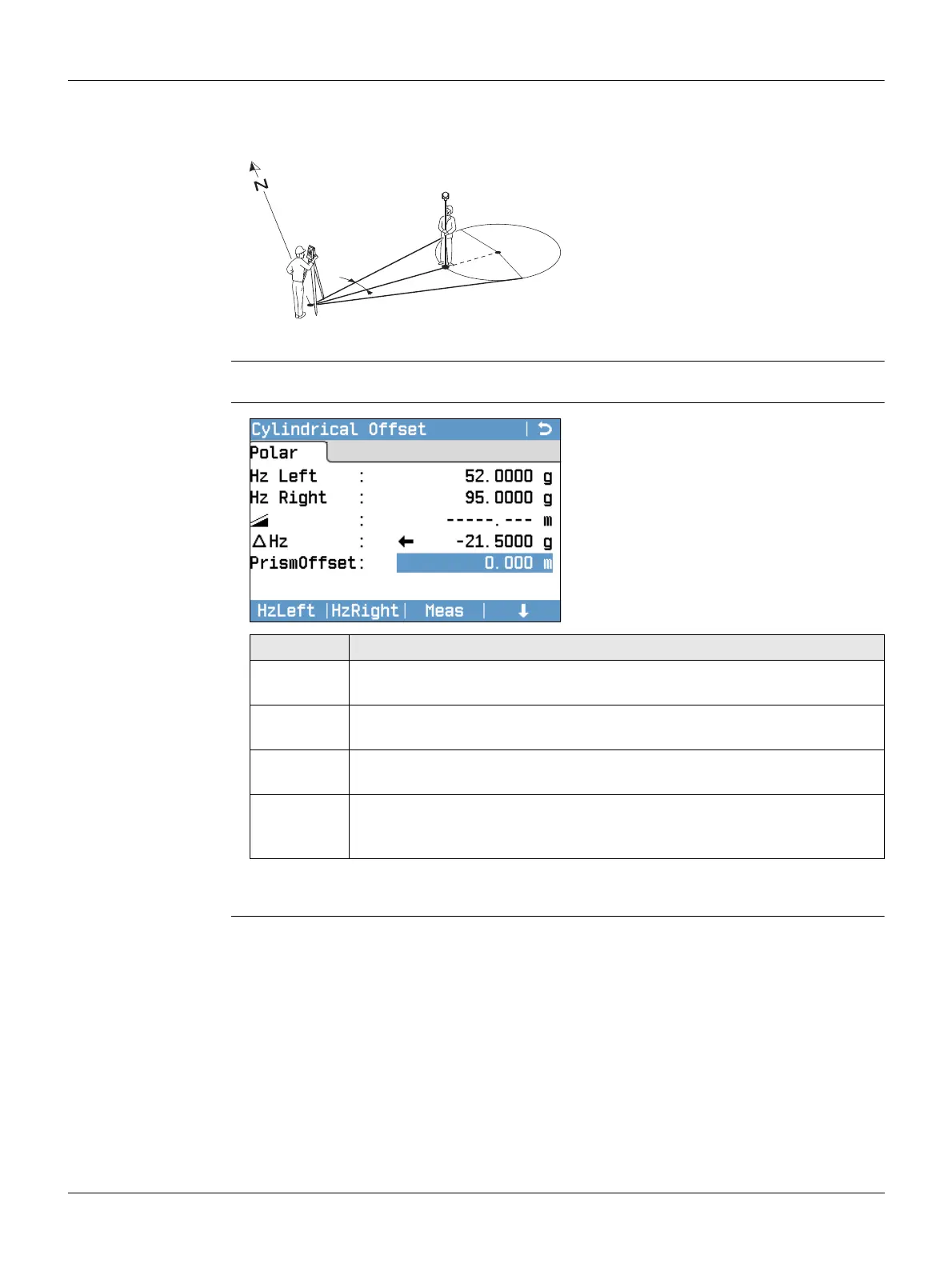
Description Determines the coordinates of the centre point of cylindrical objects and their radius.
The horizontal angle to points on both the left and right sides of the object are meas-
ured, and the distance to the object as well.
Access Press Cylindr from the Offset screen.
Cylindrical Offset
Next step
Once ∆Hz is zero, press Meas to complete the measurement and display the results.
P0 Instrument station
P1 Centre point of cylindrical object
Hz1 Horizontal angle to a point on the left
side of the object
Hz2 Horizontal angle to a point on the
right side of the object
d Distance to the object in the middle
between Hz1 and Hz2
RRadius of cylinder
Azimuth from Hz1 to Hz2
P0
Hz2
Hz1
α
d
P1
R
TSOX_023
HzLeft
To trigger measurement for the left
side of the object.
HzRight
To trigger measurement for the right
side of the object.
Field Description
Hz Left Measured horizontal direction to the left side of the object. Using the
verticalhair, aim at the left side of the object, then press HzLeft.
Hz Right Measured horizontal direction to the right side of the object. Using the
verticalhair, aim at the right side of the object, then press HzRight.
∆Hz Deviation angle. Rotate the instrument to aim in the direction of the
centre point of the cylindrical object, such that Hz is zero.
PrismOffset Prism offset distance between the centre of the prism and the surface
of the object to be measured. If the EDM mode is Non-Prism, the value
is set to zero automatically.



 To Next Page