FlexLine plus, Programs
107
7.13.3 Creating or Uploading Alignment Files
Description Create horizontal and vertical road alignment files with Instrument Tools Road Line
Editor and upload them onto the instrument using the Data Exchange Manager.
Alternatively, horizontal and vertical road alignments can be created onboard the
instrument.
Access
Select Alignment
File:
Next step
• Either, press New to name and define a new alignment file.
•Or, press Cont to select an existing alignment file and proceed to the Define
Stake/Check/Slope values screen.
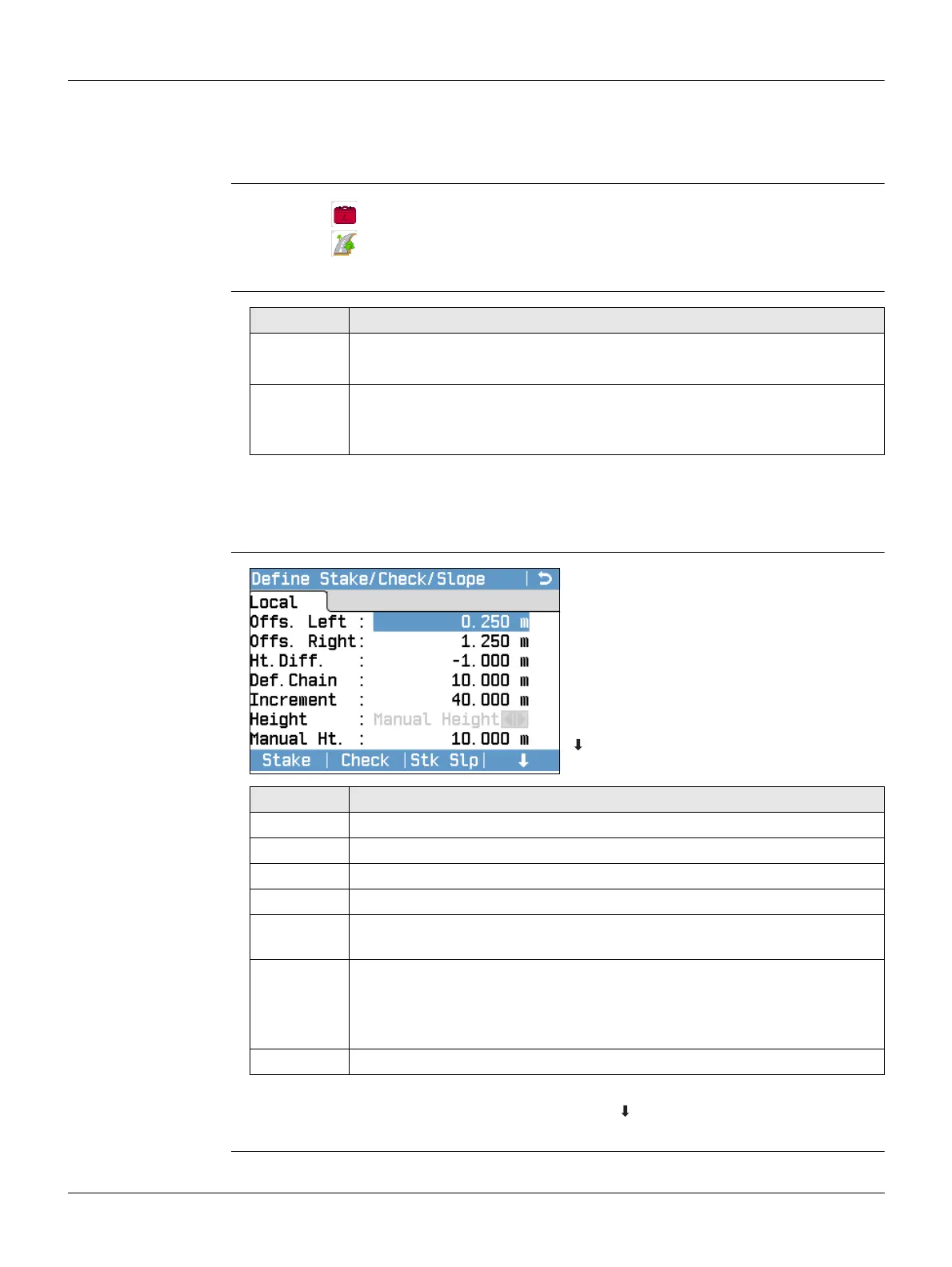
Define
Stake/Check/Slope
Next step
Select a softkey option, Stake, Check, Stk Slp or Ch Slp, to proceed to a subpro-
gram.
1. Select Programs from the Main Menu.
2. Select Road 3D from the Programs Menu.
3. Complete program pre-settings. Refer to "6 Programs - Getting Started".
Field Description
Horiz. Aln. List of available horizontal alignment files.
Using a horizontal alignment file is mandatory.
Verti. Aln. List of available vertical alignment files.
Using a vertical alignment file is not mandatory. A height can be
defined manually instead.
Stake
To start the subprogram Stake.
Check
To start the subprogram Check.
Stk Slp
To start the subprogram Stake Slope.
Ch Slp
To start the subprogram Check Slope.
Field Description
Offs. Left Horizontal offset to the left of the horizontal alignment.
Offs. Right Horizontal offset to the right of the horizontal alignment.
Ht.Diff. Vertical offset, either up or down, from the horizontal alignment.
Def.Chain Defined chainage for stake out.
Increment Value by which the defined chainage can be incremented or decre-
mented in subprograms Stake and Stake Slope.
Height Manual
Height
Height reference for height calculations. If enabled this
height is used for all subprograms.
Use Design
Hgt.
The height reference for height calculations is the
selected vertical alignment file.
Manual Ht. Height to be used for Manual Height.



 To Next Page