FlexLine plus, Operation
38
4.3 Data Storage
Description An internal memory is included in all instruments. The FlexField plus firmware stores
all data in jobs in a database in the internal memory. Data can then be transferred to
a computer or other device for post processing via a LEMO cable connected to the
serial interface RS232 port.
For instruments fitted with a Communication side cover, data can also be transferred
from the internal memory to a computer or other device via:
• a USB memory stick inserted into the USB host port,
• a USB cable connected to the USB device port, or
• via a Bluetooth connection.
Refer to "13 Data Management" for further information on data management and
data transfer.
4.4 Main Menu
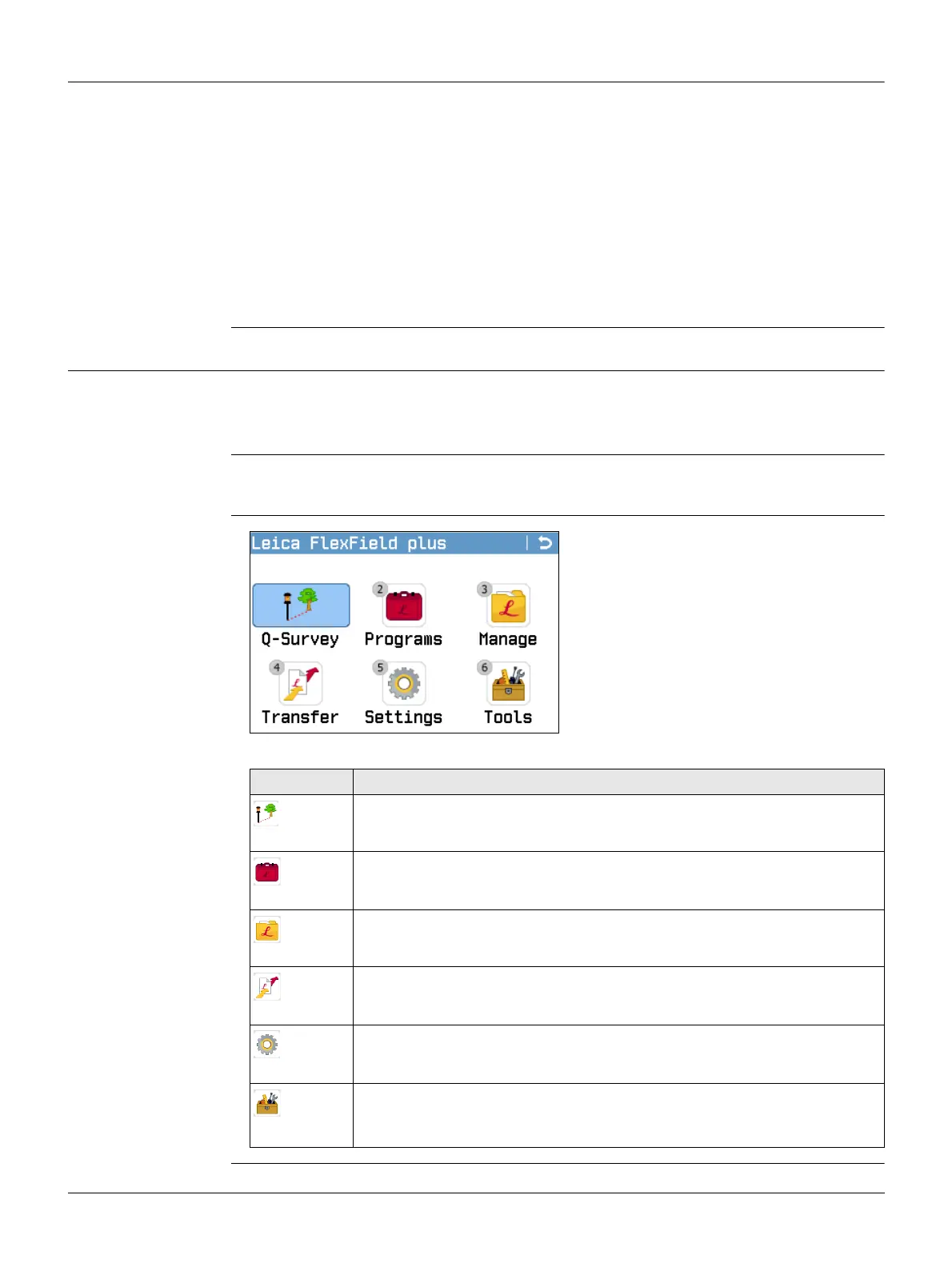
Description The Main Menu is the starting place for accessing all functionality of the instrument.
It is displayed immediately after the Level & Plummet screen, after switching on the
instrument.
If desired, the instrument can be configured to start in a user-defined place after the
Level/Plummet screen, instead of the Main Menu. Refer to "12.2 Startup Sequence".
Main Menu
Description of the Main Menu functions
Function Description
Q-Survey
Quick Survey program to begin measuring immediately. Refer to "4.5
Q-Survey Program".
Programs
To select and start programs. Refer to "7 Programs".
Manage
To manage jobs, data, codelists, formats, system memory and USB
memory stick files. Refer to "13 Data Management".
Transfer
To export and import data. Refer to "13.2 Exporting Data".
Settings
To change EDM configurations, communication parameters and general
instrument settings. Refer to "5 Settings".
Tools
To access instrument-related tools such as check and adjust, personal
startup settings, PIN code settings, licence keys, system information
and firmware upload. Refer to "12 Tools".



 To Next Page