FlexLine plus, Programs
84
7.7 Reference Plane
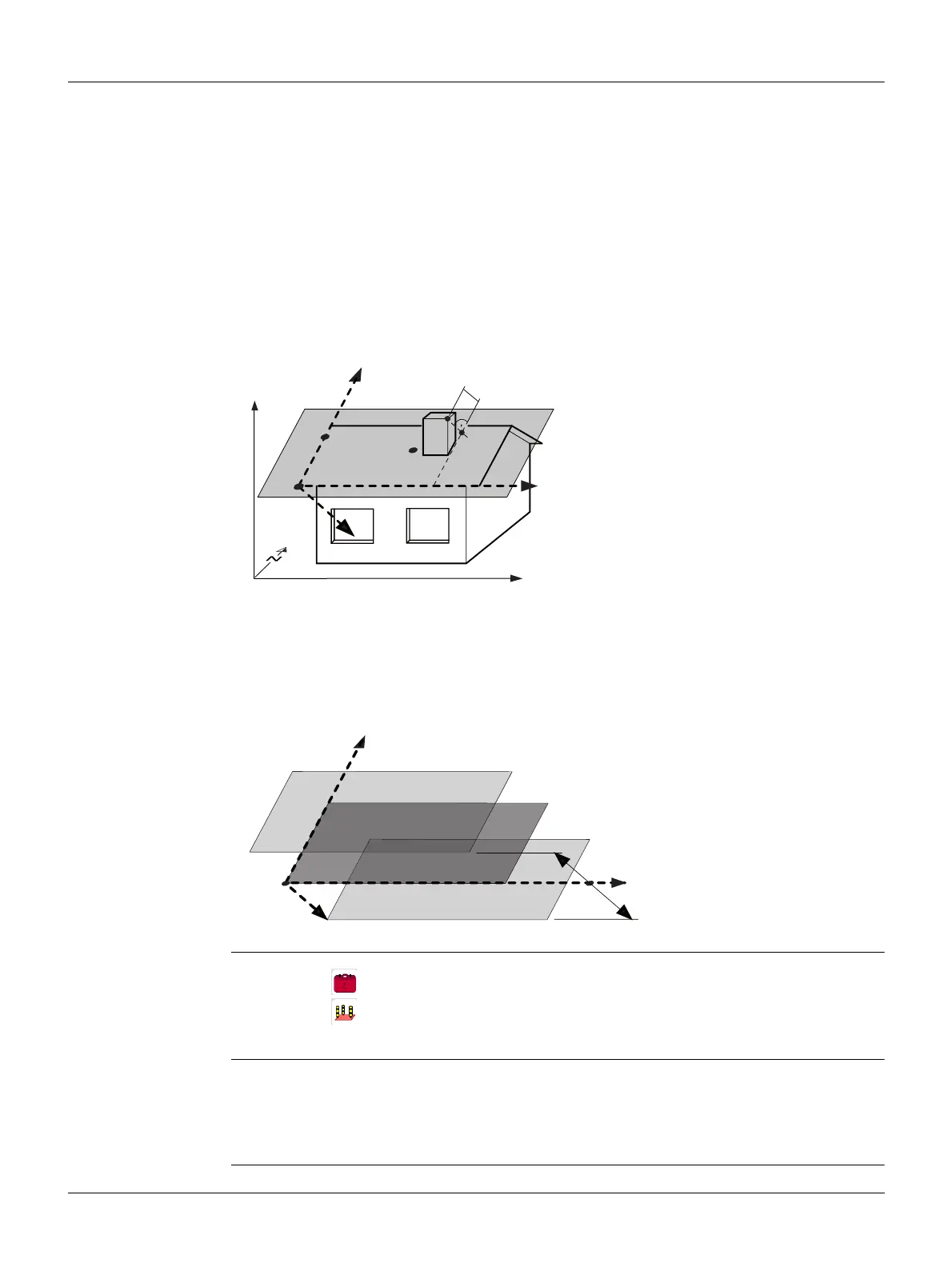
Description Reference Plane is a program used to measure points relative to a reference plane. It
can be used for the following tasks:
• Measuring a point to calculate and store the perpendicular offset to the plane.
• Calculating the perpendicular distance from the intersection point to the local X-
and Z-axis. The intersection point is the footprint point of the perpendicular vector
from the measured point through the defined plane.
• Viewing, storing and staking out the coordinates of the intersection point.
A reference plane is created by measuring three points on a plane. These three points
define a local coordinate system:
• The first point is the origin of a local coordinate system.
• The second point defines the direction of the local Z-axis.
• The third point defines the plane.
The perpendicular distance to the plane can be positive or negative.
Access
Measure plane and
target points
X X-axis of local coordinate system.
Y Y-axis of local coordinate system.
Z Z-axis of local coordinate system.
P1 First point, origin of local coordinate
system.
P2 Second point
P3 Third point
P4 Measured point. This point is probably
not located on the plane.
P5 Intersection point of the perpendic-
ular vector from P4 to the defined
plane. This point is definitely located
on the defined plane.
d+ Perpendicular distance from P4 to the
plane.
X Perpendicular distance from P5 to the
local Z-axis.
Z Perpendicular distance from P5 to the
local X-axis.
P1 Origin of plane
XX-axis of plane
YY-axis of plane
ZZ-axis of plane
d1 Positive offset
d2 Negative offset
TSOX_061
Z
Y
a
b
X
ΔX
ΔZ
P1
P5
P2
P3
P4
d+
TSOX_121
Z
Y
X
P1
d1
d2
1. Select Programs from the Main Menu.
2. Select Ref.Plane from the Programs Menu.
3. Complete program pre-settings. Refer to "6 Programs - Getting Started".
1. Once the plane has been defined by three points, the Measure target point!
screen appears.
2. Measure and record the target point. The results are displayed in the Reference
Plane Result screen.



 To Next Page