FlexLine plus, Programs
83
Stake out point,
arc, chord or angle
Enter the stake out values. Press CentreP to stake the arc centre point.
Next step
Press Cont to proceed to measurement mode.
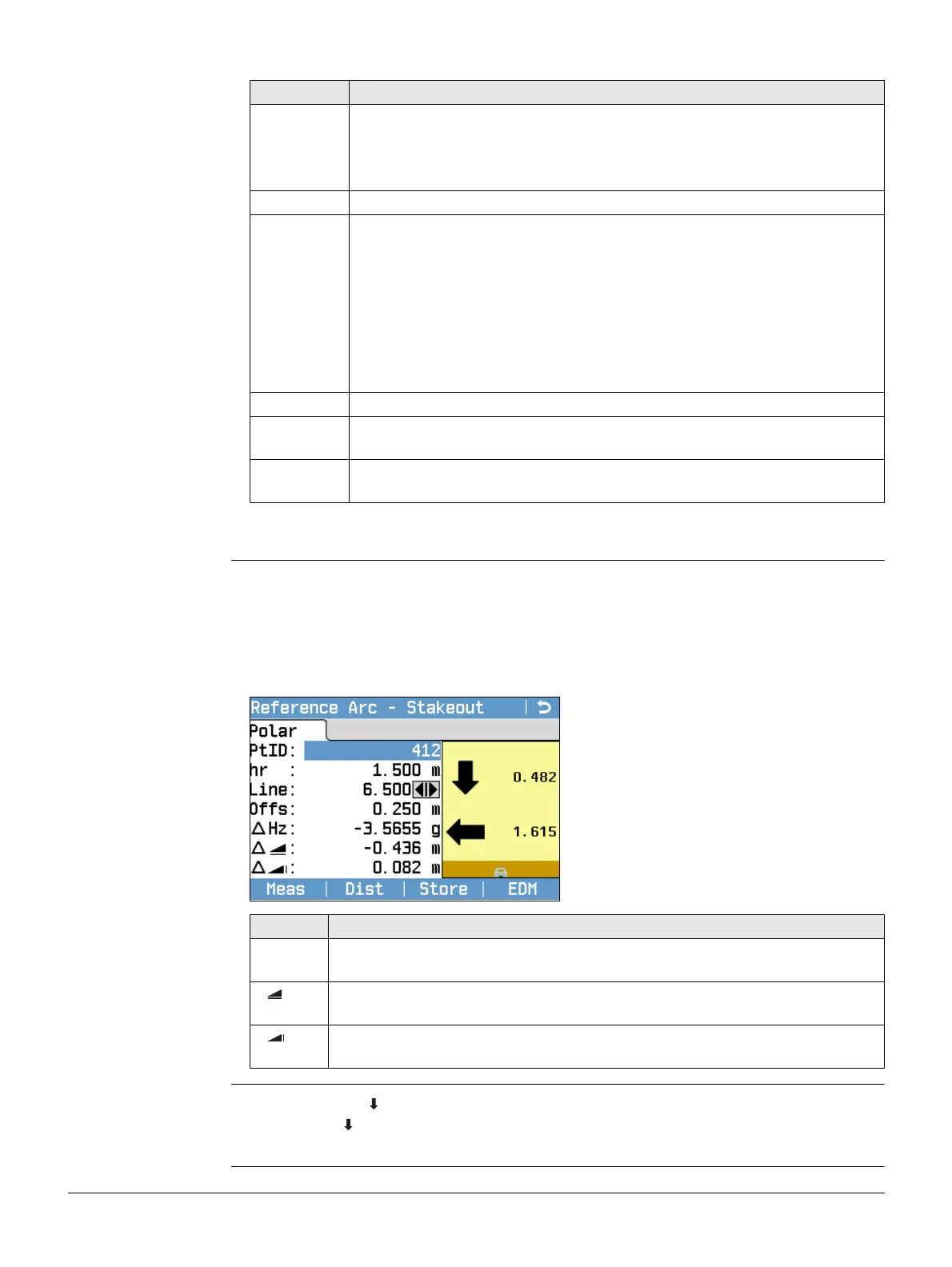
Reference Arc -
Stakeout
The signs for the distance and angle differences are correction values (required minus
actual). The arrows indicate the direction to move to get to the stake out point.
To allow a better visibility, for example if the arc is very long and the target
close to the line, the scale for x and y can be different in the graphic. If the
instrument is far off the arc, the instrument in the graphic is placed in the
corner and marked red/grey.
Next step • Either, press Meas to measure and record.
•Or, press Back to return to the Reference Arc - Info screen.
• Or, continue selecting ESC to exit the program.
Field Description
Line For stake out arc, chord and angle: Longitudinal offset from the refer-
ence arc. This is calculated by the arc length, chord length or angle and
the selected misclosure distribution.
For stake out point: Longitudinal offset from the reference arc.
Offset Perpendicular offset from the reference arc.
Distrib. For stakeout arc: Method of misclosure distribution. If the entered arc
length is not an integer of the whole arc, there will be a misclosure.
None All of the misclosure will be added to the last arc-section.
Equal The misclosure will be equally distributed between all
sections.
Start Arc All of the misclosure will be added to the first arc-section.
Start & End The misclosure will be added half to the first arc-section
and half to the last arc-section.
Arc Length For stakeout arc: The length of the arc-segment to stake out.
Chord
Length
For stakeout chord: The length of the chord to stake out.
Angle For stake out angle: The angle around the center point of the arc, of the
points to be staked out.
To define the next point to be staked out,
type in a point ID, the reflector height, the
distance along the arc and an offset.
Field Description
∆Hz Horizontal direction from the measured point to the stake out point. Posi-
tive if the telescope must be turned clockwise to the stake out point.
Horizontal distance from the measured point to the stake out point. Posi-
tive if the stake out point is further away than the measured point.
Height difference from the measured point to the stake out point. Positive
if the stake out point is higher than the measured point.



 To Next Page