FlexLine plus, Settings
53
5.6 Interface Settings
Description For data transfer the communication parameters of the instrument must be set.
Access
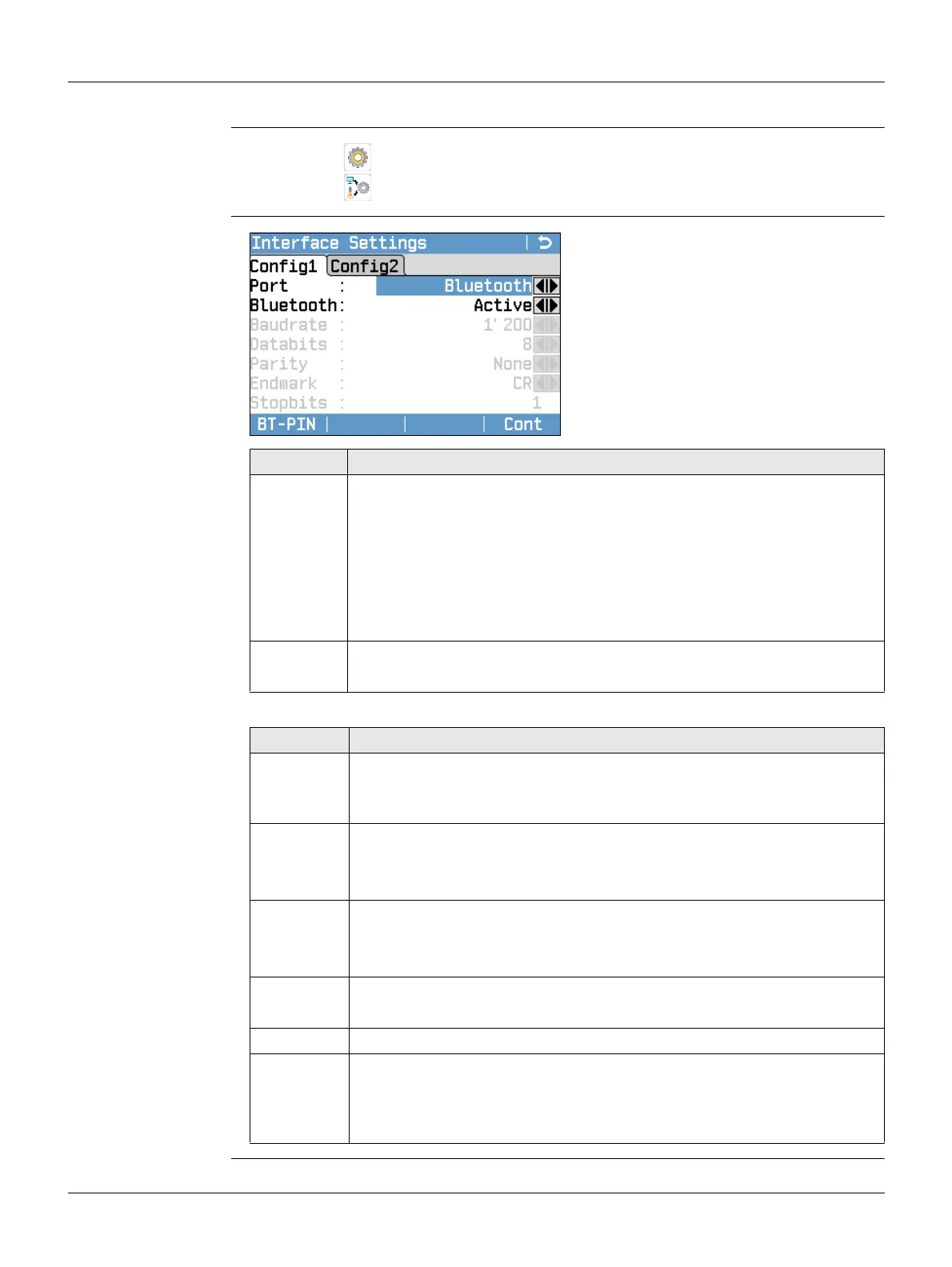
Interface Settings
The following fields are active only when Port : RS232 is set.
1. Select Settings from the Main Menu.
2.
Select Interface from the Settings Menu.
BT-PIN
To set a PIN code for the Bluetooth
connection.
This softkey is only available for
instruments with a Communication
side cover. The default Bluetooth
PIN is ’0000’.
Default
To reset the fields to the default Leica
standard settings. Available for RS232.
Field Description
Port : Instrument port. If a Communication side cover is fitted the options are
selectable. If there is no Communication side cover the value is set to
RS232 and is uneditable.
RS232 Communication is via the serial interface.
USB Communication is via the USB host port.
Bluetooth Communication is via Bluetooth.
Automatically Communication is set to auto detect.
Bluetooth: Active Bluetooth sensor is activated.
Inactive Bluetooth sensor is deactivated.
Field Description
Baud rate: Speed of data transfer from receiver to device in bits per second.
1200, 2400, 4800, 9600, 14400, 19200, 38400, 57600, 115200, Topcon,
Sokkia
Data bits: Number of bits in a block of digital data.
7 Data transfer is realised with 7 databits.
8 Data transfer is realised with 8 databits.
Parity : Even Even parity. Available if data bit is set to 7.
Odd Odd parity. Available if data bit is set to 7.
None No parity. Available if data bit is set to 8.
Endmark : CR/LF The terminator is a carriage return followed by a line feed.
CR The terminator is a carriage return.
Stop bits: 1 Number of bits at the end of a block of digital data.
Acknowlge: On Acknowledgement expected from other device after data
transfer received. An error message will display if no
acknowledgement is returned.
Off No acknowledgement expected after data transfer.



 To Next Page