FlexLine plus, Tools
141
12.3 System Information
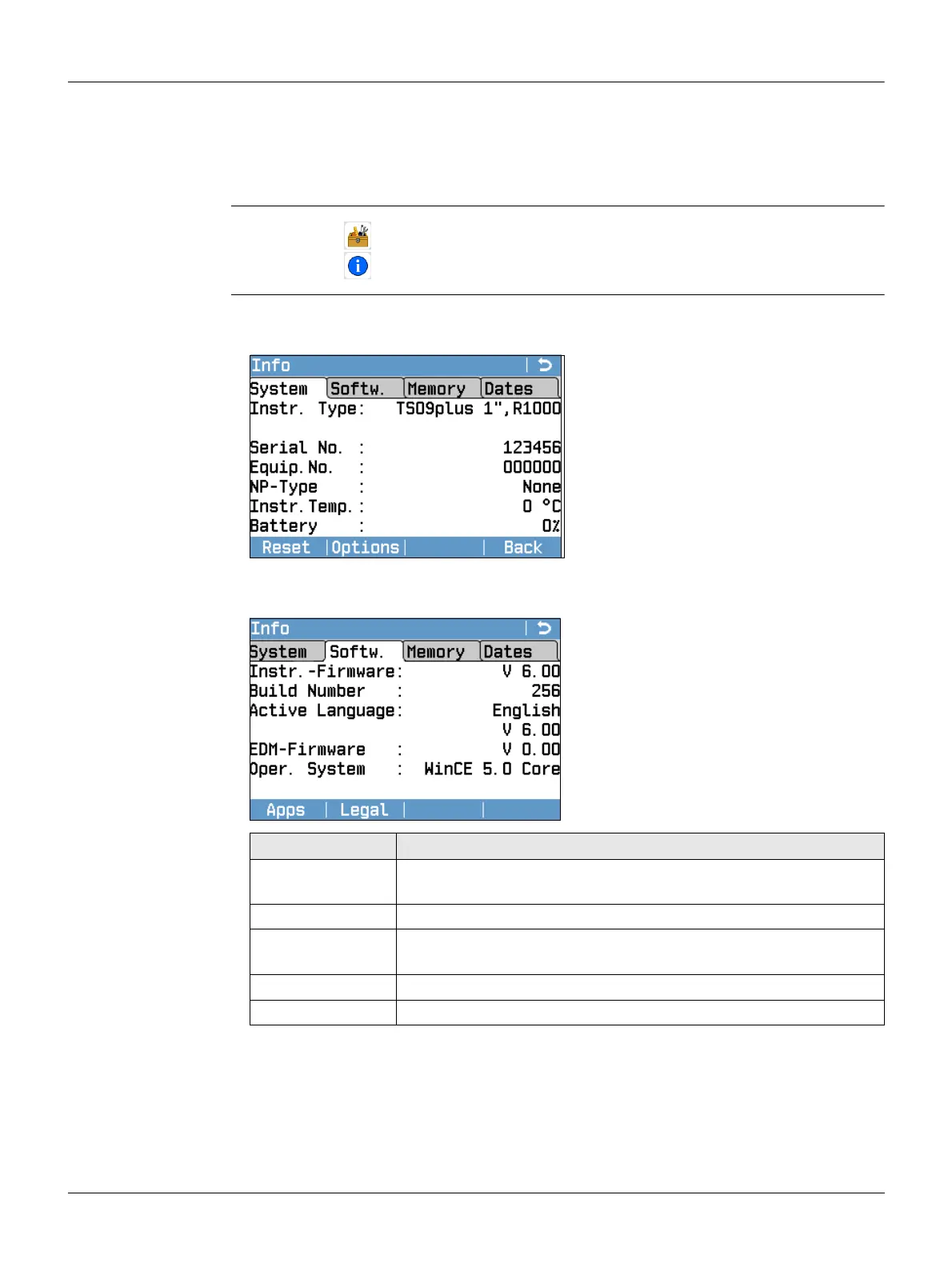
Description The Info screen displays instrument, system and firmware information, as well as
settings for the date and time.
Please provide the instrument-related information, such as instrument type,
serial number and equipment number, as well as the firmware version and build
number when contacting support.
Access
Info Page 1/4 or System
This screen displays information about the instrument and operating system.
Page 2/4 or Softw.
1.
Select Tools from the Main Menu.
2. Select Info from the Tools Menu.
Reset
To reset all settings to the system
default.
Options
To display hardware related options.
Apps
To display a list of the programs avail-
able on the instrument. A check mark is
display in the check box beside each
program that is licenced.
Field Description
Instr.-Firmware Displays the firmware version number installed on the instru-
ment.
Build Number Displays the build number of the firmware.
Active Language Displays the current language and version number selected for
the instrument.
EDM-Firmware Displays the version number of the EDM firmware.
Oper. System Display the operating system of the instrument.



 To Next Page