FlexLine plus, Programs
116
7.14.3 Measuring Traverse
Access From the Traverse - Select screen select one of the following:
• F1 …w/o known Backsight: Starts the traverse without a known backsight. The
measurements begin to a foresight point.
• F2 …with known Backsight: Starts the traverse with a known backsight.
• F3 …with known Azimuth: Starts the traverse with a user-defined azimuth.
Without known
backsight
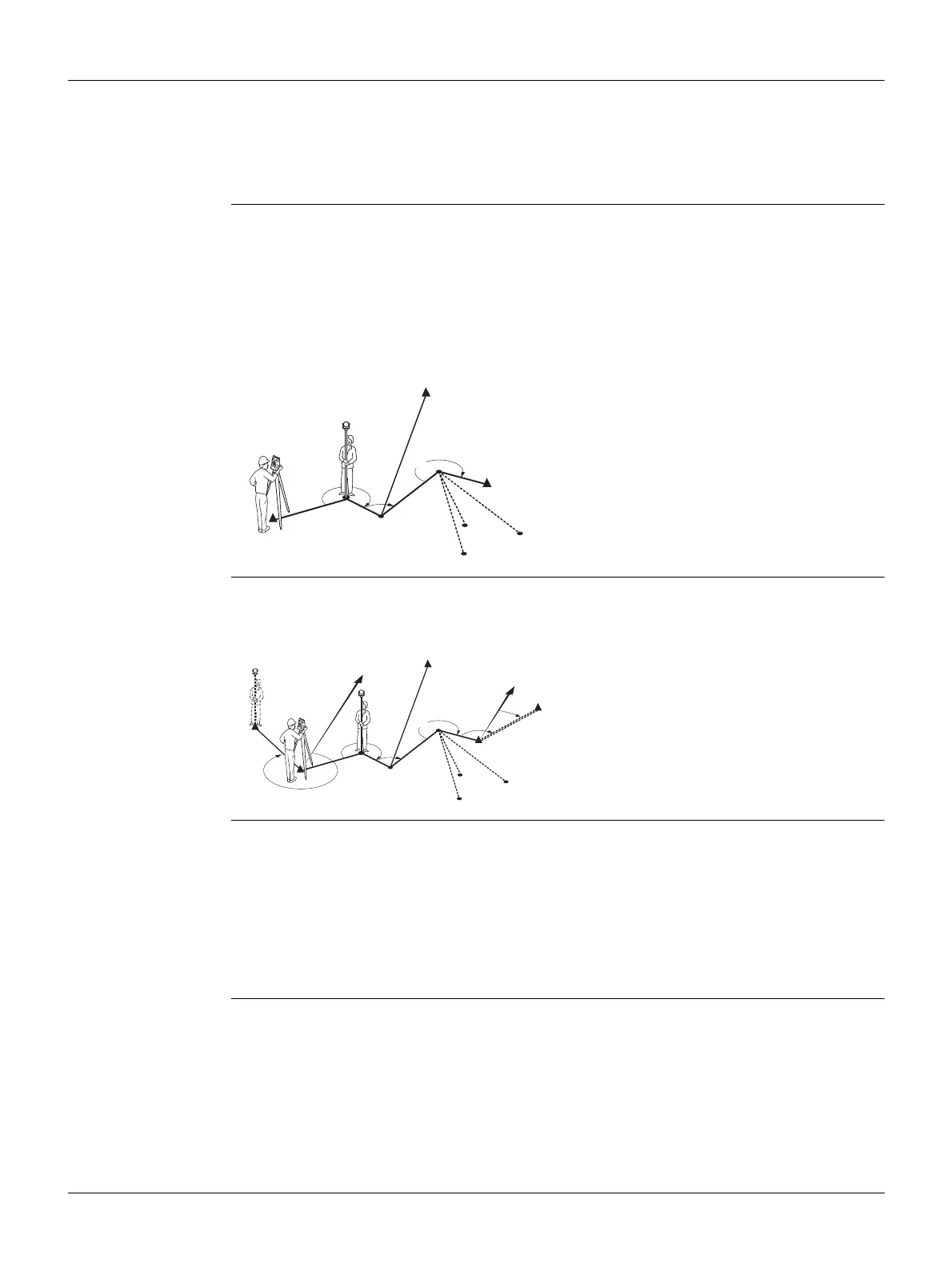
Start a traverse without a known backsight
• Start on a known point without an initial measurement to a known backsight.
• Stop on a known point, or make a final foresight measurement to a known
closing point.
If the coordinates of the start station are unknown, the Station Setup program can be
run before the traverse. A Helmert transformation will be performed at the end of the
traverse.
If the traverse is left open, then the calculations are based on the system azimuth.
With known
backsight
Start a traverse with a known backsight
• Start on a known point with an initial measurement to a known backsight.
• Stop on a known point and optionally measure to a known closing point.
With known
azimuth
Start a traverse with a known azimuth
• Start on a known point, aim to any direction (e.g. a tower) and define this direc-
tion as the reference. This method is often used to define a 0-direction.
• Stop/end the traverse either on a known point or a traverse point and then
measure to a known closing point, or leave the traverse open. Refer to "7.14.5
Closing a Traverse".
If using the current system azimuth, for example from the Stn.Setup program, then
simply confirm the suggested Hz-value in the Set Horizontal Angle screen.
C1, C3 Control points
C2 Check point
P1-P3 Traverse points
TP1-TP3 Topographic points
TSOX_060
C1
P1
P2
P3
C3
TP3
TP2
TP1
C2
C1, C2 Control points
C4, C5 Control points
C3 Check point
P1...P3 Traverse points
TP1...TP3 Topographic points
NNorth direction
C1
C2
P1
P2
P3
C4
C5
TP3
TP2
TP1
C3
N
N
TSOX_059



 To Next Page