FlexLine plus, Programs
73
7.5.5 Stakeout
Description The stakeout subprogram calculates the difference between a measured point and the
calculated point. The orthogonal (∆L, ∆O, ∆H) and polar (∆Hz, , ) differences
are displayed.
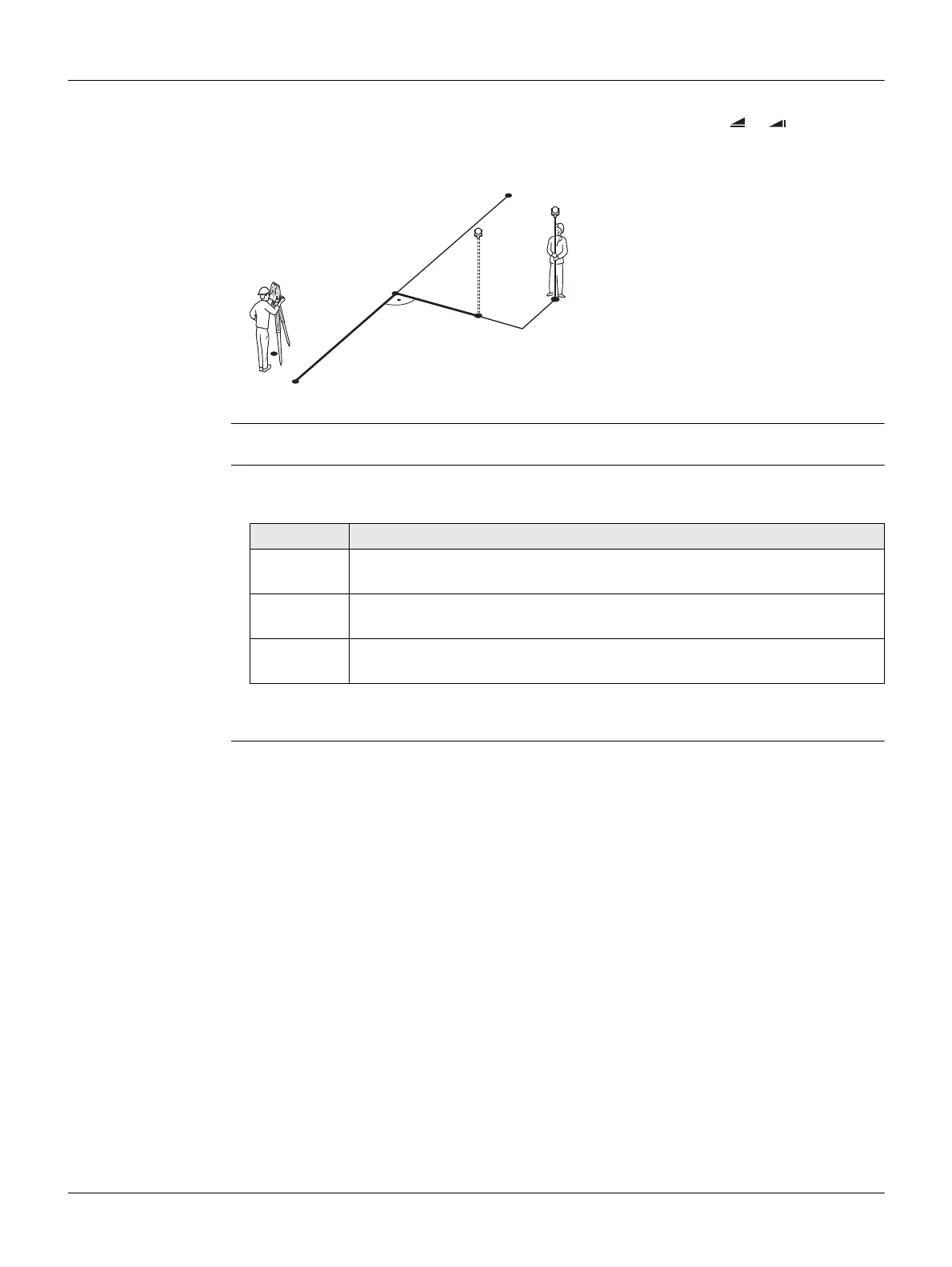
Example orthogonal stakeout
Access Press Stake from the Reference Line - Info screen.
Orthogonal
stakeout
Enter the stake out elements for the target points to be staked out relative to the
reference line.
Next step
Press Cont to proceed to measurement mode.
P0 Instrument station
P1 Start point
P2 End point
P3 Stake out point
P4 Measured point
a Parallel offset
b Longitudinal offset
TSOX_038
P1
P3
P2
P4
a
b
P0
Field Description
Line Longitudinal offset: Positive if stake out point is further away from the
reference line.
Offs Perpendicular offset: Positive if stake out point is to the right of the
reference line.
Height Height offset: Positive if stake out point is higher than the reference
line.



 To Next Page