FlexLine plus, Programs
78
Line Segment -
Stakeout
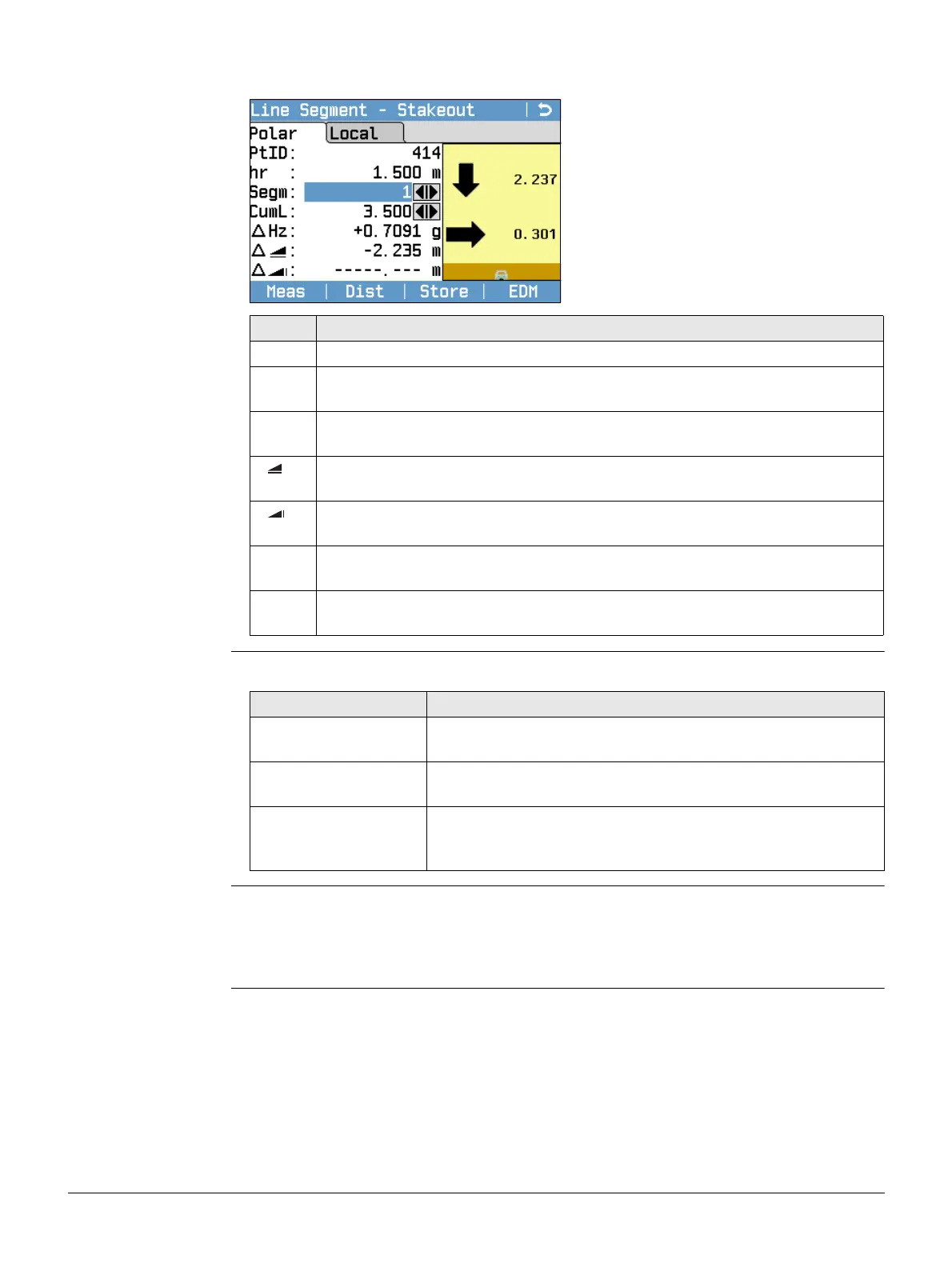
The signs for the distance and angle differences are correction values (required minus
actual). The arrows indicate the direction to move to get to the stake out point.
Messages The following are important messages or warnings that may appear.
Next step • Either, press Meas to measure and record.
• Or, press ESC to return to the Define Line Segment screen and from there, press
Back to return to the Reference Line screen.
• Or, continue selecting ESC to exit the program.
Field Description
Segm Segment number. Includes the misclosure segment, if applicable.
CumL Cumulation of the segment lengths. Changes with the current number of
segments. Includes the misclosure segment length if applicable.
∆Hz Horizontal direction from the measured point to the stake out point. Posi-
tive if the telescope must be turned clockwise to the stake out point.
Horizontal distance from the measured point to the stake out point. Positive
if the stake out point is further away than the measured point.
Height difference from the measured point to the stake out point. Positive
if the stake out point is higher than the measured point.
∆L Longitudinal distance from the measured point to the stake out point. Posi-
tive if stake out point is further away than the measured point.
∆O Perpendicular distance from the measured point to the stake out point.
Positive if stake out point is to the right of the measured point.
Messages Description
Baseline too short! Base line is shorter than 1 cm. Choose base points such that
the horizontal separation of both points is at least 1 cm.
Coordinates invalid! No coordinates or invalid coordinates for a point. Ensure that
points used have at least Easting and Northing coordinates.
Recording to inter-
face!
Data Output is set to Interface in the Data Settings Menu. To
be able to successfully start reference line, Data Output must
be set to Internal Memory.



 To Next Page