FlexLine plus, Check & Adjust
157
Check and adjust
step-by-step
Messages The following are important messages or warnings that may appear.
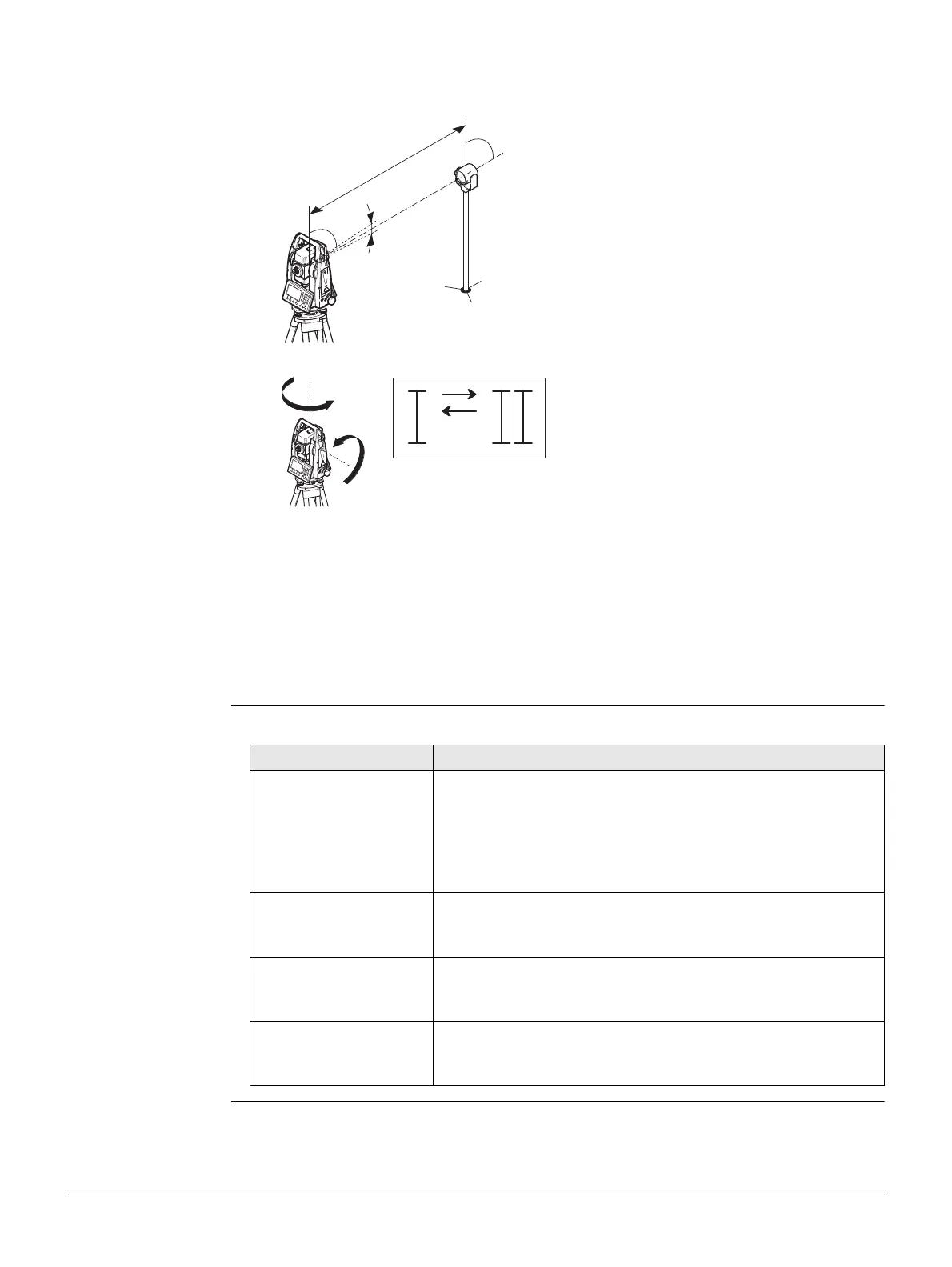
1. Level the instrument with the electronic level. Refer to "4 Operation"- "Level up
with the electronic level step-by-step".
2. Aim at a point approximately 100 m from the
instrument which is within 5° of the hori-
zontal.
3. Press Store to measure to the target point.
4. Change face and aim at the target point again
For checking the horizontal aim, the difference in Hz and V are displayed.
5. Press Store to measure to the target point.
The old and new calculated values are displayed.
6. Either:
•Press More to measure another set to the same target point. The final
adjustment values will be the calculated average from all the measure-
ments.
•Press Cont to save the new adjustment data, or
• Press ESC to exit without saving the new adjustment data.
± 5°
~ 100 m
TSOX_064
180°
180°
TSOX_065
Messages Description
V-Angle is not suita-
blefor adjustment or
wrong face!
The vertical angle deviates from the required horizontal /
line-of-sight, or in face II the vertical angle deviates by more
than 5° from the target point. Aim at the target point with
an accuracy of min. 5° or, when adjusting the tilt axis, 27°
above or beneath the horizontal plane. Confirmation of the
message required.
Out of Tolerance!
Previous values
retained!
Computed values out of tolerance. The previous values are
retained and measurements should be repeated. Confirma-
tion of the message required.
Hz-Angle is not suit-
able for adjustment!
Horizontal angle in face II deviates by more than 5° from the
target point. Aim on the target point with an accuracy of
min. 5°. Confirmation of the message required.
Timelimit
exceeded!Please
repeat Adjustment!
Time difference between measurements for results storage
exceeds 15 minutes. Repeat the process. Confirmation of
the message required.



 To Next Page