FlexLine plus, User Interface
29
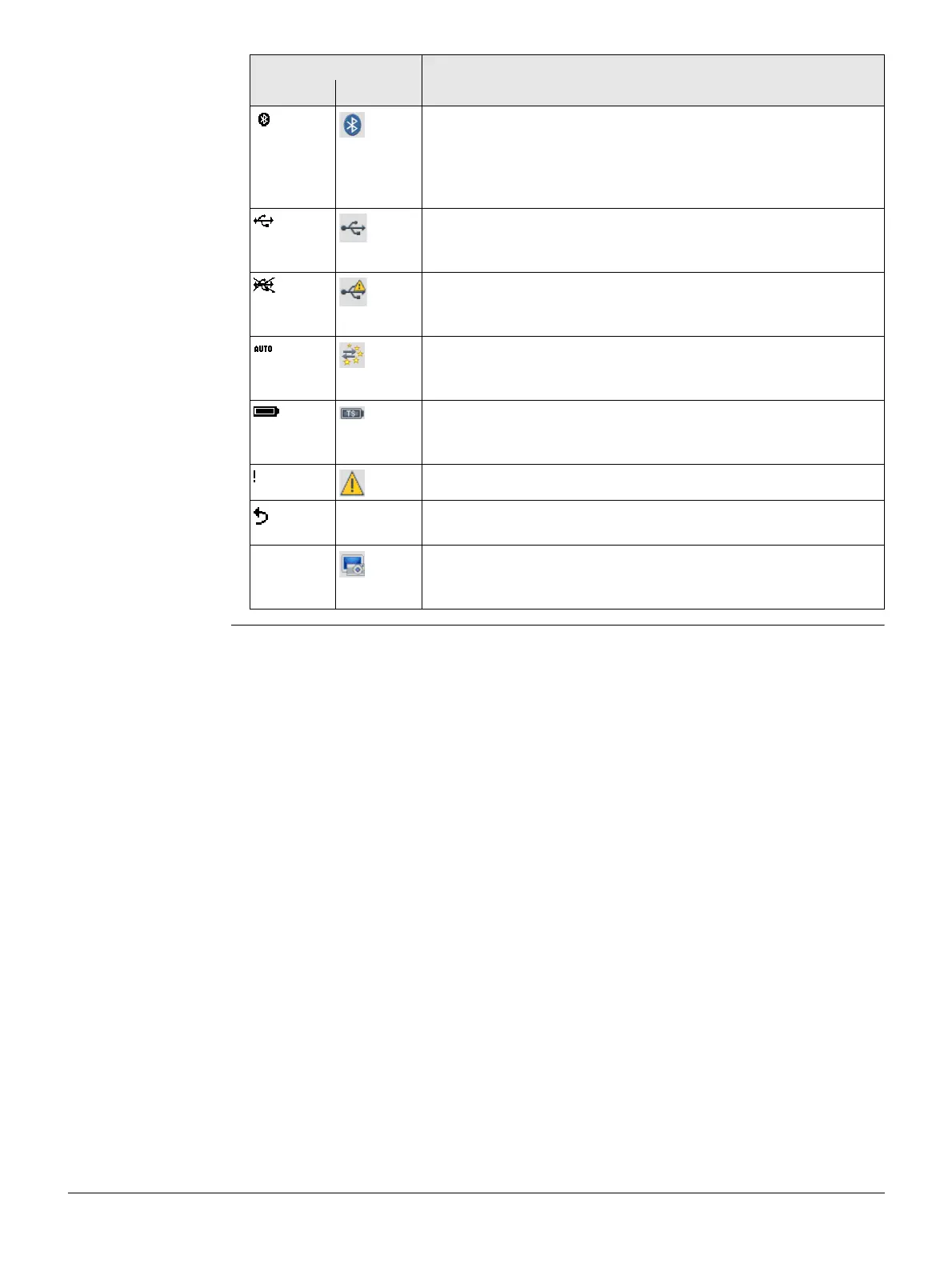
Bluetooth communication port is selected. If there is a cross
beside the icon, the Bluetooth communication port is
selected, but the status is inactive.
For C&T: Tapping the icon opens the Interface Settings
screen.
USB communication port is connected.
For C&T: Tapping the icon opens the Interface Settings
screen.
USB communication port is disconnected.
For C&T: Tapping the icon opens the Interface Settings
screen.
Communication is set to auto detect.
For C&T: Tapping the icon opens the Interface Settings
screen.
The battery symbol indicates the level of the remaining
battery capacity, 100% full shown in the example.
For C&T: Tapping the icon opens the Info screen.
Offset is active.
- Indicates that horizontal angle is set to left side angle meas-
urement (anticlockwise).
- To take a screenshot from the current screen. The screenshot
is displayed and can be edited by sketching. The screenshot
can be linked with stations or points manually.
Icon Description
B&W C&T



 To Next Page