FlexLine plus, Programs
80
Next step
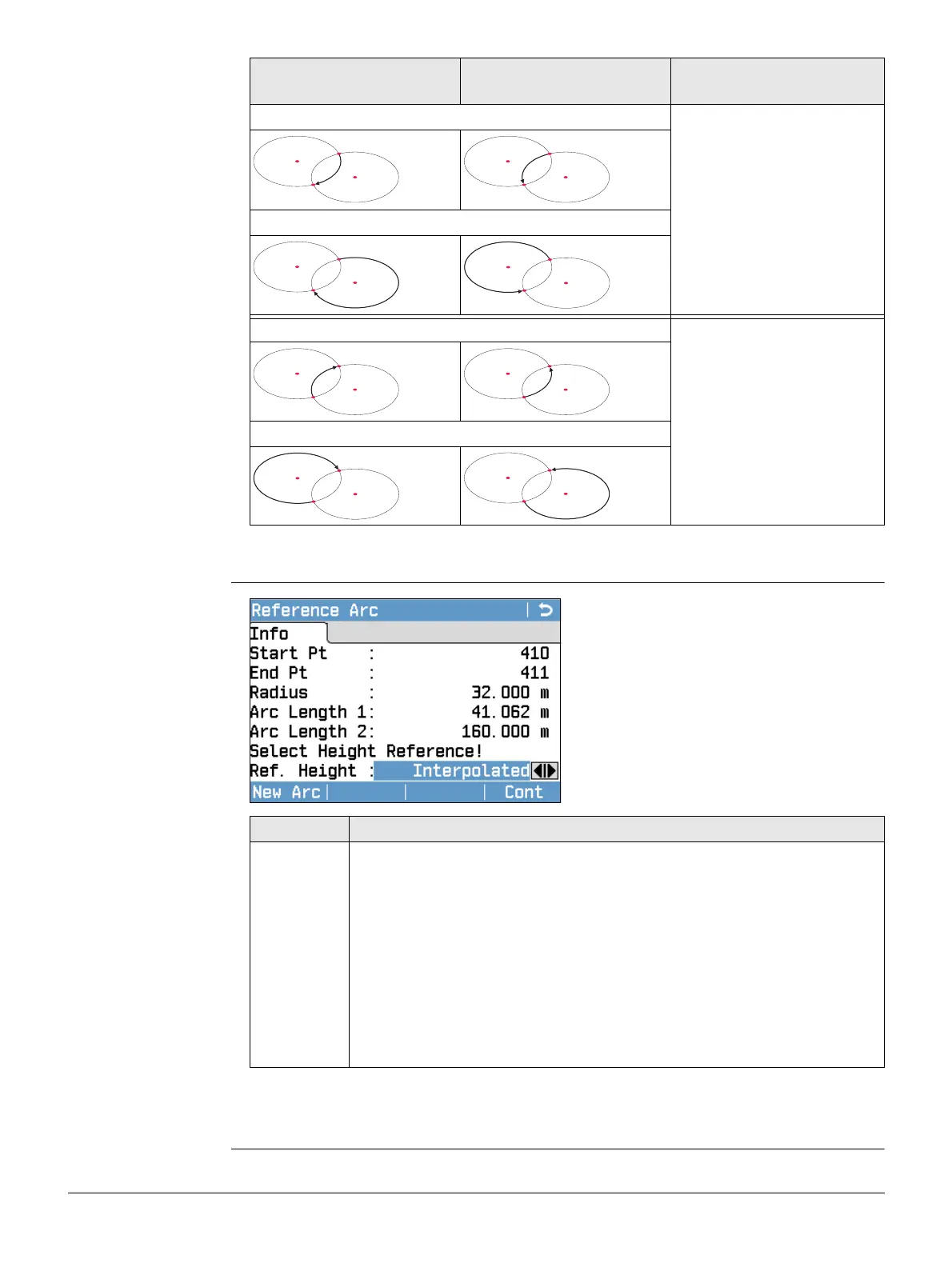
After defining the reference arc the Reference Arc - Info screen will appear.
Reference Arc - Info
Next step
Select Cont and then Meas Pt or Stake to proceed to a subprogram.
Radius: 100 m
Clockwise
Radius: -100 m
Anti-clockwise
Legend
Solution 1
P1 Start point
P2 End point
P3 Centre point 1
P4 Centre point 2
d Direction of the arc
Solution 2
Solution 1
P1 End point
P2 Start point
P3 Centre point 1
P4 Centre point 2
d Direction of the arc
Solution 2
005183_001
d
P4
P3
P2
P1
005187_001
d
P4
P3
P2
P1
005184_001
d
P4
P3
P2
P1
005188_001
d
P4
P3
P2
P1
005185_001
d
P4
P3
P2
P1
005189_001
d
P4
P3
P2
P1
005186_001
d
P4
P3
P2
P1
005190_001
d
P4
P3
P2
P1
In certain cases, there are two
mathematical solutions, as shown
in the screenshot. In the subpro-
grams Measure and Stakeout, the
appropriate solution can be
selected.
Field Description
Ref. Height Depending on the task chosen this parameter determines the design
height.
• When measuring to a line, it affects the height difference value.
• When staking, it affects the delta height value.
Start Point Heights are computed relative to the height of the
starting point of the line.
End Point Heights are computed relative to the height of the end
point of the line.
Interpolated Heights are computed along the line.
No Height Heights are ignored



 To Next Page