FlexLine plus, Programs
94
Area Division
1. Measure or select existing points to define the area.
2. The 2D area is calculated automatically and displayed once three points have been
measured or selected.
Only the 2D area is used for area division.
3. Press Calc.
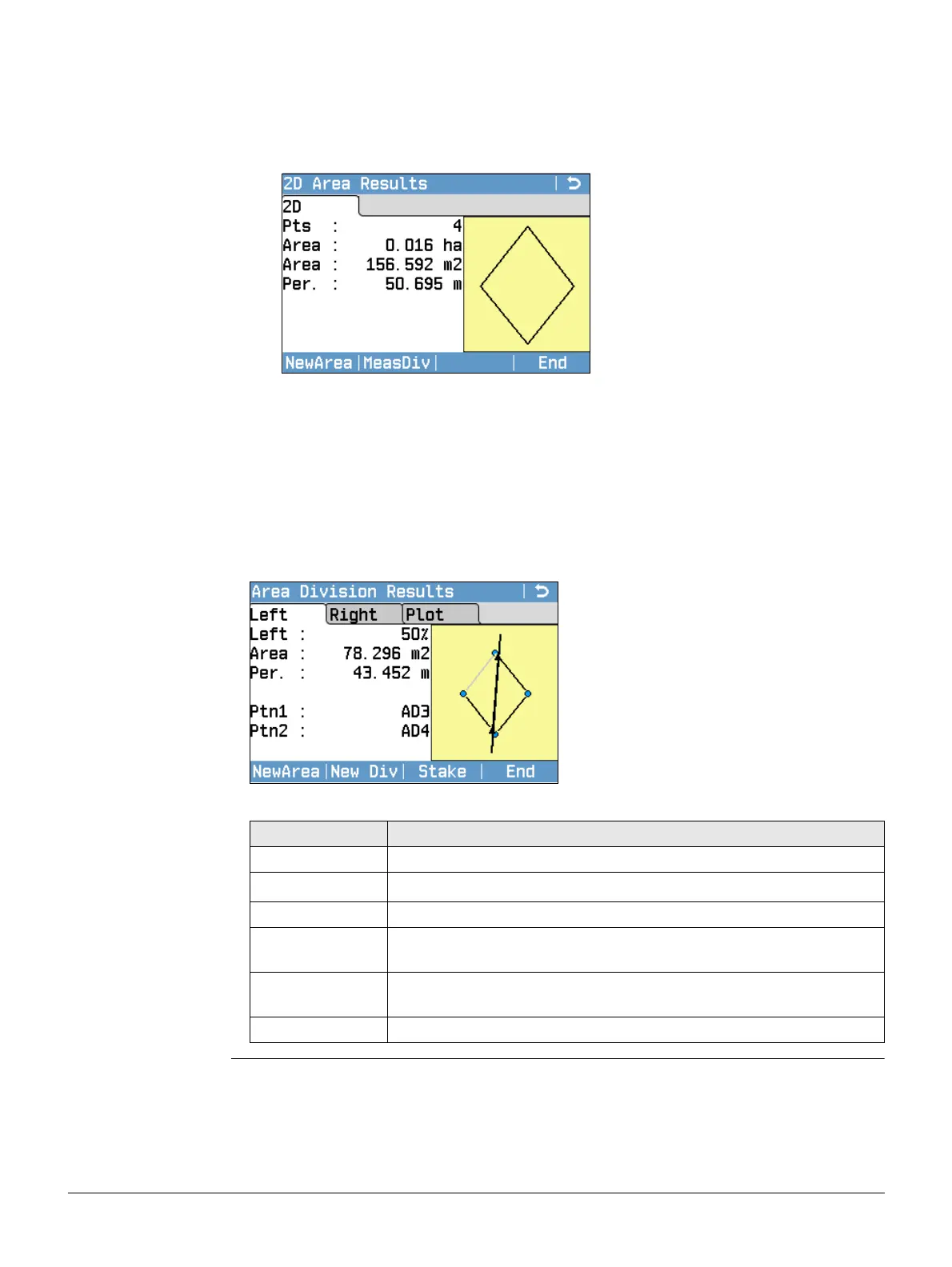
4. 2D Area Results screen:
NewArea
To measure or define a new area.
MeasDiv
To define the area division
according to the previous selected
method.
End
To exit the program.
5. Press MeasDiv.
6. For Parallel line(%) and Perpend. line(%):
Measure or select existing points to define
the area division line.
For Swing line(%):
Select an existing point of the area to
define the rotation point of the swing
line.
7. Press Calc.
8. For Parallel line(%) and Perpend. line(%):
Enter the percantage of the area division
ALeft for the new left area.
For Swing line(%):
Enter the percantage of the area divi-
sion ALeft for the new left area.
9. Press Calc.
NewArea
To measure or define a new area.
New Div
To define a new area division.
Stake
To stake out the calculated points.
End
To store the intersection points as
fixpoints and to exit the program.
Field Description
Left and Right The size of the sub areas in percent.
Area
The size of the sub area in m
2
.
Per. The perimeter of the sub area in m.
Ptn1 The first intersection point of the new boarder with the original
area.
Ptn2 The first intersection point of the new boarder with the original
area.
Azim. The angle of the new border from rotation point to the new point.



 To Next Page