113
5. If you want to cancel the setting then you need to click the reset button.
It will revert to previously saved values
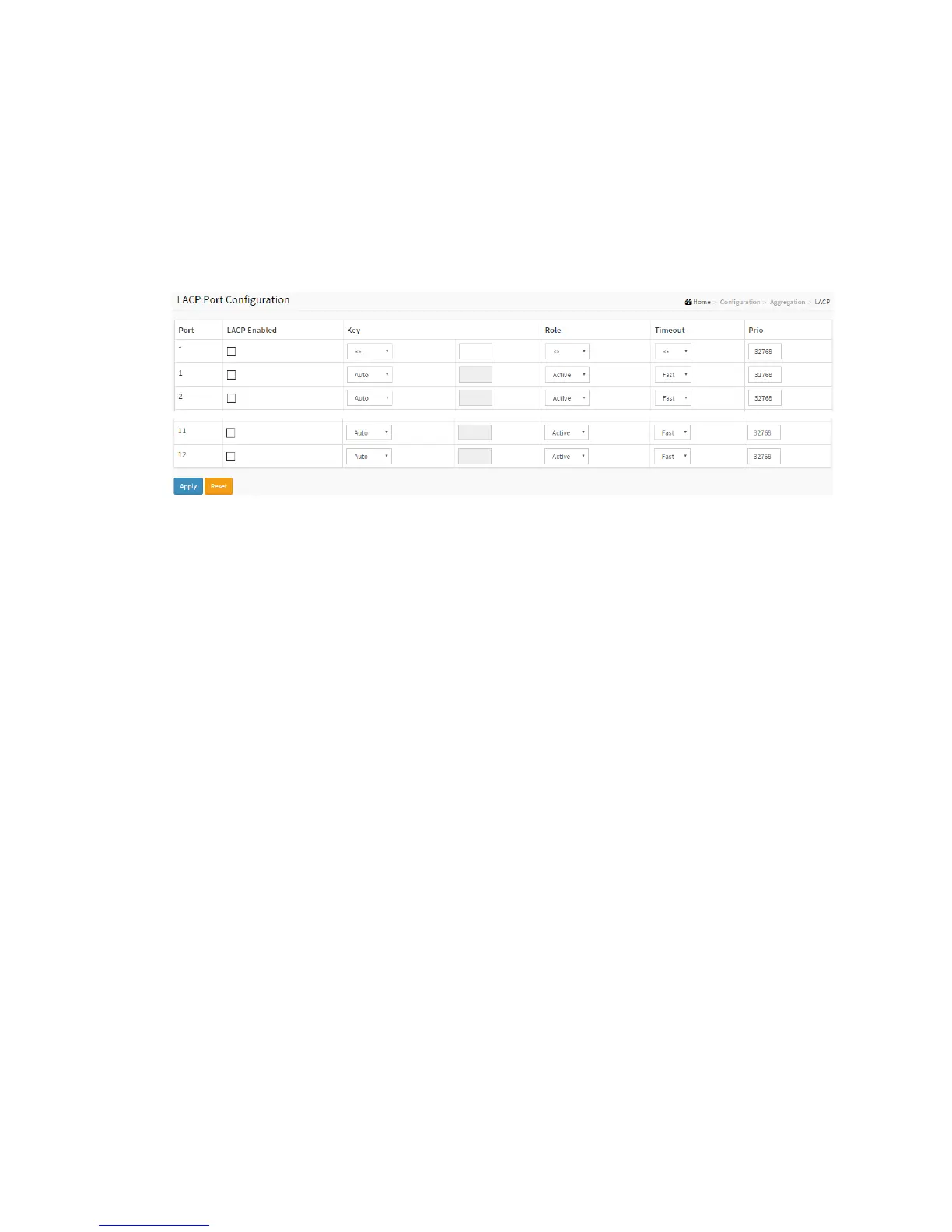
Figure 2-6.2: The LACP Port Configuration
Parameter description:
Port :
The switch port number.
LACP Enabled
Controls whether LACP is enabled on this switch port. LACP will form an
aggregation when 2 or more ports are connected to the same partner.
Key
The Key value incurred by the port, range 1-65535 . The Auto setting will set the key
as appropriate by the physical link speed, 10Mb = 1, 100Mb = 2, 1Gb = 3. Using the
Specific setting, a user-defined value can be entered. Ports with the same Key value
can participate in the same aggregation group, while ports with different keys
cannot.
Role
The Role shows the LACP activity status. The Active will transmit LACP packets each
second, while Passive will wait for a LACP packet from a partner (speak if spoken to).
Timeout



 To Next Page