196
Cancel- Return to the previous page; any changes made locally will be undone.
2-20 VLANs
To assign a specific VLAN for management purpose. The management VLAN is used
to establish an IP connection to the switch from a workstation connected to a port in
the VLAN. This connection supports a VSM, SNMP, and Telnet session. By default, the
active management VLAN is VLAN 1, but you can designate any VLAN as the
management VLAN using the Management VLAN window. Only one management
VLAN can be active at a time.
When you specify a new management VLAN, your HTTP connection to the old
management VLAN is lost. For this reason, you should have a connection between
your management station and a port in the new management VLAN or connect to the
new management VLAN through a multi-VLAN route
Web Interface
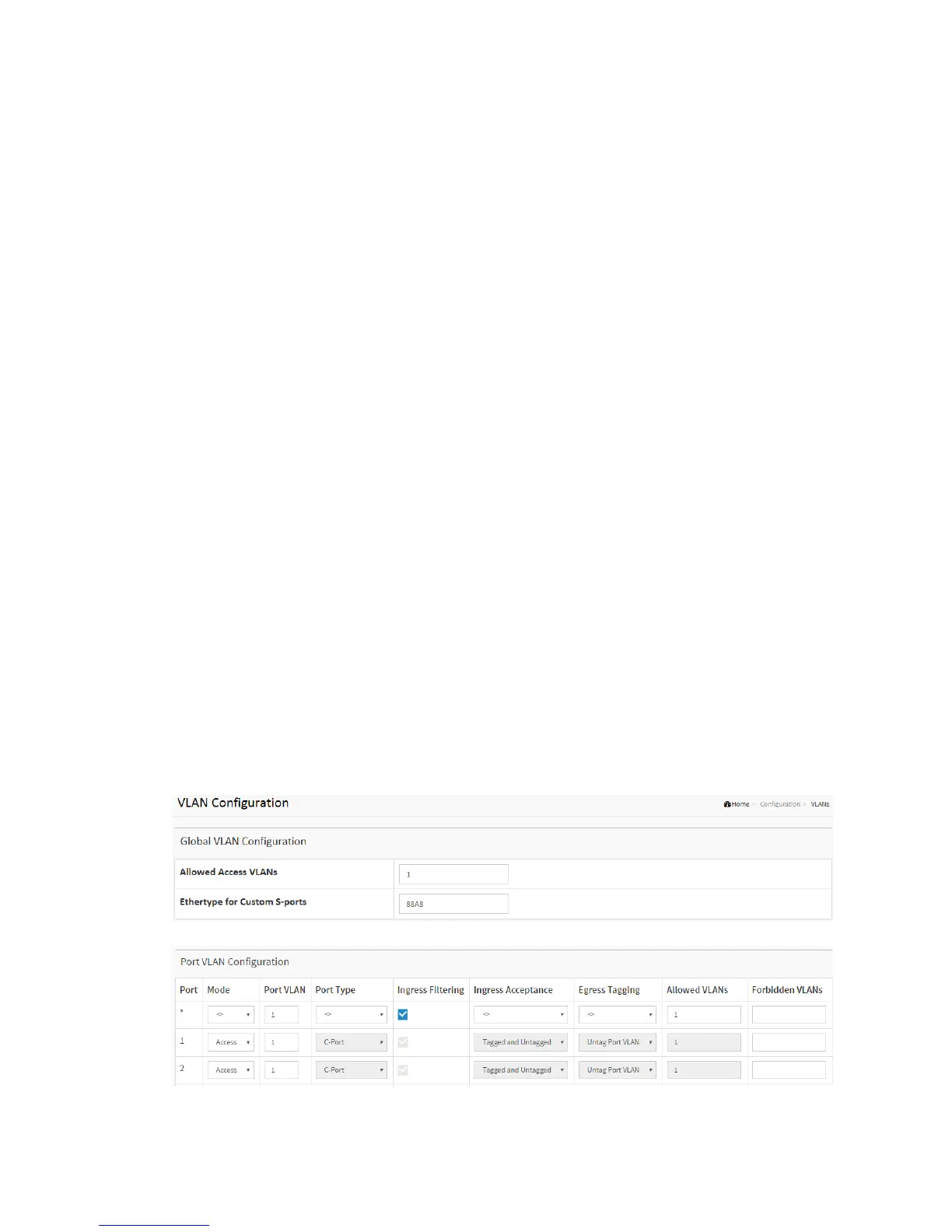
To configure VLAN membership configuration in the web interface:
1. Click Configuration VLANS.
2. Specify Existing VLANs, Ether type for Custom S-ports
3. Click Apply.
Figure 2-20.1: The VLAN Configuration



 To Next Page