124
2-9.2 MSTI Mapping
When you implement a Spanning Tree protocol on the switch that the bridge instance.
The CIST is not available for explicit mapping, as it will receive the VLANs not explicitly
mapped. Due to the reason that you need to set the list of VLANs mapped to the MSTI.
The VLANs must be separated with comma and/or space. A VLAN can only be mapped
to one MSTI. An unused MSTI should just be left empty. (I.e. not having any VLANs
mapped to it.)
This section describes it allows the user to inspect the current STP MSTI bridge
instance priority configurations, and possibly change them as well.
Web Interface
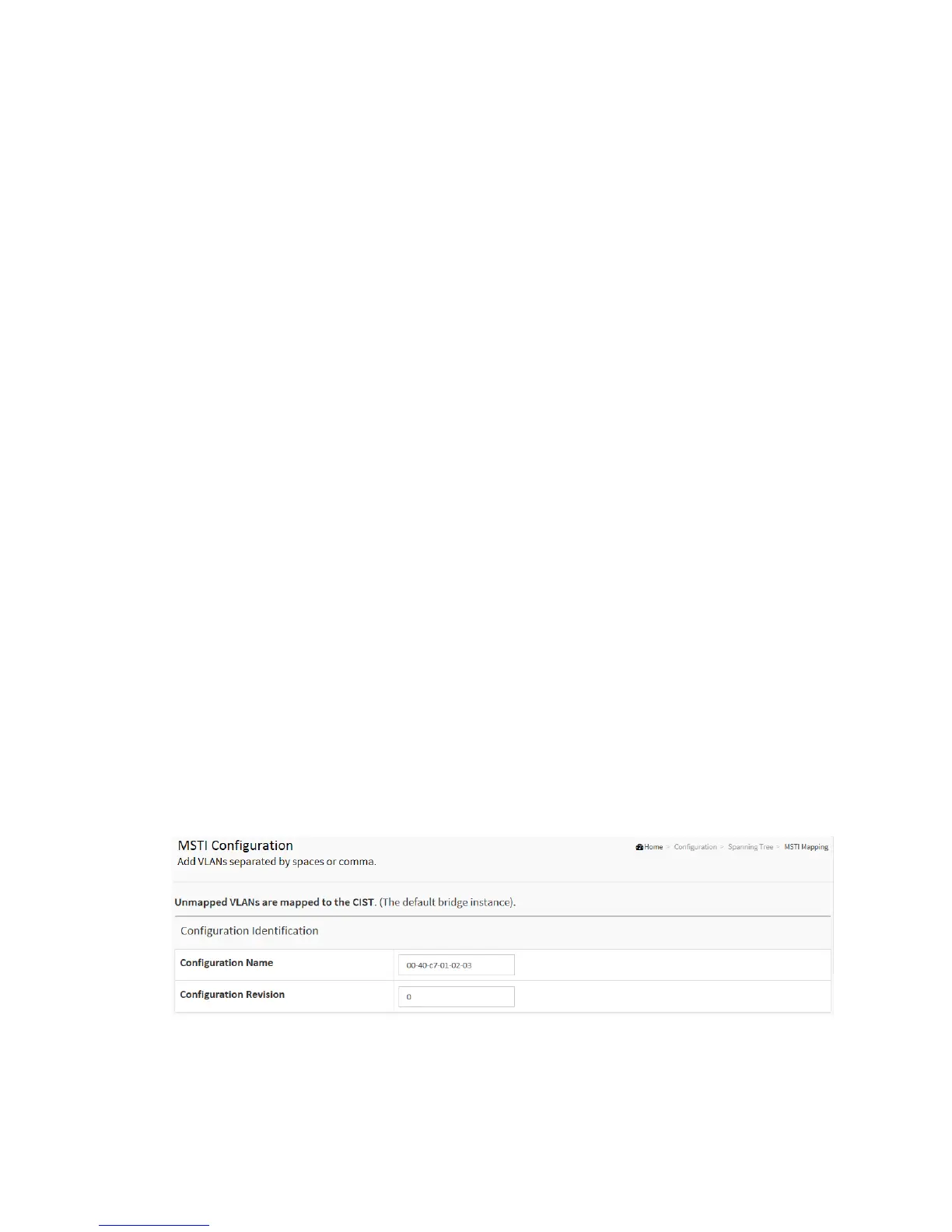
To configure the Spanning Tree MSTI Mapping parameters in the web interface:
1. Click Configuration, Spanning Tree, MSTI Mapping
2. Specify the configuration identification parameters in the field. Specify the VLANs
Mapped blank field.
3. Click the save to save the setting
4. If you want to cancel the setting then you need to click the Reset button. It will revert
to previously saved values
Figure 2-9.2: The MSTI Configuration



 To Next Page