14
2-1.5 Log
The log is a standard for logging program messages . It allows separation of the software that
generates messages from the system that stores them and the software that reports and
analyzes them. It can be used as well a generalized informational, analysis and debugging
messages. It is supported by a wide variety of devices and receivers across multiple platforms.
Web Interface
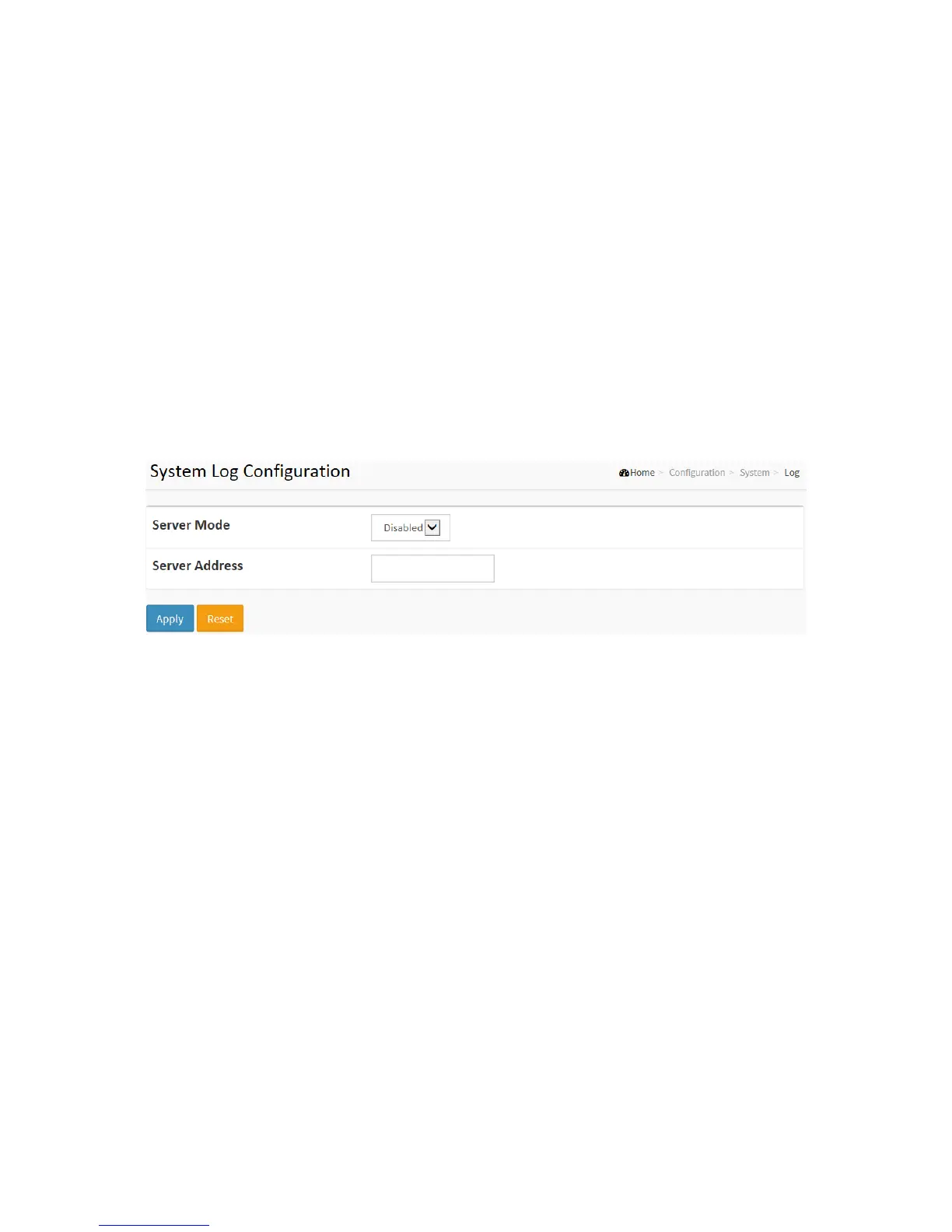
To configure log configuration in the web interface:
1. Click Configuration, System and log.
2. Specify the syslog parameters include IP Address of Syslog server and Port number.
3. Evoke the Syslog to enable it.
4. Click Apply.
Figure2-1.5: The System Log configuration
Parameter description:
Server Mode :
Indicate the server mode operation. When the mode operation is enabled, the syslog
message will send out to syslog server. The syslog protocol is based on UDP communication
and received on UDP port 514 and the syslog server will not send acknowledgments back
sender since UDP is a connectionless protocol and it does not provide acknowledgments.
The syslog packet will always send out even if the syslog server does not exist. Possible
modes are:
Enabled: Enable server mode operation.
Disabled: Disable server mode operation.
Server Address :
Indicates the IPv4 hosts address of syslog server. If the switch provide DNS feature, it also
can be a host name.
Buttons
Apply – Click to save changes.
Reset - Click to undo any changes made locally and revert to previously saved values.



 To Next Page