15
2-1.6 Digital I/O
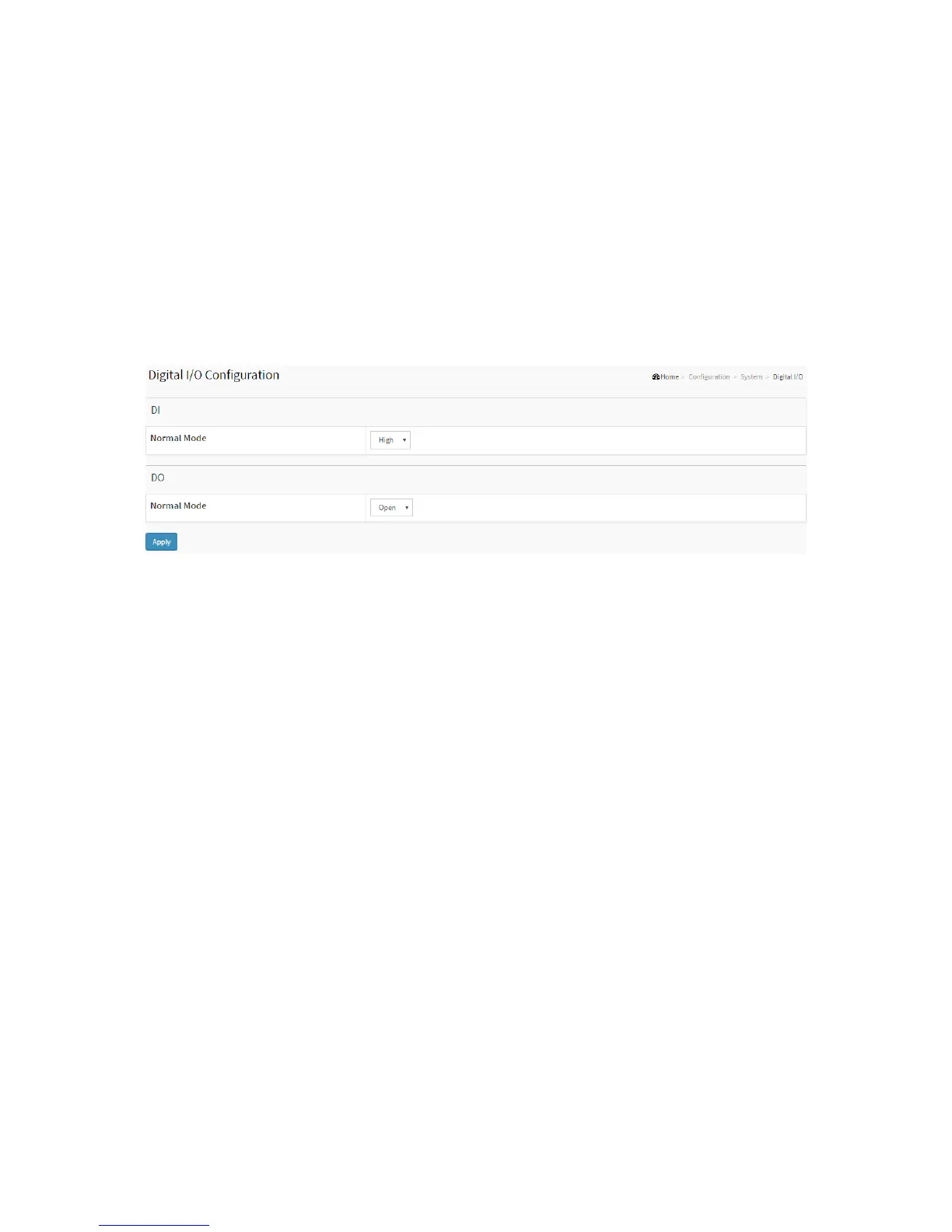
Configure the normal modes of digital input/output (DI/DO).
Web Interface
To configure Digital I/O configuration in the web interface:
1. Click Configuration, System and Digital I/O.
2. Specify the Digital I/O Normal Mode..
3. Click Apply.
Figure2-1.6: The Digital I/O Configuration
Parameter description:
DI Normal Mode
Set the normal mode of the digital input(DI). You can set it to High or Low.
DO Normal Mode
Set the normal mode of the digital output(DO). You can set it to Open or Close.
Buttons
Apply – Click to save changes.
2-1.7 Alarm Notification
2-1.7.1 Trap Event Severity
This page displays current trap event severity configurations. Trap event
severity can also be configured here.
Web Interface
To configure Trap Event Severity in the web interface:
1. Click Configuration, System, Alarm Notification and Trap Event Severity.
2. Specify the Group Name, Severity Level, Syslog, Trap, SMIP, Switch2go and Digital out.
3. Click Apply.
Figure 2-1.7.1: The Trap Event Severity



 To Next Page