16
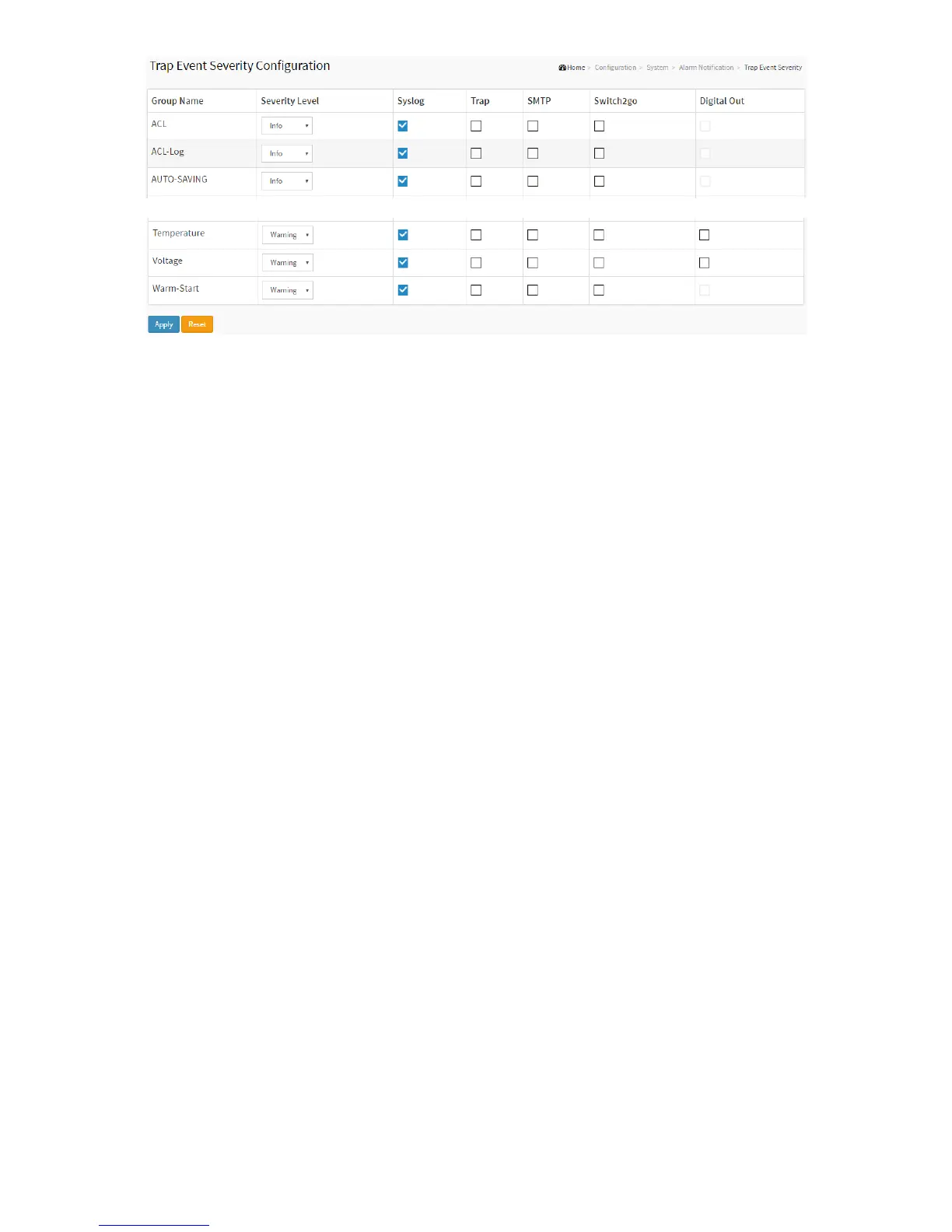
Parameter description:
Group Name
The name identifying the severity group.
Severity Level
Every group has an severity level. The following level types are supported:
<0> Emergency: System is unusable.
<1> Alert: Action must be taken immediately.
<2> Critical: Critical conditions.
<3> Error: Error conditions.
<4> Warning: Warning conditions.
<5> Notice: Normal but significant conditions.
<6> Information: Information messages.
<7> Debug: Debug-level messages.
Syslog
Enable - Select this Group Name in Syslog.
Trap
Enable - Select this Group Name in Trap.
SMTP
Enable - Select this Group Name in SMTP.
Switch2go
Enable - Select this Group Name in Push Notification.
Digital out
Enable - Select this Group Name in Digital Out.
Buttons
Apply – Click to save changes.
Reset - Click to undo any changes made locally and revert to previously saved values.
2-1.7.2 Port Event Setting
This page is for configuring the port events.
Web Interface



 To Next Page