238
2-25.2 Port Policing
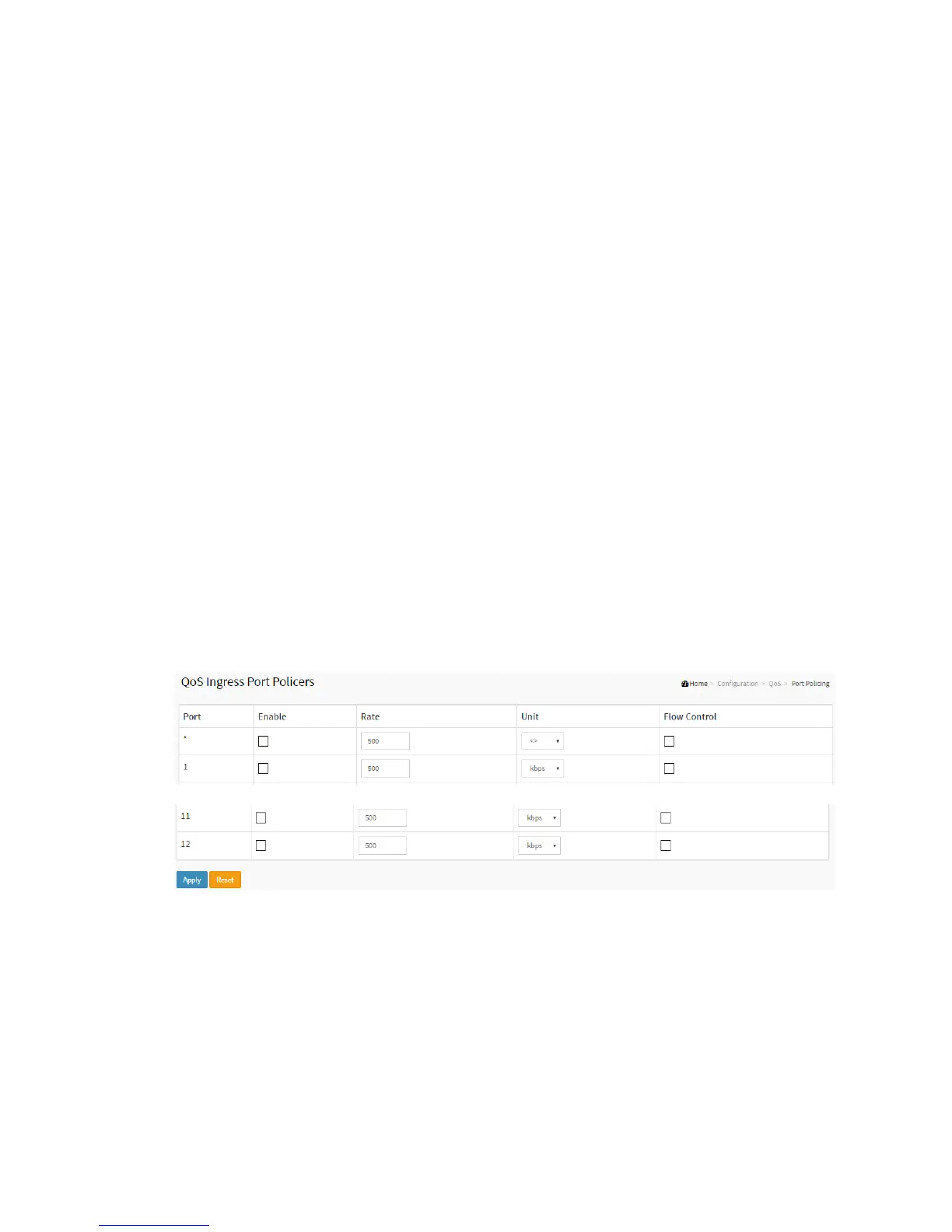
This section provides an overview of f QoS Ingress Port Policers for all switch ports The
Port Policing is useful in constraining traffic flows and marking frames above specific
rates. Policing is primarily useful for data flows and voice or video flows because voice
and video usually maintains a steady rate of traffic
Web Interface
To display the QoS Port Schedulers in the web interface:
1. Click Configuration, QoS, Port Policing
2. Evoke which port need to enable the QoS Ingress Port Policers and type the
Rate limit condition.
3. Scroll to select the Rate limit Unit with kbps, Mbps, fps and kfps.
4. Click Apply to save the configuration.
Figure 2-25.2: The QoS Ingress Port Policers Configuration
Parameter description:
Port :
The logical port for the settings contained in the same row. Click on the port
number in order to configure the schedulers.



 To Next Page