17
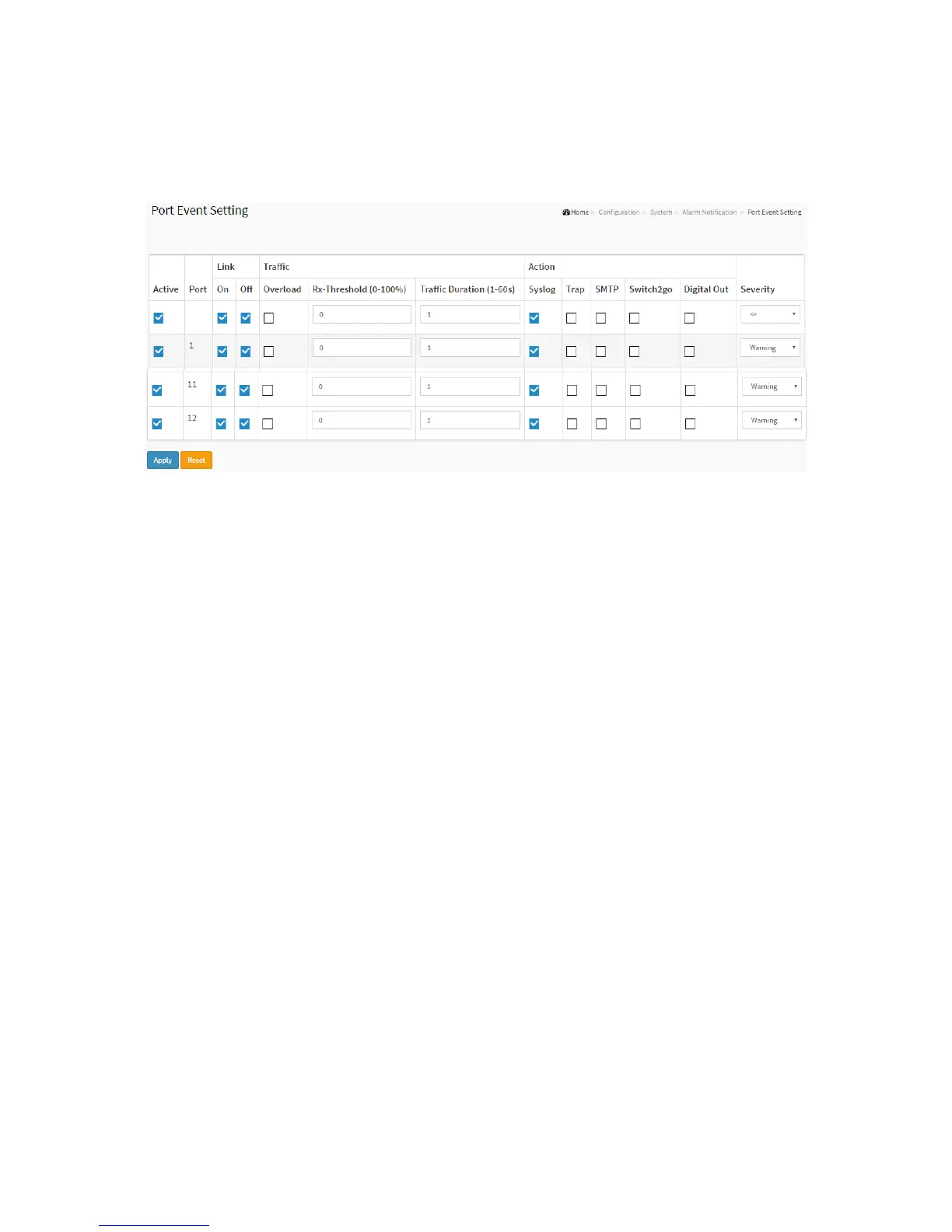
To configure Trap Event Severity in the web interface:
1. Click Configuration, System, Alarm Notification and Port Event Setting.
2. Specify the Traffic and Action.
3. Click Apply.
Figure 2-7.1.2: The Port Event Setting
Parameter description:
Active
To active the event handler of this port.
Port
This is the logical port number for this row.
Link On
Event is triggered when link on.
Link Off
Event is triggered when link off.
Traffic Overload
Event is triggered when the traffic is overload.
Traffic Rx-Threshold
Event is triggered when Rx reach this threshold.
Traffic Duration
Event is triggered when the traffic duration reach this value.
Action Syslog
Enable this port for Syslog.
Action Trap
Enable this port for Trap.
Action SMTP
Enable this port for SMTP.
Action Switch2go
Enable this port for Switch2go iPush.
Action Digital Out



 To Next Page