115
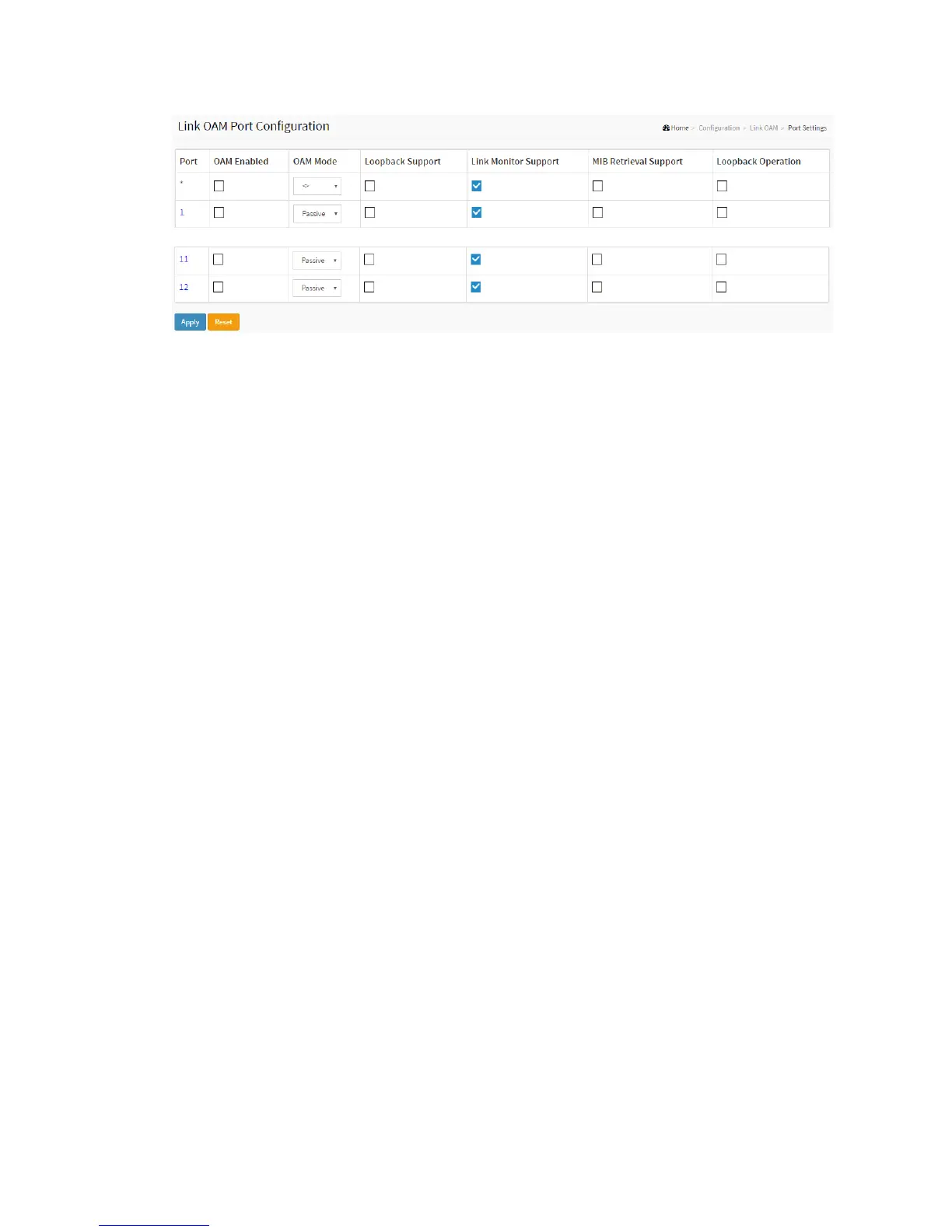
Parameter description:
Port
The switch port number.
OAM Enabled
Controls whether Link OAM is enabled on this switch port. Enabling Link OAM
provides the network operators the ability to monitor the health of the network and
quickly determine the location of failing links or fault conditions.
OAM Mode
Configures the OAM Mode as Active or Passive. The default mode is Passive.
Active mode
DTE's configured in Active mode initiate the exchange of Information OAMPDUs as
defined by the Discovery process. Once the Discovery process completes, Active
DTE's are permitted to send any OAMPDU while connected to a remote OAM peer
entity in Active mode. Active DTE's operate in a limited respect if the remote OAM
entity is operating in Passive mode. Active devices should not respond to OAM
remote loopback commands and variable requests from a Passive peer.
Passive mode
DTE's configured in Passive mode do not initiate the Discovery process. Passive
DTE's react to the initiation of the Discovery process by the remote DTE. This
eliminates the possibility of passive to passive links. Passive DTE's shall not send
Variable Request or Loopback Control OAMPDUs.
Loopback Support
Controls whether the loopback support is enabled for the switch port. Link OAM
remote loopback can be used for fault localization and link performance testing.
Enabling the loopback support will allow the DTE to execute the remote loopback
command that helps in the fault detection.
Link Monitor Support
Controls whether the Link Monitor support is enabled for the switch port. On
enabling the Link Monitor support, the DTE supports event notification that permits
the inclusion of diagnostic information.



 To Next Page