142
connects to a router closer to the root of the tree. This interface is the upstream
interface. The router on the upstream interface should be running IGMP
Web Interface
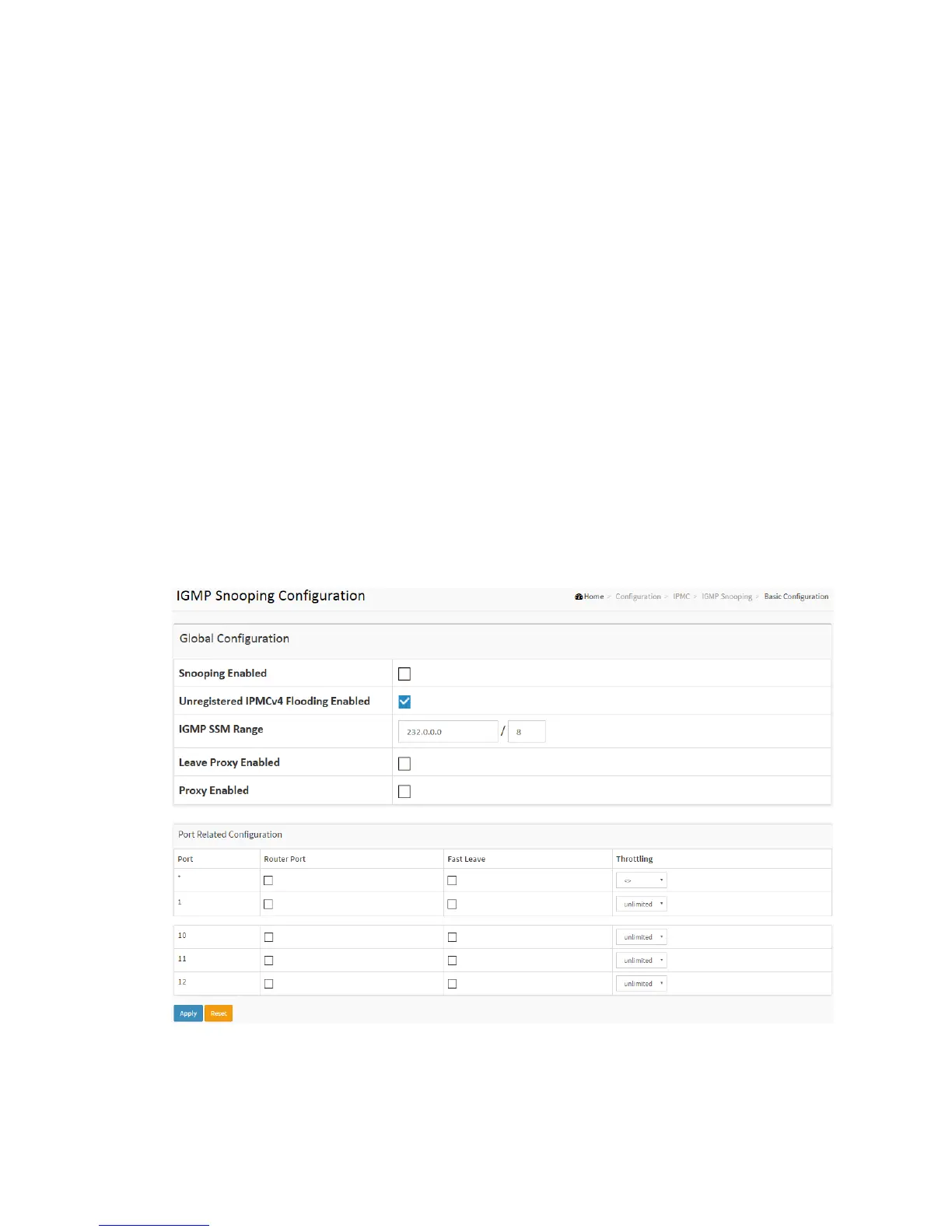
To configure the IGMP Snooping parameters in the web interface:
1. Click Configuration, IPMC,IGMP Snooping, Basic Configuration
2. Evoke to select enable or disable which Global configuration
3. Evoke which port wants to become a Router Port or enable/ disable the Fast Leave
function..
4. Scroll to set the Throtting parameter.
5. Click the apply to save the setting
6. If you want to cancel the setting then you need to click the Reset button. It will
revert to previously saved values
Figure 2-12.1.1: The IGMP Snooping Configuration.
Parameter description:



 To Next Page