35
Web Interface
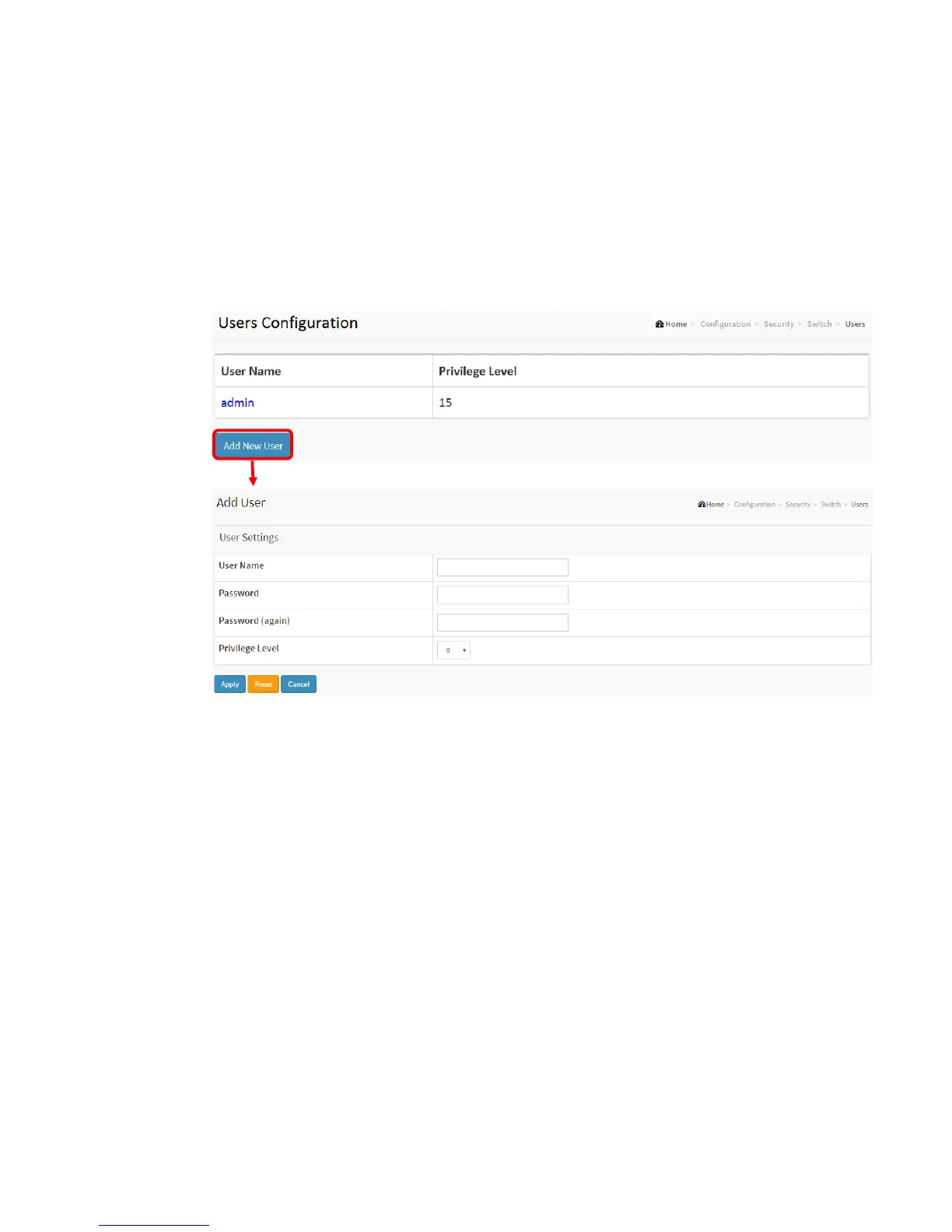
To configure User in the web interface:
1. Click Configuration, Security, Switch, Users.
2. Click Add new user
3. Specify the User Name parameter.
4. Click Apply.
Figure 2-5.1.1: The Users configuration
Parameter description:
User Name
The name identifying the user. This is also a link to Add/Edit User.Password
The password of the user. The allowed string length is 0 to 31. Any printable
characters including space is accepted.
Privilege Level
The privilege level of the user. The allowed range is 0 to 15. If the privilege level value is
15, it can access all groups, i.e. that is granted the fully control of the device. But others
value need to refer to each group privilege level. User's privilege should be same or
greater than the group privilege level to have the access of that group. By default setting,
most groups privilege level 5 has the read-only access and privilege level 10 has the
read-write access. And the system maintenance (software upload, factory defaults and
etc.) need user privilege level 15. Generally, the privilege level 15 can be used for an
administrator account, privilege level 10 for a standard user account and privilege level 5
for a guest account.



 To Next Page