418
3-11.2.2 Group Information
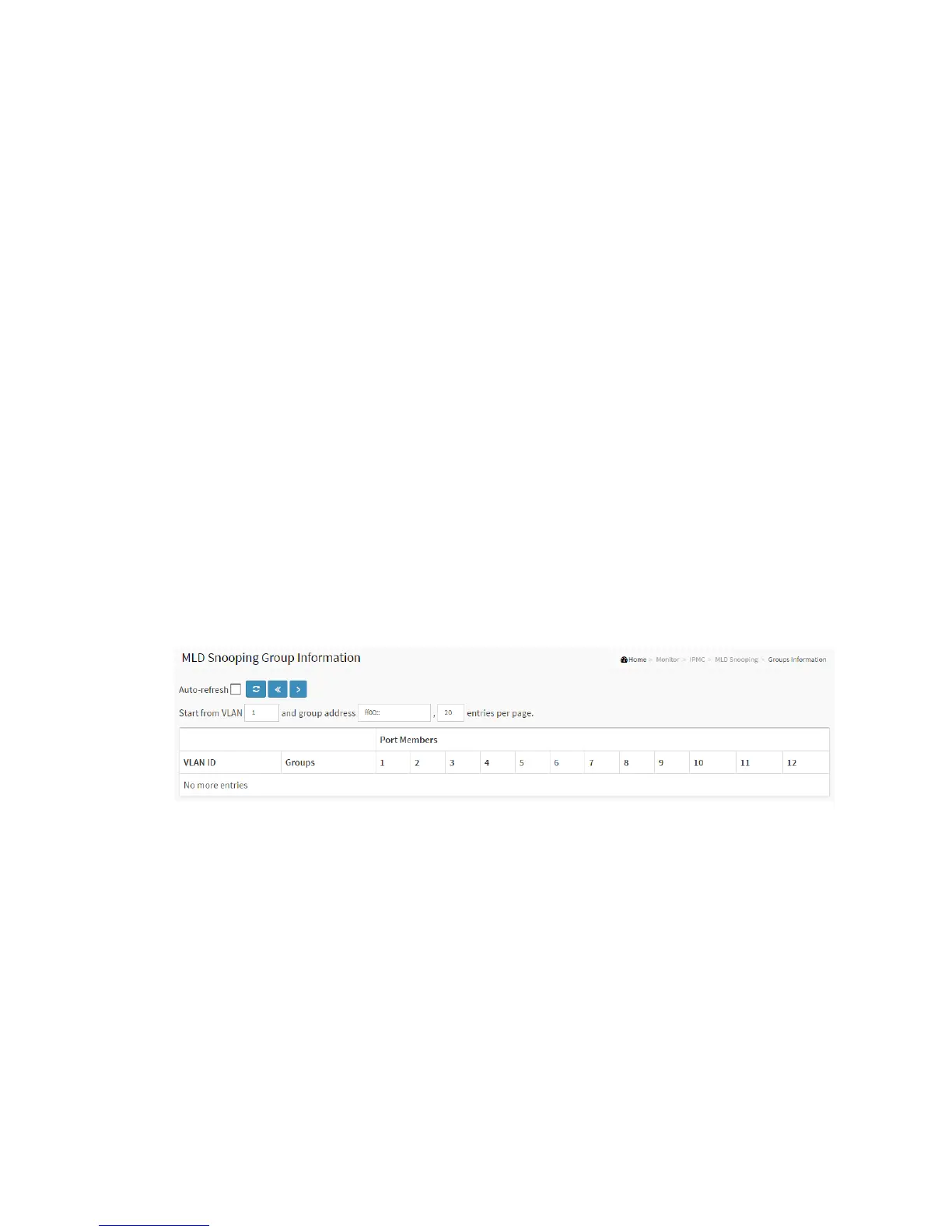
The section describes user could set the MLD Snooping Groups Information. The "Start
from VLAN", and "group" input fields allow the user to select the starting point in the
MLD Group Table
Web Interface
To display the MLD Snooping Group information in the web interface:
1. Click Monitor, MLD Snooping, Group Information
2. If you want to auto-refresh the information then you need to evoke the
“Auto-refresh”
3. Click “Refresh” to refresh an entry of the MLD Snooping Group Information.
4. Click “Clear “to clear the MLD Snooping Groups information..
Figure 3-11.2.2: The MLD Snooping Groups Information
Parameter description:
Navigating the MLD Group Table
Each page shows up to 99 entries from the MLD Group table, default being 20,
selected through the "entries per page" input field. When first visited, the web page
will show the first 20 entries from the beginning of the MLD Group Table.
The "Start from VLAN", and "group" input fields allow the user to select the starting
point in the MLD Group Table. Clicking the button will update the displayed table
starting from that or the closest next MLD Group Table match. In addition, the two



 To Next Page