92
2-5.2.4 IP Source Guard
The section describes to configure the IP Source Guard detail parameters of the switch.
You could use the IP Source Guard configure to enable or disable with the Port of the
switch.
2-5.2.4.1 Configuration
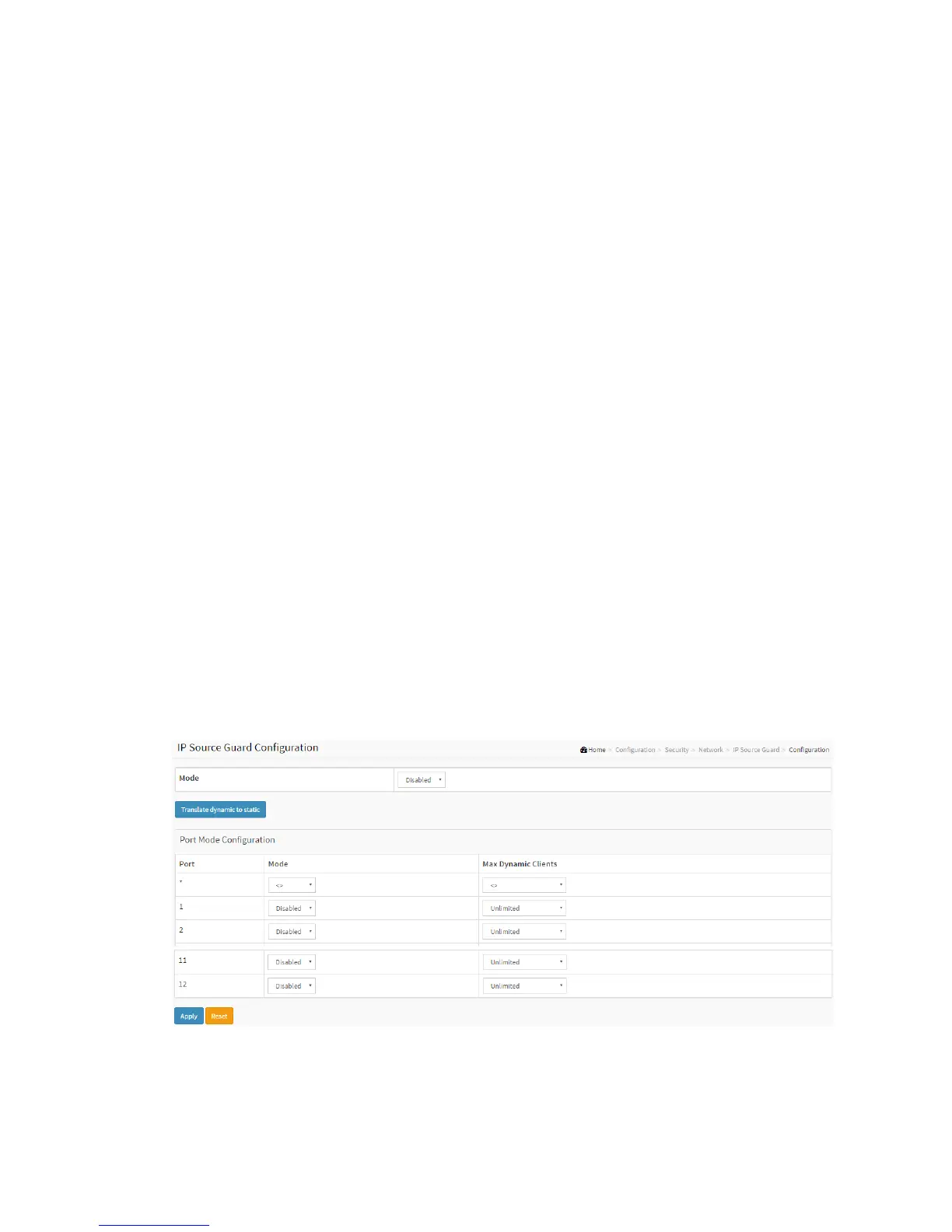
This section describes how to configure IP Source Guard setting including:
Mode (Enabled and Disabled)
Maximum Dynamic Clients (0, 1, 2, Unlimited)
Web Interface
To configure an IP Source Guard Configuration in the web interface:
1. Select “Enabled” in the Mode of IP Source Guard Configuration.
2. Select “Enabled” of the specific port in the Mode of Port Mode Configuration.
3. Select Maximum Dynamic Clients (0, 1, 2, Unlimited) of the specific port in the
Mode of Port Mode Configuration.
4. Click Apply.
Figure 2-5.2.4.1: The IP Source Guard Configuration
Parameter description:



 To Next Page