Page 146
REPAIR INSTRUCTIONS, PART 1
124
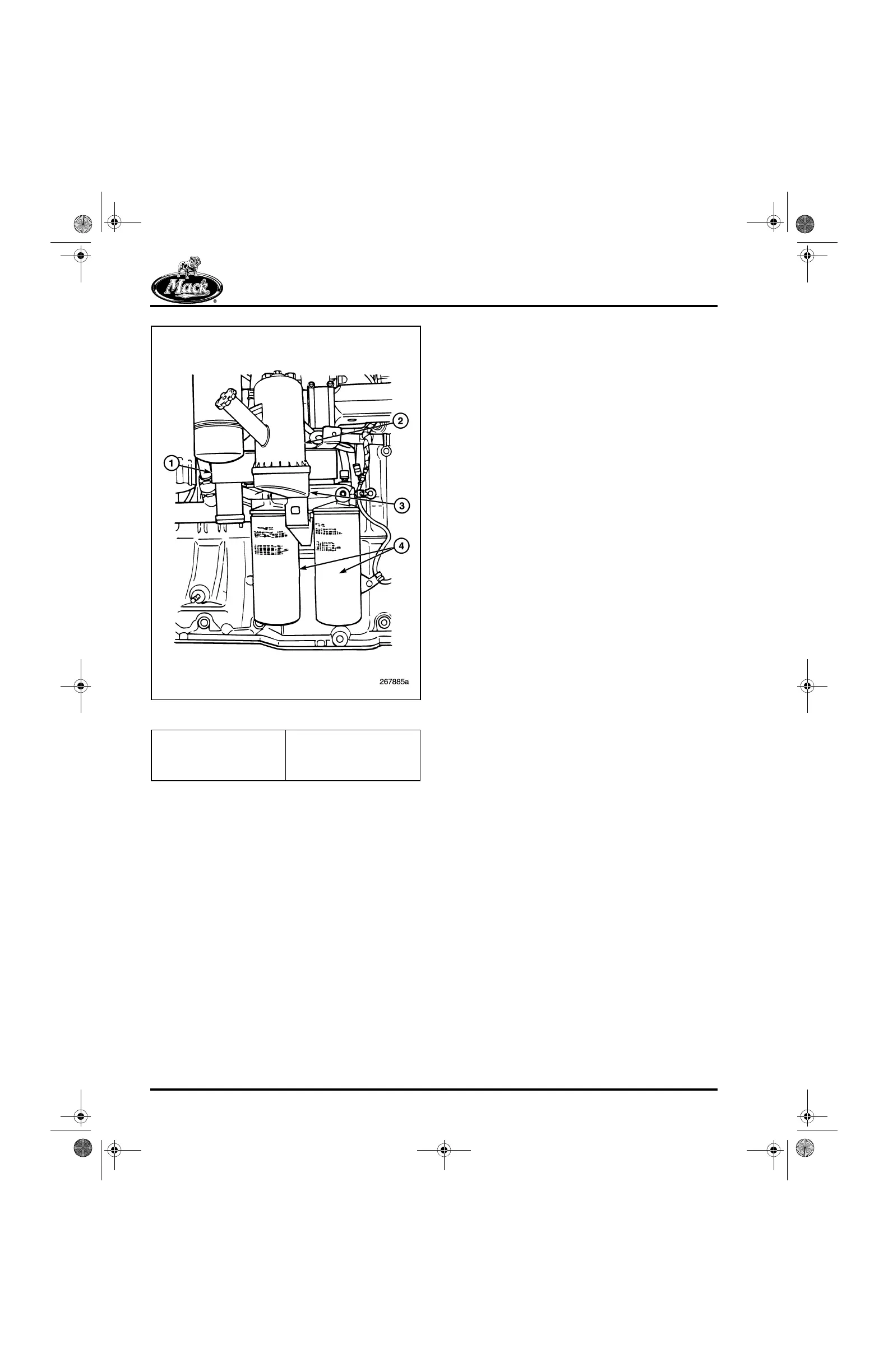
Figure 124 — Centri-Max
®
ULTRA Housing
Dipstick Tube Removal
ASET™ AC engines are all built with the dipstick
tube mounted on the left side of the engine which
extends into the oil pan. This tube must be
removed after all the oil has been drained, but
before the oil filter mounting bracket assembly
can be removed.
Oil Cooler and Oil Filter Mounting
Bracket Assembly Removal
[215 DW, 219 EP]
The plate-type oil cooler and oil filter mounting
bracket must be removed before mounting the
engine in the stand. The configuration of the
housing assembly protrudes into the area
required for the engine mounting adapter plate.
Refer to Figure 125 and remove the assembly as
follows:
1. Disconnect the harness from the oil
pressure and oil temperature sensors on the
filter mounting bracket.
2. Disconnect the turbocharger lubrication
supply line from the mounting bracket.
3. Loosen the clamps and remove the Y-hose
and screen from the by-pass tube and oil
cooler inlet.
4. Loosen the hose clamps at the
cooler-to-water pump pipe connection, and
slide the hose away from the cooler and
further onto the pipe.
5. While supporting the oil cooler and oil filter
mounting bracket assembly with one hand,
remove the four capscrews attaching the oil
cooler and oil filter mounting bracket to the
cylinder block.
6. Lift the oil cooler and oil filter mounting
bracket assembly off the block surface and
place on a clean work surface.
1. Oil Cooler
2. Centri-Max
®
ULTRA
Filter
3. Oil Filter Mounting
Bracket
4. Spin-On Full-Flow Oil
Filters
5-111.bk Page 146 Monday, July 10, 2006 2:26 PM



 To Next Page