Section 4 – REMOTE CONTROL SYSTEM FEATURES Mini-Crawler Crane M A E D A
4-82 1/2019 MC285C-3
Terminating Operation
The monitor must be used when stowing the
crane, so turn off the transmitter and operate from
the machine itself.
When stowing the outriggers, switch the
transmitter mode selector switch to
“OUTRIGGER.” Confirm that the display also
switches to the outrigger display.
After crane operation, always turn off power to the
transmitter.
Do not turn transmitter on unless crane is in
operation. WARNING! Sudden Movement Hazard.
Never turn on the transmitter until the crane is
properly positioned and ready for operation.
Unexpected contact with the operation levers or
buttons may cause unexpected movement of the
crane.
REMOTE CONTROL
SYSTEM FEATURES
The remote control system includes both
transmitter and receiver which facilitate remote
control system of the crane.
This is a wireless remote control system; the
Crane can be operated at the most convenient
place away from it within the radio wave range.
Transmitter
The transmitter includes operation levers, a
display, and an Emergency Engine Stop Switch
(EMO).
It allows the crane to be operated remotely from
the machine by transmitting wireless crane
operation signals to the receiver mounted on the
machine main unit.
Fig. 4-223
The transmitter sends signals to operate the crane
to the receiver. The transmitter transmits the load
data from the moment limiter of the crane through
the cable, to be displayed on the monitor display
as rated total load, actual load and load factor (bar
chart).
Receiver
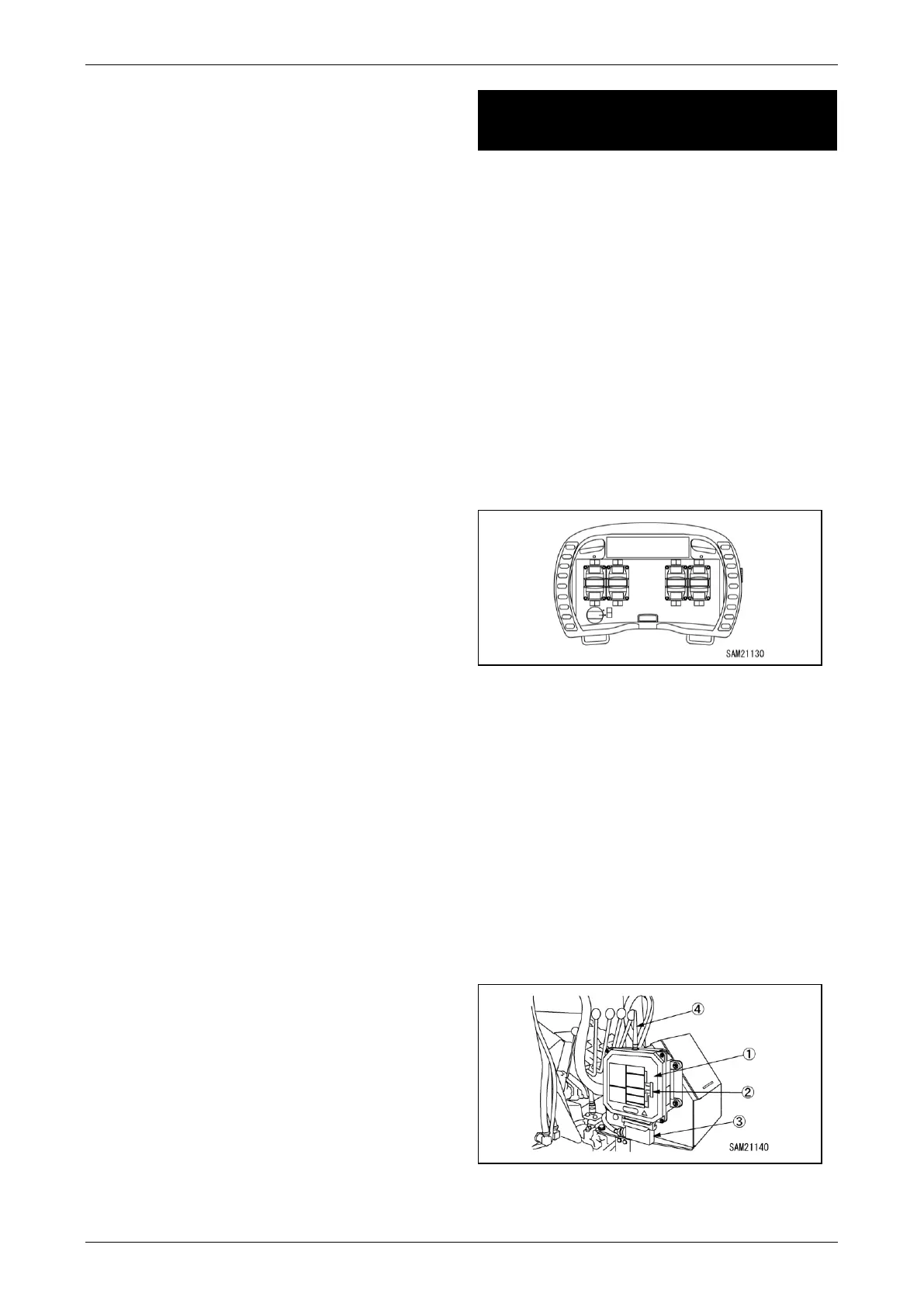
The receiver which is installed on the crane is
equipped with control box (1), monitor LED (2),
connector (3), antenna (4), etc.
The receiver receives operation signals from the
transmitter and controls the crane.
Fig. 4-224



 To Next Page