Section 5 – INSPECTION
Mini-Crawler Crane M A E D A
5-26 1/2019 MC285C-3
Check / Adjust Rubber Track Tension
See “Checking Rubber Track Tension” on page
5-61.
Check Rubber Tracks for Damage and
Wear
See “Inspection of Rubber Tracks” on page 5-59.
Check Outrigger Safety Device
Operation
Review all procedures and safety precautions in
“OUTRIGGER SAFETY DEVICES” on page 4-30
before checking outrigger safety devices.
1. Turn the Starter Switch to the ON position.
2. Push in the travel lever while unlocking the
lever to enable the operation of outriggers
and the crane
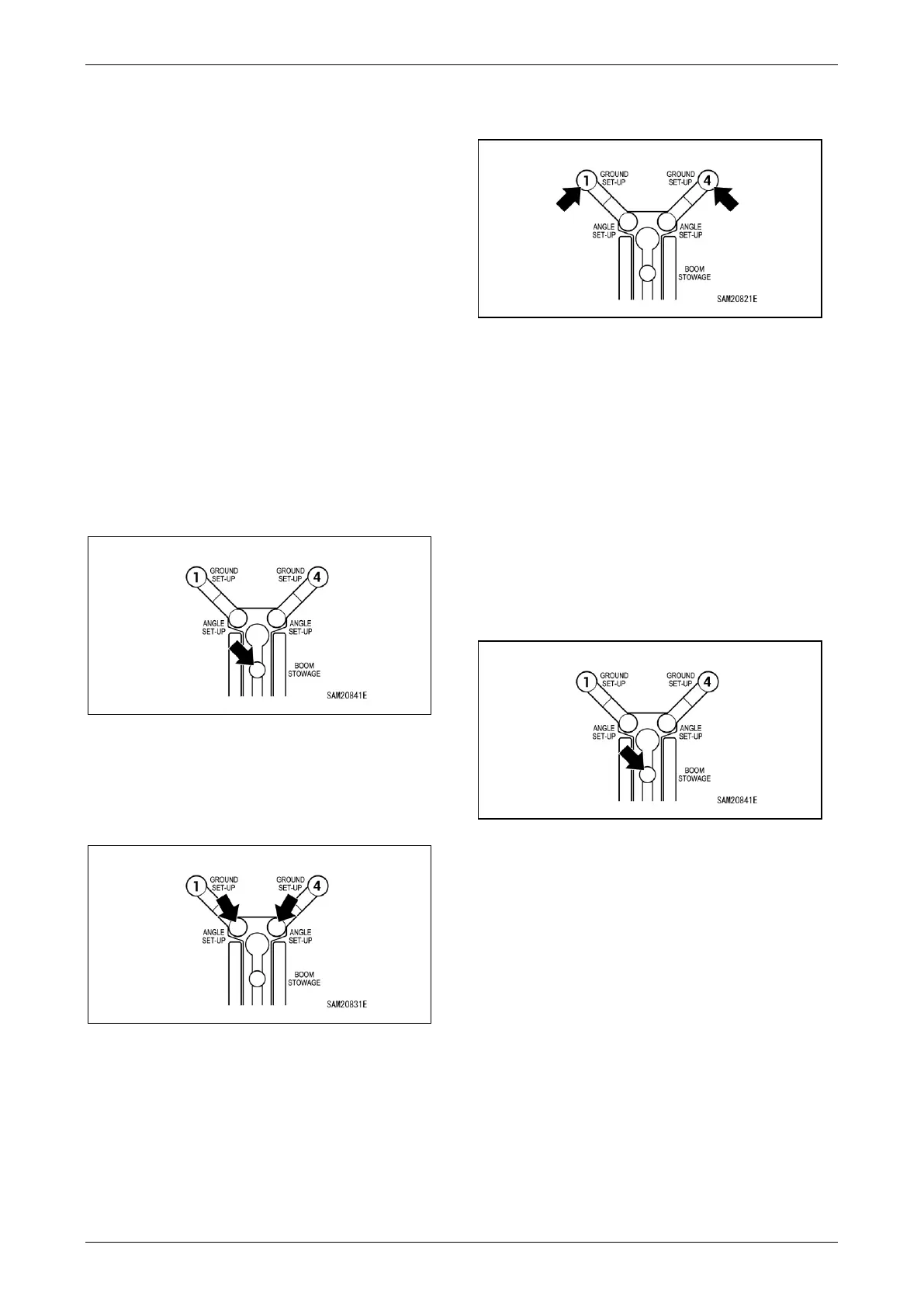
3. Verify that only the Boom Stowing Light
remains green on the monitor.
Fig. 5-31
4. Rotate the outriggers to the standard angle
positions and insert the position pins.
5. Confirm that the Outrigger Angle Setting Light
is lit in green on the monitor.
Fig. 5-32
6. Set the outriggers to maximum extension.
Start the engine to extend the outriggers.
7. Verify that only the Boom Stowing Light
remains green on the monitor.
Fig. 5-33
8. Confirm steps 4 to 7 for all four outriggers.
9. Check the outrigger base sensors if the
Outrigger Ground Set-Up Light flashes in red
even with the outriggers extended.
Check Outrigger Interlock Operation
Review all procedures and safety precautions in
“OUTRIGGER SAFETY DEVICES” on page 4-30
before checking outrigger interlock operation.
1. Set all four outriggers. See “OUTRIGGER
SETTING” on page 4-38.
2. Raise the boom until the Boom Stowing Light
on the monitor turns off.
Fig. 5-34
3. Confirm that none of the outriggers moves
even when operated in outrigger mode.



 To Next Page