Section 4 – MONITOR Mini-Crawler Crane M A E D A
4-14 1/2019 MC285C-3
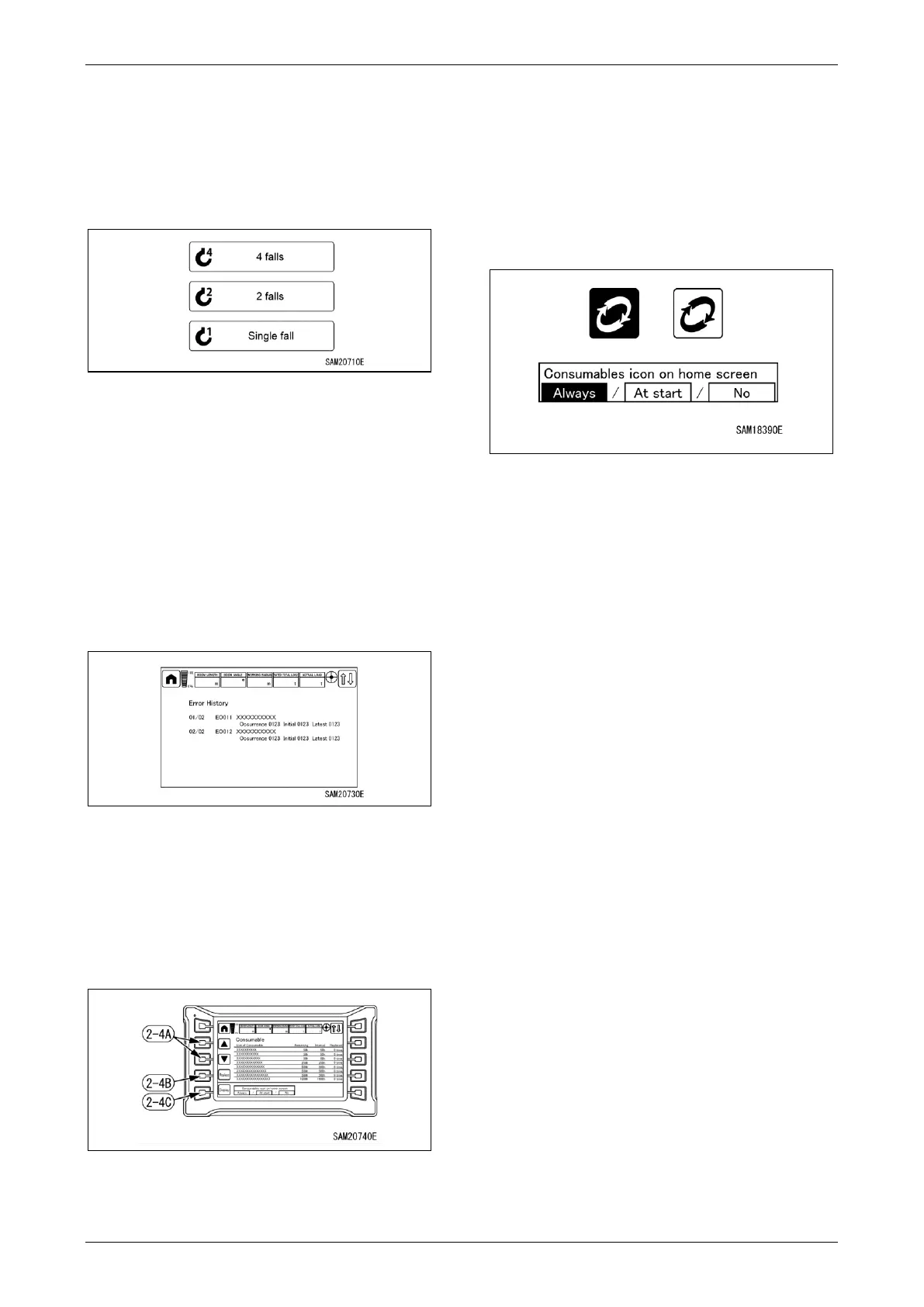
42BNumber of Falls Change
Number of falls can be changed.
• 4 falls
• 2 falls
• Single fall
Fig. 4-27
When the number of falls is changed, the
number on the hook fall of the moment limiter
changes and rated total load changes.
Be sure to match the displayed number with the
actual number of falls.
43B44BError History Display
Allows review of current or past errors.
• Red text: Current errors
• White text: Past errors
Fig. 4-28
For more information on error codes, see “Error
Codes” on page 5-93.
Consumables Display
Lists consumables and indicates the time until
the next scheduled replacement.
Fig. 4-29
For more information on consumables list, see
“CONSUMABLES” on 5-9.
5BIf a consumable has been replaced, use the ▲
or ▼ adjuster switches (2-4A) to select the
consumable replaced. Once a consumable has
been selected, hold down the replacement
switch (2-4B) to update the replacement time.
Updating increments the number of
replacements by 1 and resets the time
remaining.
Fig. 4-30
If “Always” or “At start” is selected for the
consumable icon display selection (2-4C),
yellow text and a white icon will appear on the
Home screen if the remaining time is 30 h or 3
days, while red text and a red icon will appear on
the Home screen when the remaining time is 0 h
or 0 days.
Replace consumable promptly. Continued use
past the recommended replacement date may
be dangerous and harm the machine.
NOTICE: We recommend setting the
consumable icon display selection (2-4C) to
“Always.”
Always: Consumable icons are constantly
displayed on the Home screen if the
replacement time is approaching or has been
exceeded.
At start: Consumable icons are displayed only
for 30 seconds after displaying the Home screen
if the replacement time is approaching or has
been exceeded.
No: Consumable icons are not displayed on the
Home screen, even if the replacement time is
approaching or has been exceeded.



 To Next Page