M A E D A Mini-Crawler Crane Section 4 – REMOTE CONTROL SYSTEM COMPONENTS
1/2019 MC285C-3 4-85
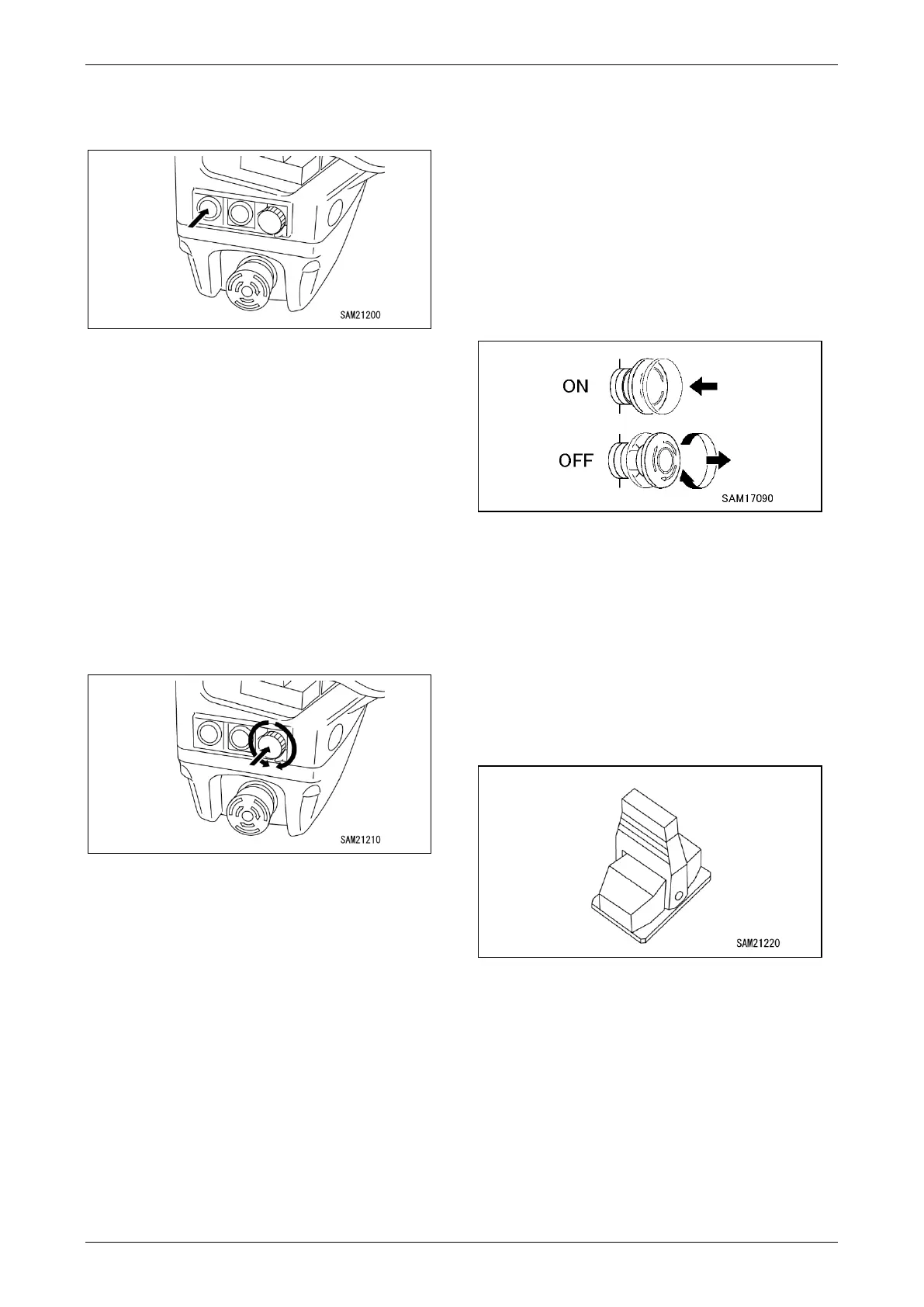
Transmitter Power Switch
Use this switch to turn on transmitter power.
Fig. 4-228
• Standby: Press the switch once to select
Standby mode. Power will shut off automatically
after a few seconds in standby mode.
• Power ON: Press the switch three times while in
Standby mode to turn on transmitter power.
Engine Start/Stop Switch
Use this switch to start/stop the engine.
Display Operation Switch
Use this switch to operate the display.
• Select: Rotate the switch to select from the
menu.
• Enter: Press the switch to enter a selection.
Fig. 4-229
Horn Switch
The horn keeps blowing while this switch is
pressed.
Boom Lift Bypass Switch
The boom can be lifted while this switch is
pressed following an overload stop.
Micro Speed Switch
Used to operate the crane at slow speed when
operating the crane.
Emergency Engine Stop (EMO)/Remote
Control System Power OFF Switch
Use this switch to bring the engine to an
emergency stop. In addition, this switch can be
used to turn off the remote control system.
• ON: Turns off transmitter power and shuts
down the engine.
• OFF: Allows transmitter power to be turned on.
Power cannot be turned on while this
switch is ON.
Fig. 4-230
Cable Connection Port
Not used with this machine.
No. 1 Outrigger/Slewing Operation Lever
No. 2 Outrigger/Telescoping Operation
Lever
No. 3 Outrigger/Winch Operation Lever
No. 4 Outrigger/Lifting and Lowering
Operation Lever
Fig. 4-231
Used for individual outrigger and crane operations
For more information on outrigger operations, see
“Outrigger Operation” on page 4-98.
For more information on crane operations, see
“Crane Operation” on page 4-101.



 To Next Page