M A E D A Mini-Crawler Crane Section 4 – MONITOR
1/2019 MC285C-3 4-9
MONITOR
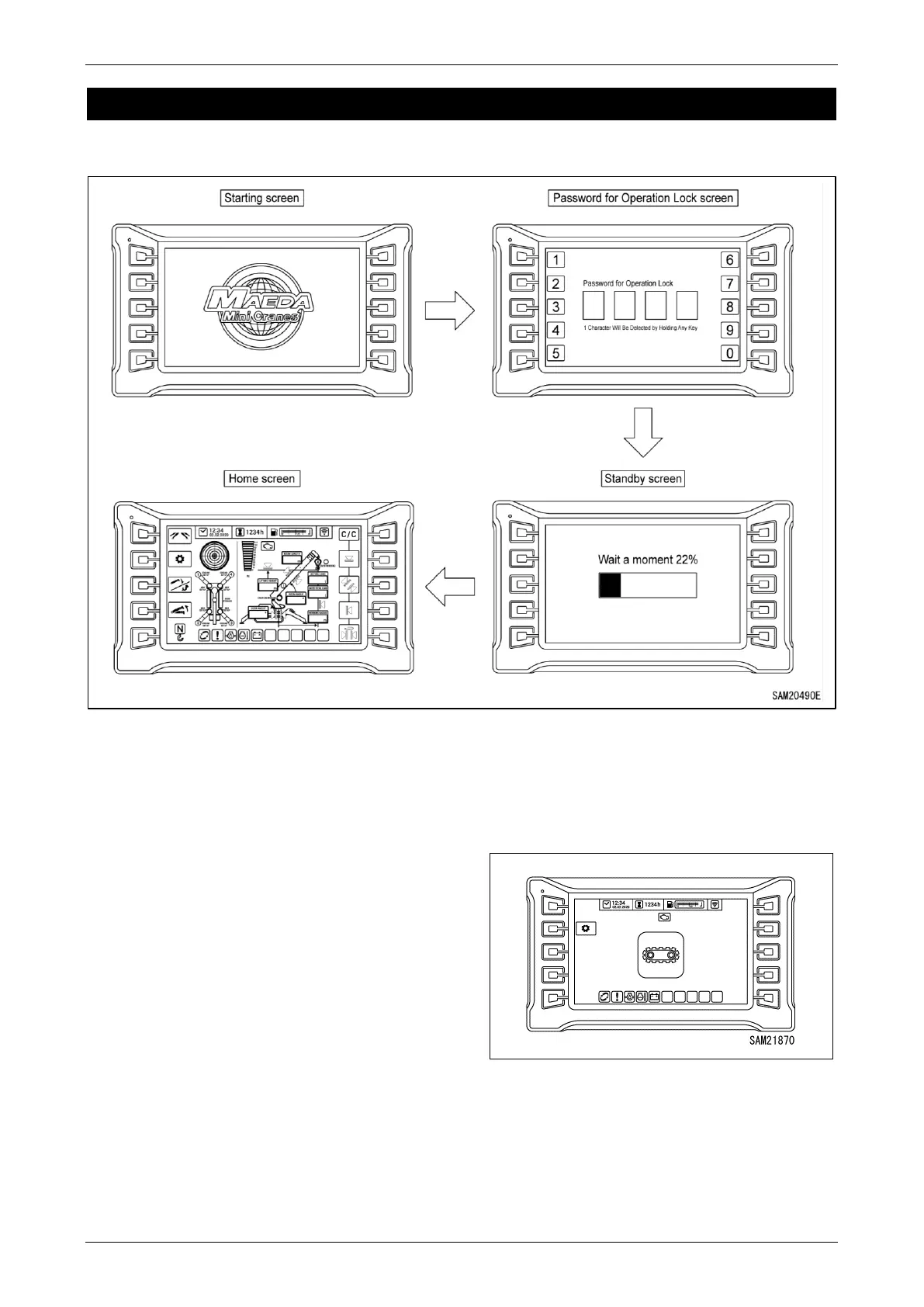
16BStarting Screen
Fig. 4-12
When the Starter Switch is turned “ON”, the
starting screen is displayed.
If operation lock password entry is activated then
after the startup screen is displayed, the
operation lock password screen will display.
Next, a standby screen appears before
switching to the home screen.
NOTICE: When the engine is started, the battery
voltage can suddenly decrease depending on
the temperature and battery condition. In such a
case, the machine monitor display can
temporarily disappear, but this is normal.
When the travel lever is pulled up, the home
screen switches to the travel screen. Only travel
operations are possible on this screen. The
crane and outriggers cannot be operated.
Fig. 4-13



 To Next Page