Section 4 – OUTRIGGER INDICATORS Mini-Crawler Crane M A E D A
4-34 1/2019 MC285C-3
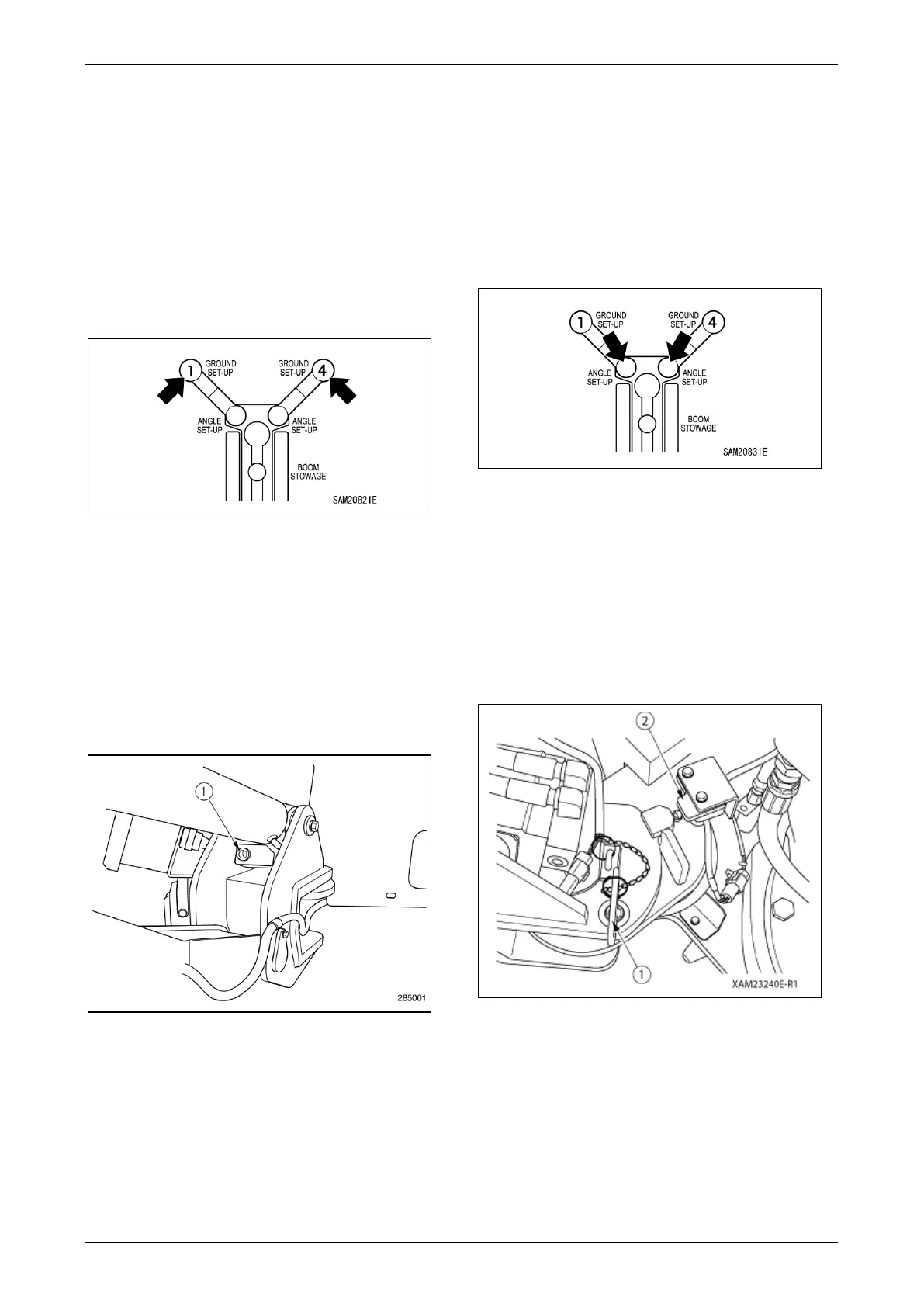
Outrigger Ground Set-Up Lights 1 to 4
The Outrigger Ground Set-Up Lights turn on to
indicate the outrigger is set and there is pressure
on the outrigger pad.
The green light turns on when the outrigger pad is
in contact with the ground. The red light flashes
when the pad is raised (stowed).
The outrigger contact status is detected by a
detection switch at the base of the outrigger
cylinder.
Fig. 4-86
The Outrigger Ground Set-Up Lights turn on to
indicate the outrigger is set and there is pressure
on the outrigger pad.
The Outrigger Ground Set-Up Lights turn off when
the pad is lifted off of the ground.
The conditions of the outrigger pad are detected
by the detection switch (1) at the bottom of the
outrigger cylinder. There is a detection switch at
the bottom of all four outrigger cylinders.
Fig. 4-87
Outrigger Angle Setting Lights 1 to 4
These turn on or off to indicate the outrigger
status.
The lights turn off when the outriggers are stowed,
illuminate in green when the outriggers are fully
extended, illuminate in yellow when the outriggers
are not fully extended, and illuminate in red when
in multi-angle state.
Fig. 4-88
The Outrigger Angle Setting Lights turn on to
indicate the outrigger is rotated outward.
The Outrigger Angle Setting Lights turn on when
the position pin (1) is inserted in the hole when the
outrigger is rotated all the way out.
When the outrigger is in the fully outer position it is
detected by the Detection Switch (2) of the
outrigger pivot.
Fig. 4-89



 To Next Page