M A E D A Mini-Crawler Crane Section 4 – MONITOR
1/2019 MC285C-3 4-15
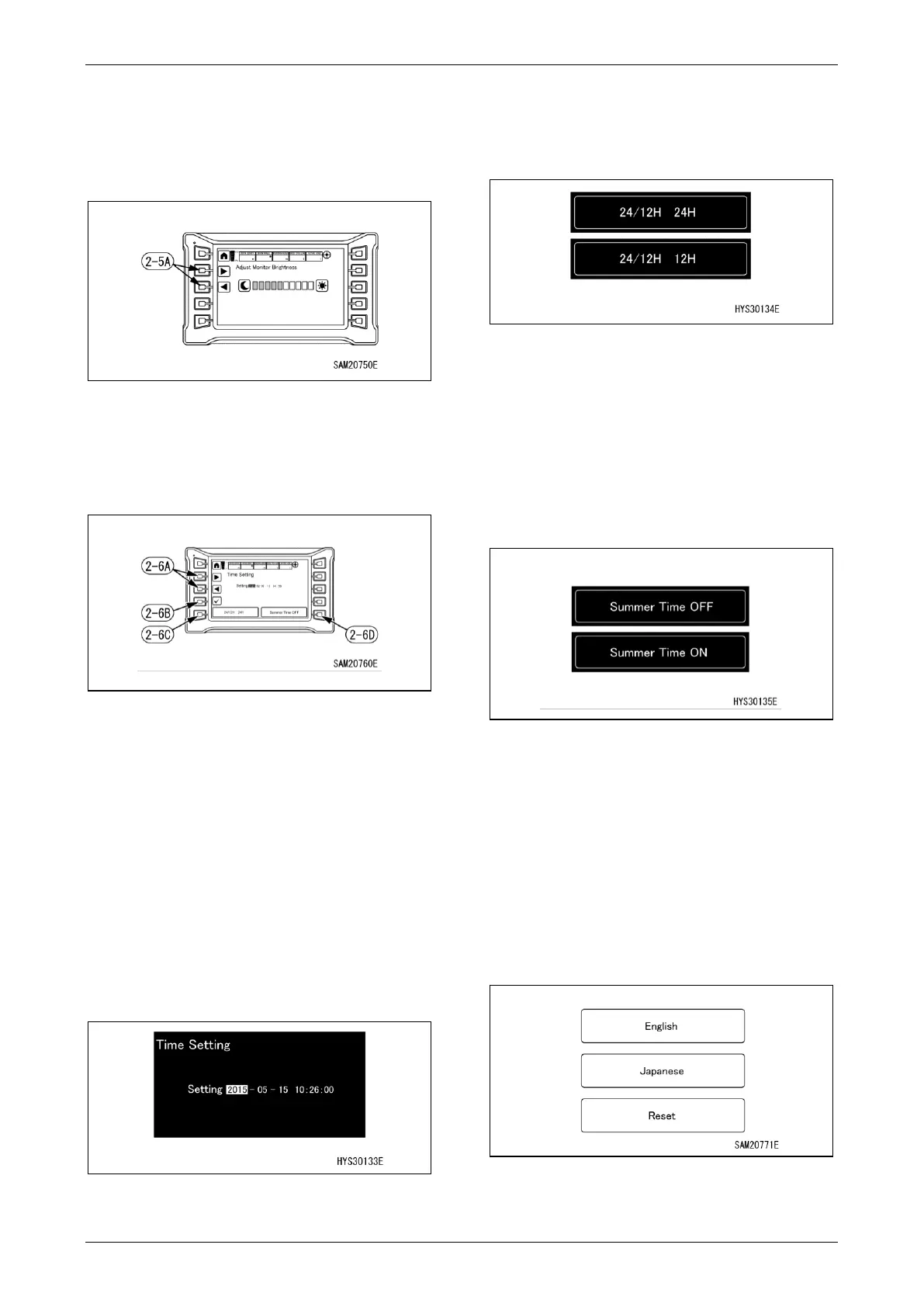
Monitor Brightness Adjustment
The monitor brightness can be adjusted.
Make adjustments with ◄ or ► of adjustment
switch.
Fig. 4-31
Time Setting
The time setting, 24/12 hour display and
summer time ON/OFF can be changed.
Fig. 4-32
48B
Setting the time
Select the date and time desired to be changed
with ◄ or ► of the adjustment switch (2-6A) and
press the check mark.
(The part whose background is white is
selected.)
When the word colour turns red, editing
becomes possible.
Make adjustments with ◄ or ► of the
adjustment switch in this condition.
When the check mark is finally pressed, editing
is completed.
Fig. 4-33
24/12 Hour Display Change
When the switch (2-6C) is pressed, time display
can be changed to either 24 hour display or 12
hour display.
Fig. 4-34
Summer Time ON/OFF
When the switch (2-6D) is pressed, ON or OFF
of summer time can be selected.
• Summer Time OFF: Originally set time is
displayed.
• Summer Time ON: Time display is moved up
by one hour.
Fig. 4-35
B
Language Change
The display language can be changed and reset.
• English: Switches the display language to
English.
• Japanese: Switches the display language to
Japanese.
• Reset: Switches to the default language
setting.
Fig. 4-36



 To Next Page