M A E D A Mini-Crawler Crane Section 5 – GENERAL MACHINE MAINTENANCE
1/2019 MC285C-3 5-53
Remove / Install Battery
Before removing or installing the battery, read the
maintenance precautions in “Battery Precautions”
on page 5-52.
Removal of Battery
WARNING! Fire Hazard. Turn the engine off
before removing or attaching battery cables.
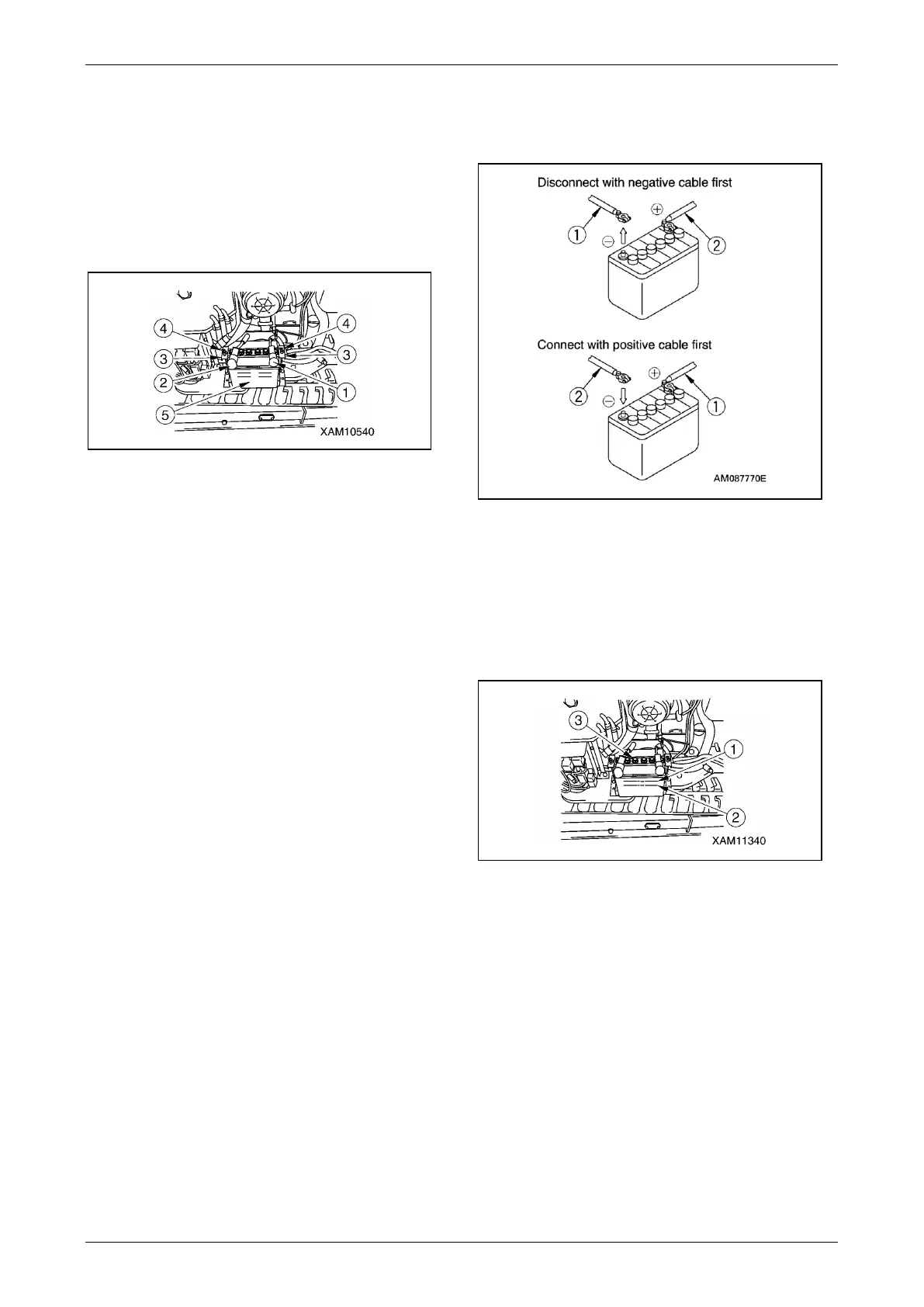
Fig. 5-97
1. See “Removing Machinery Cover” on page
5-14 and remove the machinery cover.
2. Remove the negative (-) battery cable (1),
which is grounded, then remove the positive
(+) cable (2).
3. Remove the wing nut (4), then remove
battery mounting brackets (3) before
removing the battery (5).
Installation of Battery
WARNING! Fire Hazard. Secure the battery to
avoid movement in the box or tray.
1. Install the battery in the reverse order of
removal.
NOTICE: Before connecting the battery cables to
the battery, make sure the polarity is correct.
Always connect the positive (+) cable first when
installing a battery.
2. Tightly connect the positive (+) battery cable
to the battery, then connect the negative (-)
battery cable.
Fig. 5-98
3. See “Installing Machinery Cover” on page
5-14 and install the machinery cover.
Check / Add Battery Electrolyte
Before checking or adding battery electrolyte,
read the maintenance precautions in “Battery
Precautions” on page 5-52.
Fig. 5-99
Checking Electrolyte
WARNING! Fire Hazard. Turn the engine off
before checking or adding battery electrolyte.
1. Place the machine on a level location.
2. See “Removing Machinery Cover” on page
5-14 and remove the machinery cover.
3. Check the electrolyte level through the side of
the battery case.
4. Verify the electrolyte is at the upper level line
(1).



 To Next Page