M A E D A Mini-Crawler Crane Section 4 – OUTRIGGER SETTING
1/2019 MC285C-3 4-41
11. After completion of this preparation work,
make sure that the position pins are
securely inserted into each hole with
retainers engaged.
Performed with Engine On
WARNING! Tilting of the machine more than
three degrees causes the tipping over alarm
buzzer to sound. Adjust the machine so that
it is placed in flat condition and the alarm
buzzer stops.
1. Start the engine. For more information, see
“Starting the Engine” on page 4-20.
After starting, set the accelerator lever to
low speed.
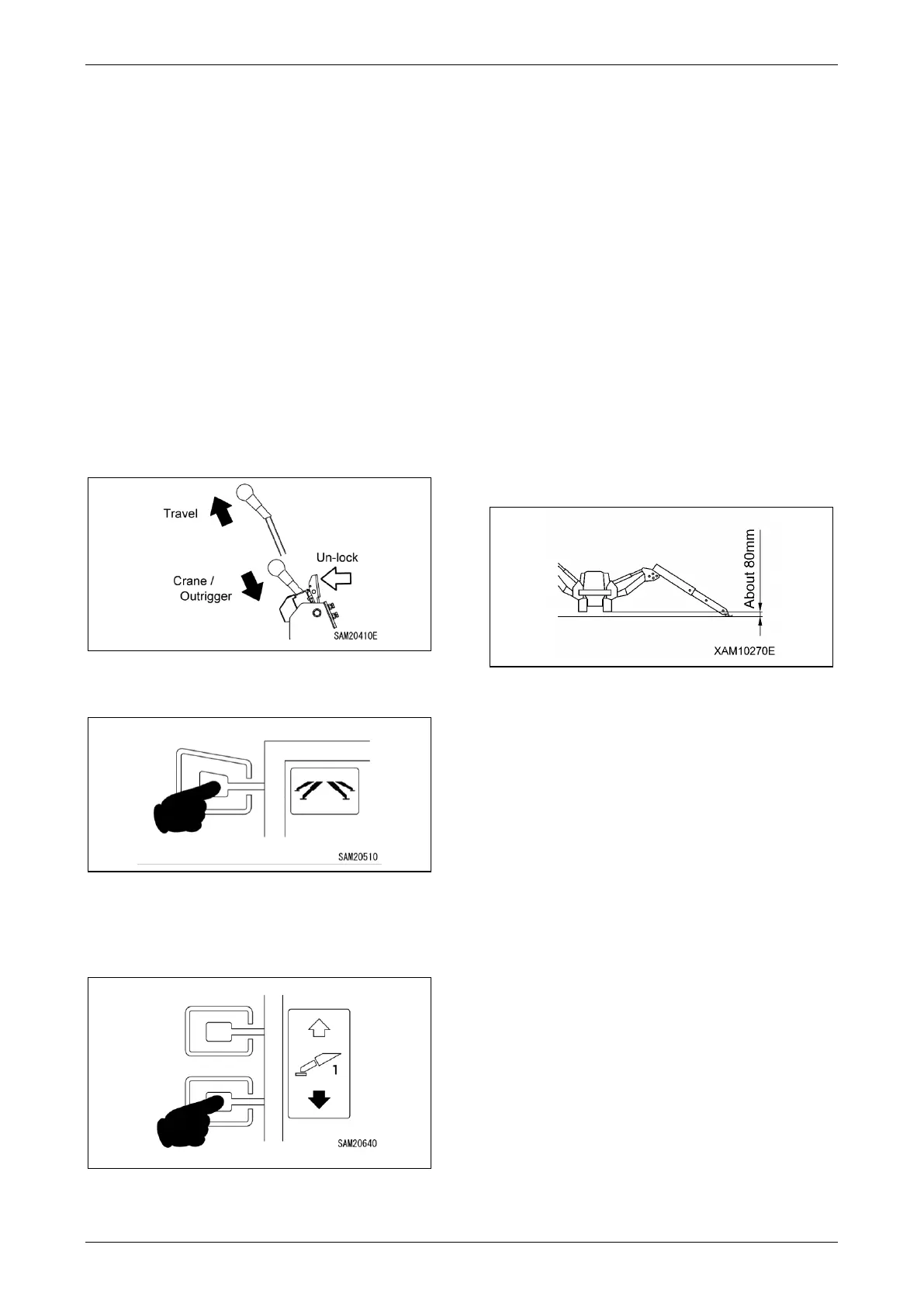
2. Push in the travel lever while unlocking the
lever to enable operation of the outriggers.
Fig. 4-114
3. Select outrigger mode on the Home screen.
Fig. 4-115
4. Check the outrigger number on the monitor
against the actual outrigger number to
determine the outrigger used.
Fig. 4-116
5. Press one or two Outrigger Ground Set-Up
Switches.
The outrigger cylinders will extend. Release
the switch(es) once the outrigger pads
make contact with the ground.
Operate the other switches in the same way
until all four outrigger pads are in contact
with the ground.
6. Once all outrigger pads are in contact with
the ground, press the Outrigger Ground
Set-Up Switches once again.
The outrigger cylinders will extend. Release
the switch(es) once the machine has lifted
off the ground slightly.
Operate the other switches in the same way
until all four outrigger pads are raised to the
same height. Repeat this operation to
gradually lift the machine off the ground
until the rubber track is at 80 mm high.
Fig. 4-117
WARNING! Do not operate the machine if the
rubber tracks are not properly positioned.
7. Use the level gauge to adjust the machine
until it is level. An alarm buzzer will sound if
the machine tilts by more than 3 degrees.
8. Once the outriggers are in place, return to
the Home screen on the monitor.



 To Next Page