M A E D A Mini-Crawler Crane Section 4 – MOMENT LIMITER (OVERLOAD DETECTOR)
1/2019 MC285C-3 4-73
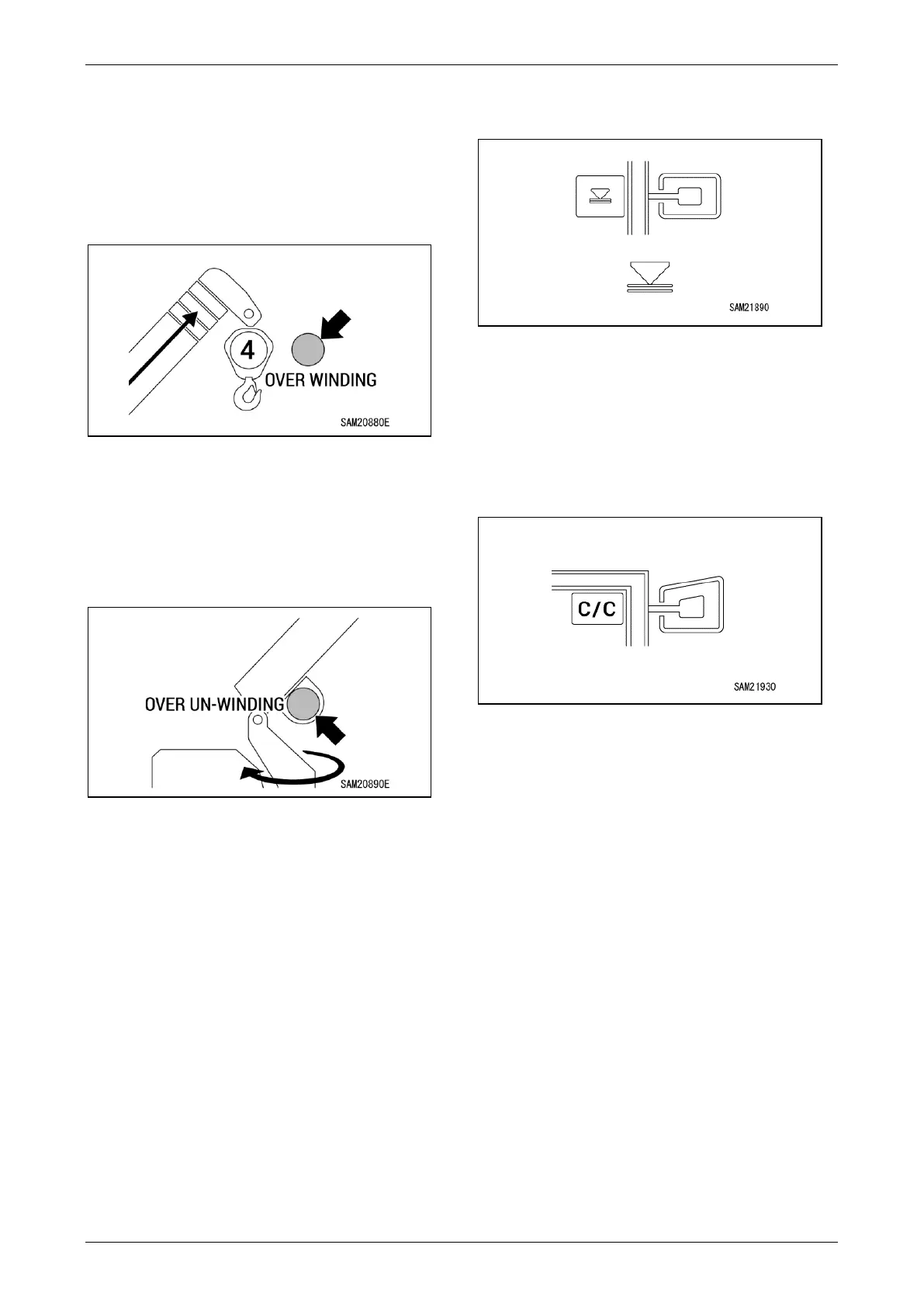
Over Winding Display
The red light flashes if the hook is in over winding
condition during crane operations.
The green light illuminates only if the over winding
detector is disabled while using the searcher
hook.
Fig. 4-199
Over-Unwinding Stop Display
If the length of wire unwound from the winch drum
exceeds the maximum value while lowering the
hook during crane operations, unwinding will stop
automatically, and the red light will flash.
Fig. 4-200
Lifting Height Upper Limit Switch, Lifting
Height Upper Limit Display, Boom Angle
Upper Limit/Lower Limit Switch, Boom
Angle Upper Limit/Lower Limit Switch,
Working Radius Upper Limit Display,
Working Radius Upper Limit Switch,
Slewing Angle Limit Switch, Clockwise
(Right) Slewing Angle Limit Display,
Counterclockwise (Left) Slewing Angle
Limit Display
Operating limits can be set in cases in which the
operating range is restricted by moving the boom
to the actual operating range limit to be set and
holding down the corresponding switch.
The display changes from blue to orange when
set.
Fig. 4-201
Setting Check/Cancelling Switch
• You can check the operating range limit
currently set. Pressing the switch displays the
setting for approximately 5 seconds.
• You can clear all operating range limit settings.
Hold down the switch to clear all settings.
Fig. 4-202



 To Next Page