Section 4 – REMOTE CONTROL SYSTEM COMPONENTS Mini-Crawler Crane M A E D A
4-88 1/2019 MC285C-3
Standby Screen
Press the Power Switch on the transmitter to
display the Standby screen.
The remote control system is still locked at this
point.
Startup Screen
Hold down the Power Switch on the transmitter
while the Standby screen is displayed to turn on
power and switch to the Startup screen.
Crane/Outrigger Screen
The operation mode selector switch also changes
the screen displayed.
In the either case, the left screen displays the
accelerator gauge. The gauge indication varies
depending on how far the lever is moved.
The right display varies as follows for each of the
screens:
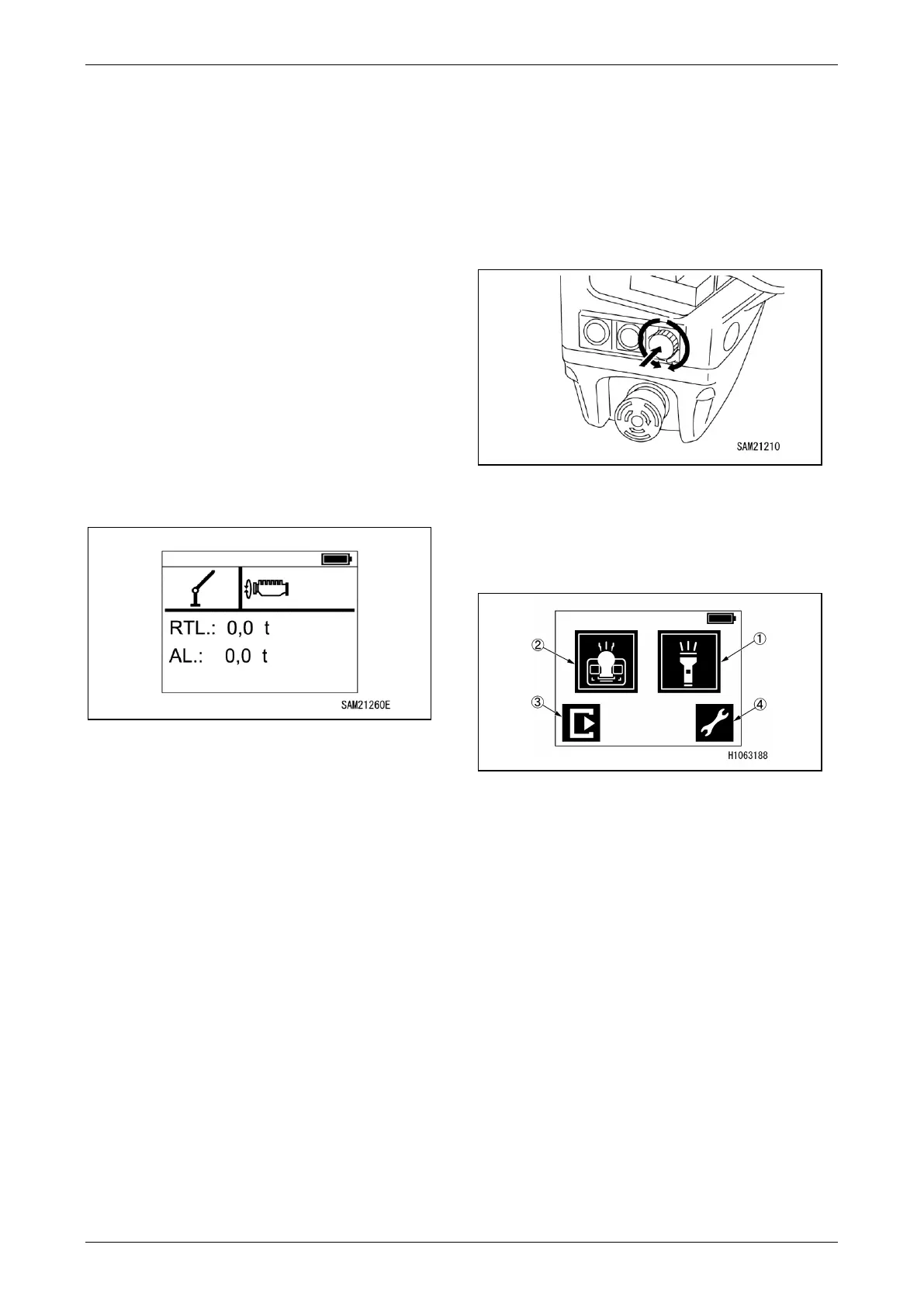
Fig. 4-234
[Crane Screen]
The crane symbol is displayed. The rated total
load and actual load are also displayed.
・RTL: Indicates the rated total load.
・AL: Indicates the actual load.
[Outrigger Screen]
The outrigger symbol is displayed. No particular
status indications are displayed here.
Menu Screen
Press the Display Operation Switch while the
Crane Screen or Outrigger Screen is displayed to
switch to the Menu Screen.
Fig. 4-235
Turning the display operation switch allows you to
select a desired menu.
Select a menu on the display, and press the
display operation switch to determine the menu.
Fig. 4-236
(1) LED light (front) ON/OFF
(2) LED light (operation panel) ON/OFF
(3) Move to the crane/outrigger screen
(4) Move to remote control menu



 To Next Page