M A E D A Mini-Crawler Crane Section 4 – TRAVEL CONTROLS
1/2019 MC285C-3 4-5
Switches
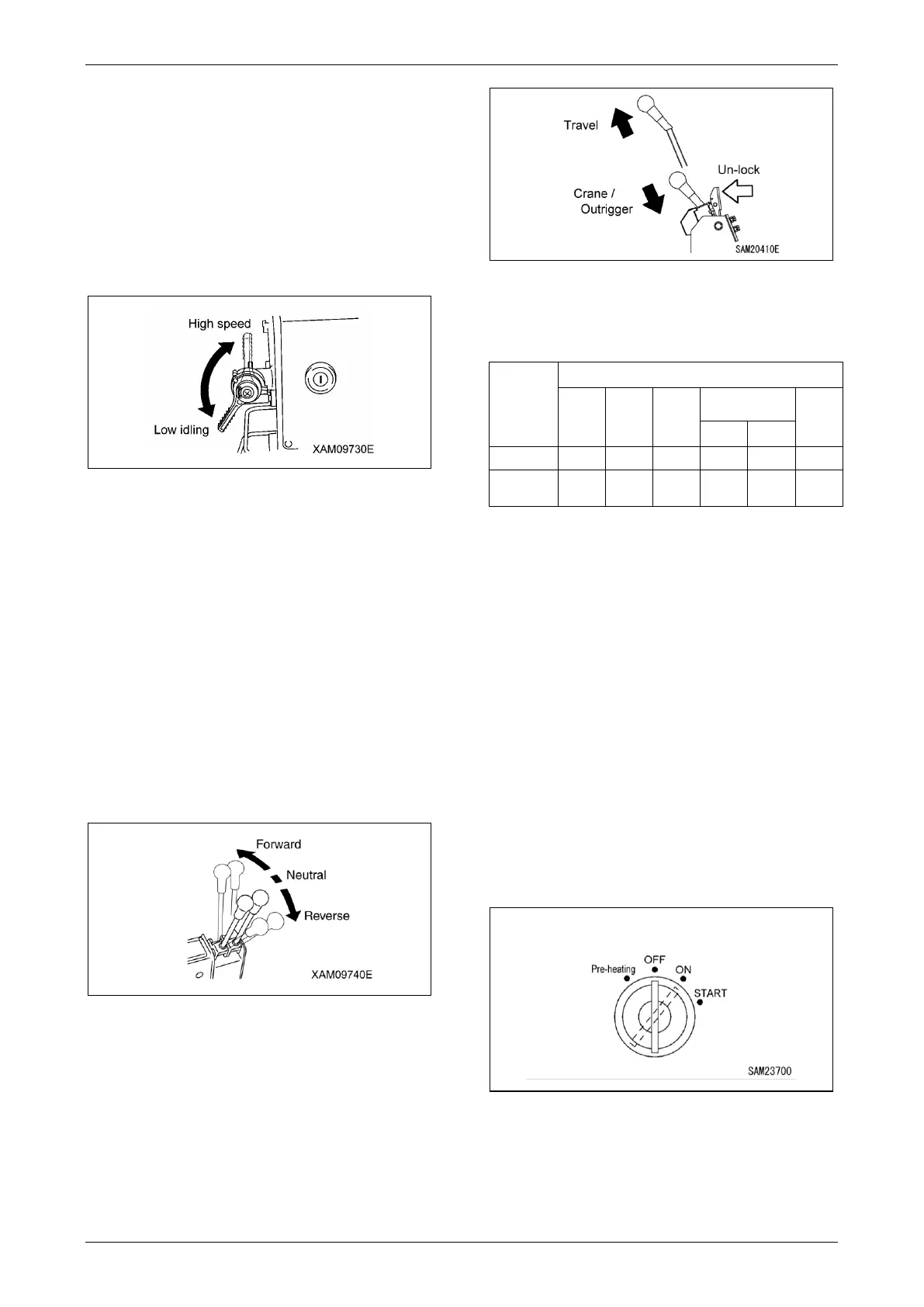
Accelerator Lever
NOTICE: Change the speed to low speed or
high speed according to the load.
The accelerator lever is used to adjust the
engine speed or output.
Move the accelerator lever to achieve the
desired engine speed necessary for the task.
Fig. 4-3
• Low idle: Push the lever down. The engine
speed decreases and the operation speed
slows down.
• Full speed: Pull the lever up. The engine
speed increases, and the operation speed
accelerates.
L. H. Travel Lever/Locking lever
R. H. Travel Lever/Locking lever
Use these levers to move the machine
forward/backward, stop, turn, and to adjust the
travelling speed.
For more information, see “Directional Controls”
on page 4-27.
Fig. 4-4
The travel lever functions as a locking lever and
is used to switch between machine travel
operations and crane/outrigger operations.
• Travel: Pull up the lever while releasing the
lock to allow travel operations.
• Crane/Outrigger: Push in and stow the lever
while releasing the lock to allow
crane/outrigger operations.
Fig. 4-5
NOTICE: The following table shows how the
lever position corresponds to the devices that
can be operated.
Crane (✓: Operates -: Does not operate)
Operations marked (*) in the table are available
but should be avoided for safety reasons (other
than for inspections or maintenance).
Starter Switch
The Starter Switch is used to start and stop the
engine.
• Pre-heating: Turn the key to this position when
starting the engine in cold weather.
• OFF: You can insert/remove the key at this
position. All the switches in the electrical
system are turned off and the engine stops.
• ON: Electricity runs into all the circuits.
• START: Position where the engine starts.
• When the engine has started, release your
hand from the key. The key automatically
returns to the “ON” position.
Fig. 4-6
12B



 To Next Page