5-3
AUDIO
Radio
Using the Radio
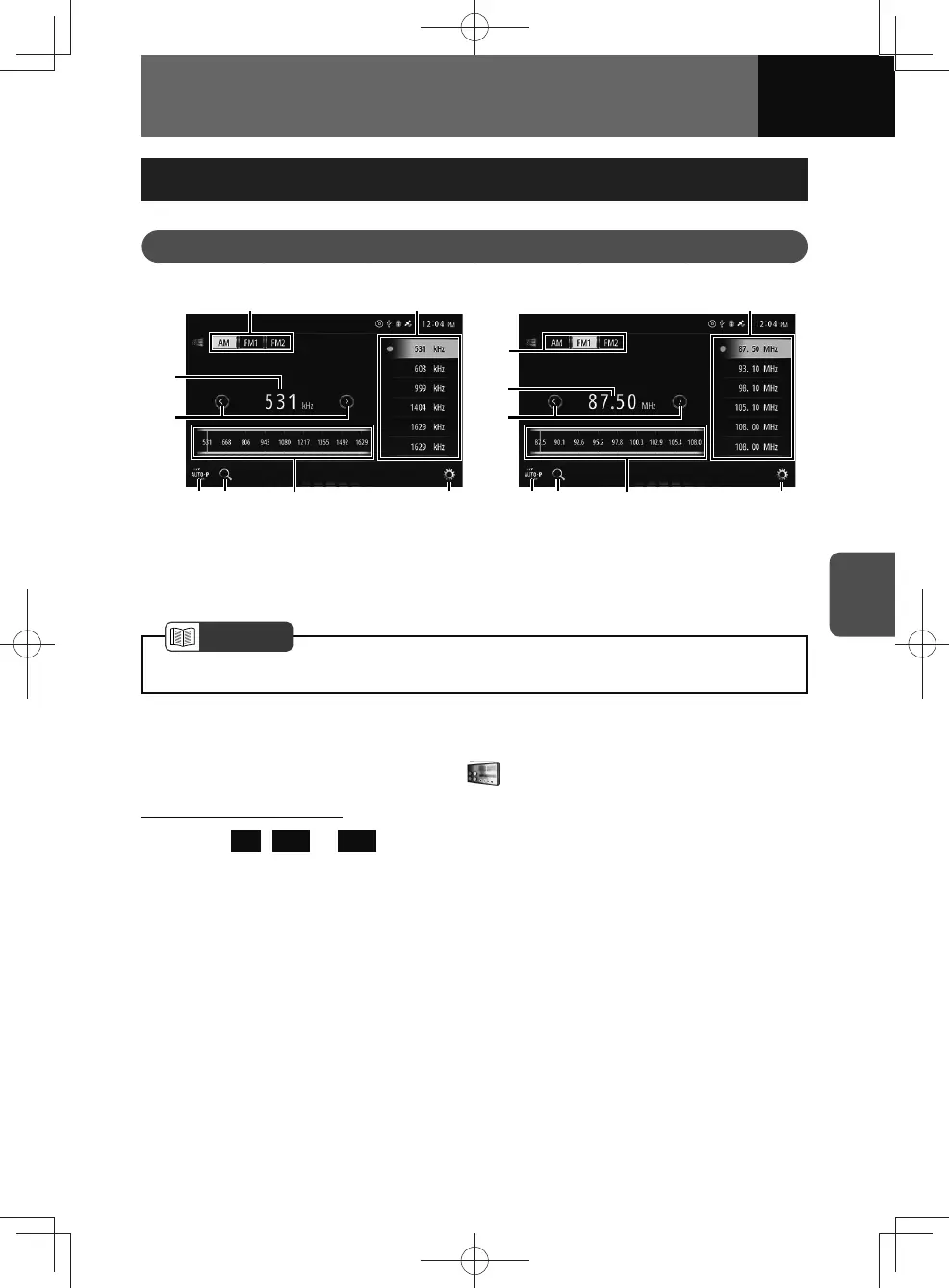
<AM screen>
(3)
(4)
(1)
(6)
(5) (7)
(2)
(8)
<FM screen>
(3)
(4)
(1)
(6)
(5) (7)
(2)
(8)
(1) Band button
(2) A station currently being received
(3) Tune up/down buttons
(4) Auto preset button
(5) Scan button
(6) Frequency scale
(7) Audio settings button
(8) Preset buttons
NOTE
• For AM/FM frequencies, see "Specifications" on page 11-23.
Listening to the radio
1. On the audio menu screen, touch .
Selecting the radio band
1. Touch AM , FM1 or FM2 .
• For the bands currently being received, AM, FM1 or FM2 will be highlighted.











 To Next Page